Smart factory starts here.

ERP + MES + QMS for CNC and precision manufacturing

From quotation to shipment, from the drawing to full traceability. Information is entered once and everyone sees the same truth. Installed on your own server.

Sending
You are subscribed. Thank you.
IQ for your machines. ERP for your business.
ERP + MES + QMS for CNC and precision manufacturing
Real work order cost Teklife geri besleme

Time and consumption of completed work feed the price of the next quotation.

Shop floor terminal RFID ile giriş

One platform

Quotes, stock, work orders, quality and shipping on the same database. No second ERP needed.

On-premises

The system runs on the factory's own server. Data stays inside and closed networks are supported.

Perpetual license

Perpetual right of use, unlimited users and annual maintenance. No per-user fee.

The journey of a part through TIQERP

One record, from the first quotation line to the shipping note

Quotation

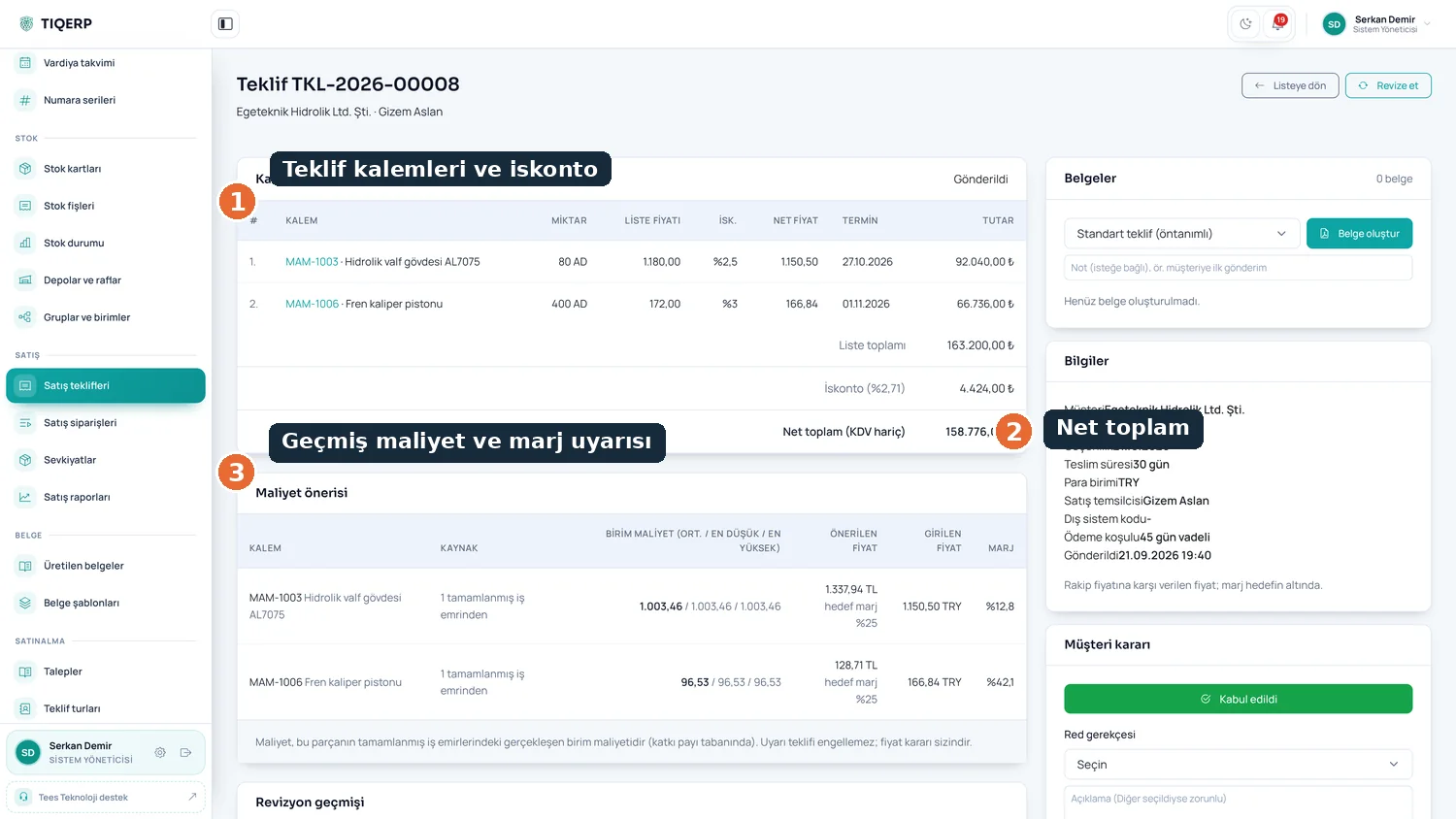
The customer request is opened as a quotation, with the actual cost of previous work orders for the same part in front of you.

See the screen

Order

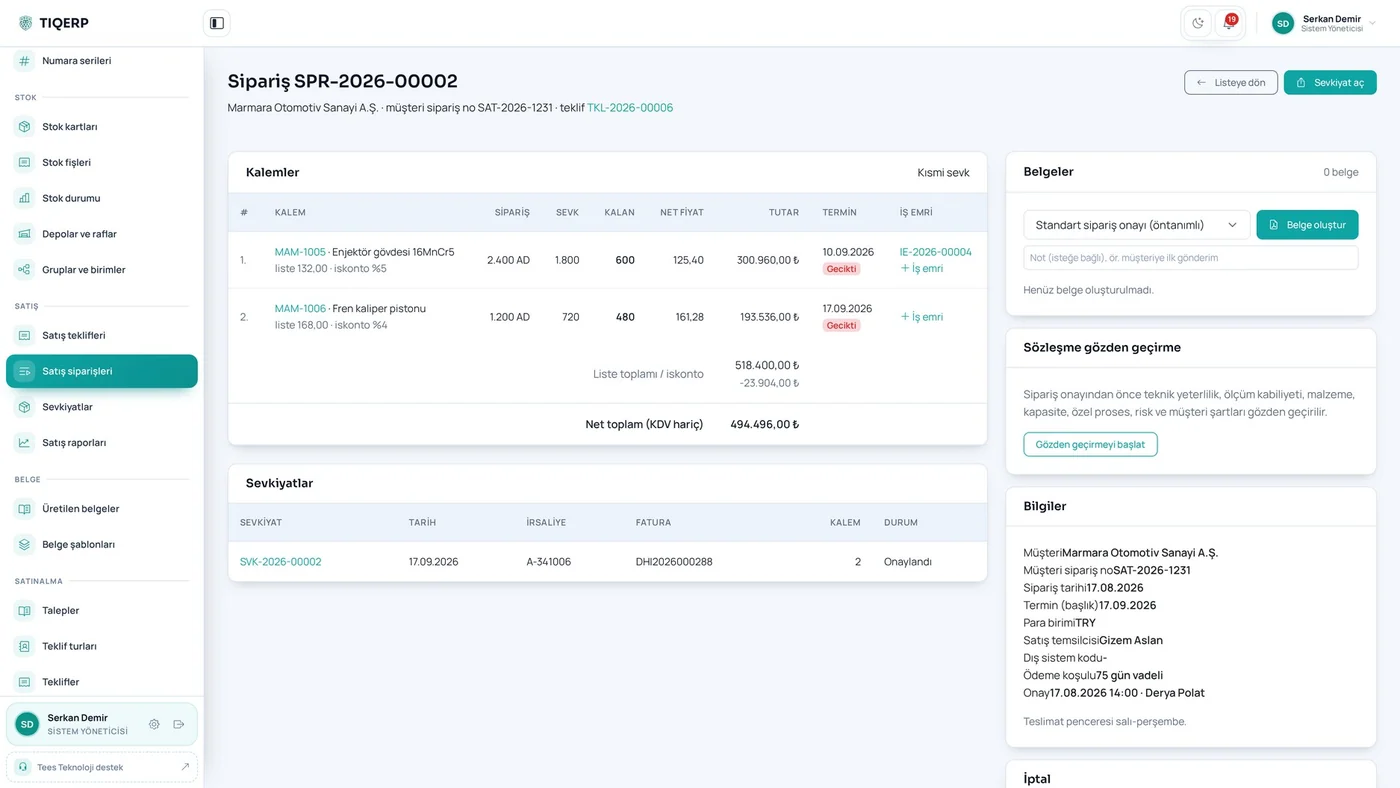
The accepted quotation becomes an order, with contract review completed before approval.

See the screen

Planning

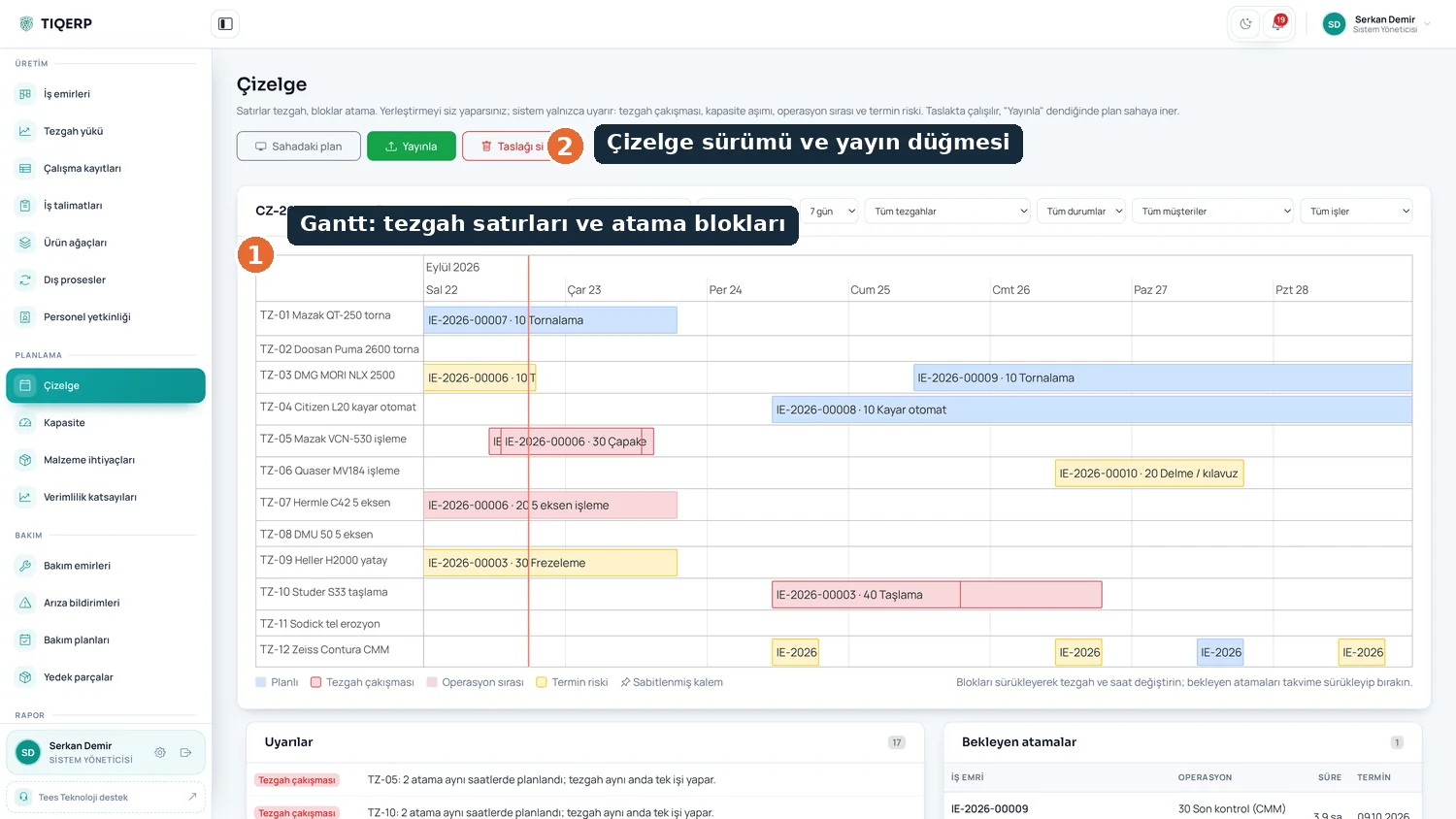
Machines, sequence and durations are planned. The routing belongs to the work order and operations can be split.

See the screen

Production

The operator taps a card at the terminal and cannot start before approving the drawing and instruction.

See the screen

Quality

Measurements are linked to the work order and to the gauge used; out-of-tolerance values raise a nonconformity.

See the screen

Shipment

Shipping requires quality release; the certificate of conformity and lot certificates are attached automatically.

See the screen
Information is entered once. Everyone sees the same truth.

What is written in one step becomes the input of the next; nobody enters the same data twice.

Browse by your own role

Start from whichever one you are

I own the business

Are we really making money on this part, which customer is profitable and will we hold the date I promised?

Profit and delivery

I run production

Where is each job, how much are machines down, where does scrap occur, and do I see it as it happens?

Floor and capacity

I lead quality

Do audit records emerge from daily work, and can I trace a lot backwards within minutes?

Records and traceability

I do the planning

Can I see conflicts, overload and missing material before the job reaches the floor?

Schedule and material

TIQERP

One system from quotation to shipment

Product

It does not only monitor production, it runs the job end to end

Systems that only monitor production still need a separate ERP for quoting, stock and costing. TIQERP brings both together on a single database.

When an order is opened, product, routing and work order are created; time, scrap and downtime are recorded at the machine terminal; quality records are attached to the same work order; and shipping passes through a release check.

Single database

No transfers, mappings or nightly jobs between modules.

Licensing per module

Take the modules you need and extend later.

14 Modules
1 Database
0 Per-user fee
Licensed modules
Take only what you need
Data stays on site
On-premises installation
%
Extra user fee
Unlimited users
Platform
ERP and MES together
These figures describe the product, not customer data.
Are you really making money on this part?
Real cost

Are you really making money on this part?

In most shops a price is quoted by recalling a similar job. TIQERP calculates the actual cost of every completed work order and puts it in front of you when you price the next one.

  • Material, machine, labour, outsourcing, scrap and rework shown separately
  • Planned and actual cost sit side by side on every work order
  • When one operator runs two machines, labour is not counted twice
  • If you do not know your machine hourly rate, the helper calculates it
  • Profitability is followed by order, product and customer

What sets it apart

Where TIQERP differs from platforms that only monitor production

What sets it apart

The difference by category

Cloud-first MES solutions monitor production and keep your data outside. TIQERP runs the whole process on one database, on the factory's own server.

  • Quotes and orders live in the same system
  • Runs on a closed network
  • No fee based on user count

One platform from quote to shipment

Quoting, stock, work orders, quality and shipping move on the same record.

No second ERP

AS9100D and ISO 9001 records

Incoming inspection, approved suppliers, outsourced processes, revision control, FAI, SPC and 8D records emerge from daily work.

Audit-ready records

Measuring equipment and calibration

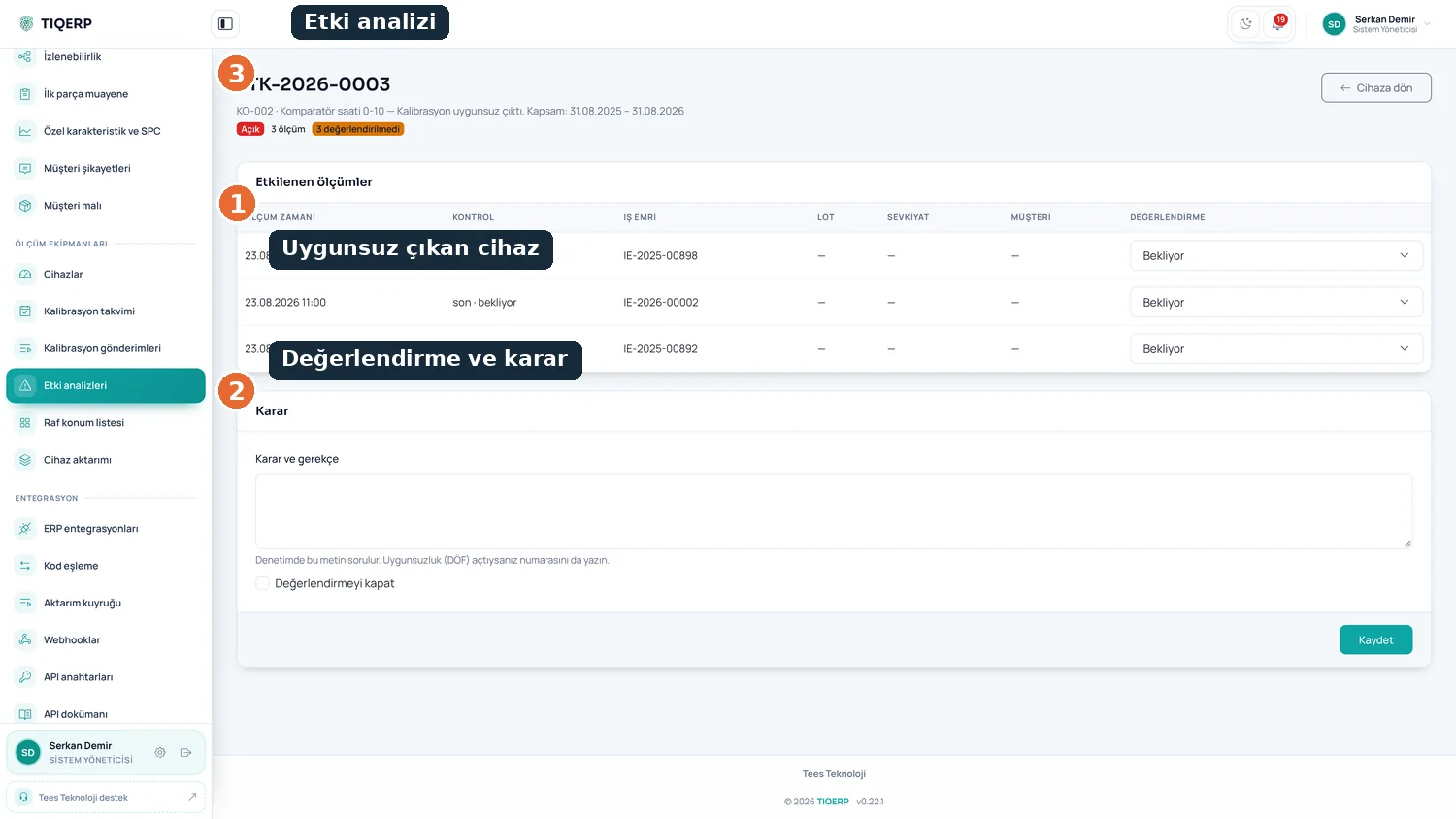
Calibration plan, overdue device warnings and impact analysis showing which jobs are affected when a device drifts.

Impact analysis included

The whole tool crib process

Request, issue, return, quarantine and regrinding in one flow; tool stock sits on the main stock ledger.

Issue and regrind tracking

Real cost feeds the quote

The duration, consumption and scrap of a completed work order appear when you price the next quotation.

Your own data, not an estimate

Data stays in the factory

Installed on the customer's own server; the system can run on a closed network.

Suitable for defence supply chains
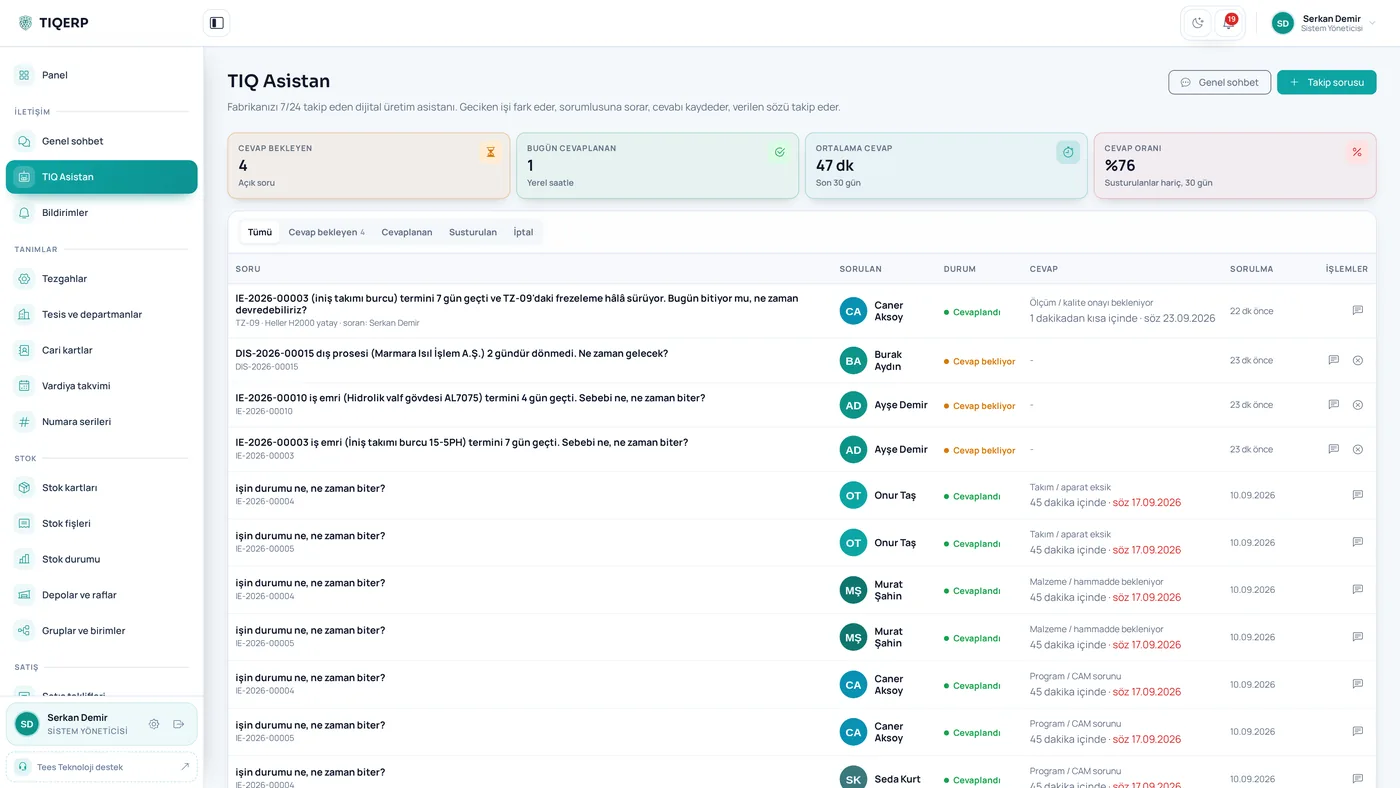
TIQ Assistant

It notices delayed work, asks the person responsible, records the answer and follows up on the promise.

Screenshots

Screens from the working system

  • All
  • Stock and purchasing
  • Quality
  • Sales
  • Tool crib
  • Calibration
  • Maintenance
  • Reports
  • TIQ Assistant
  • General
  • Production

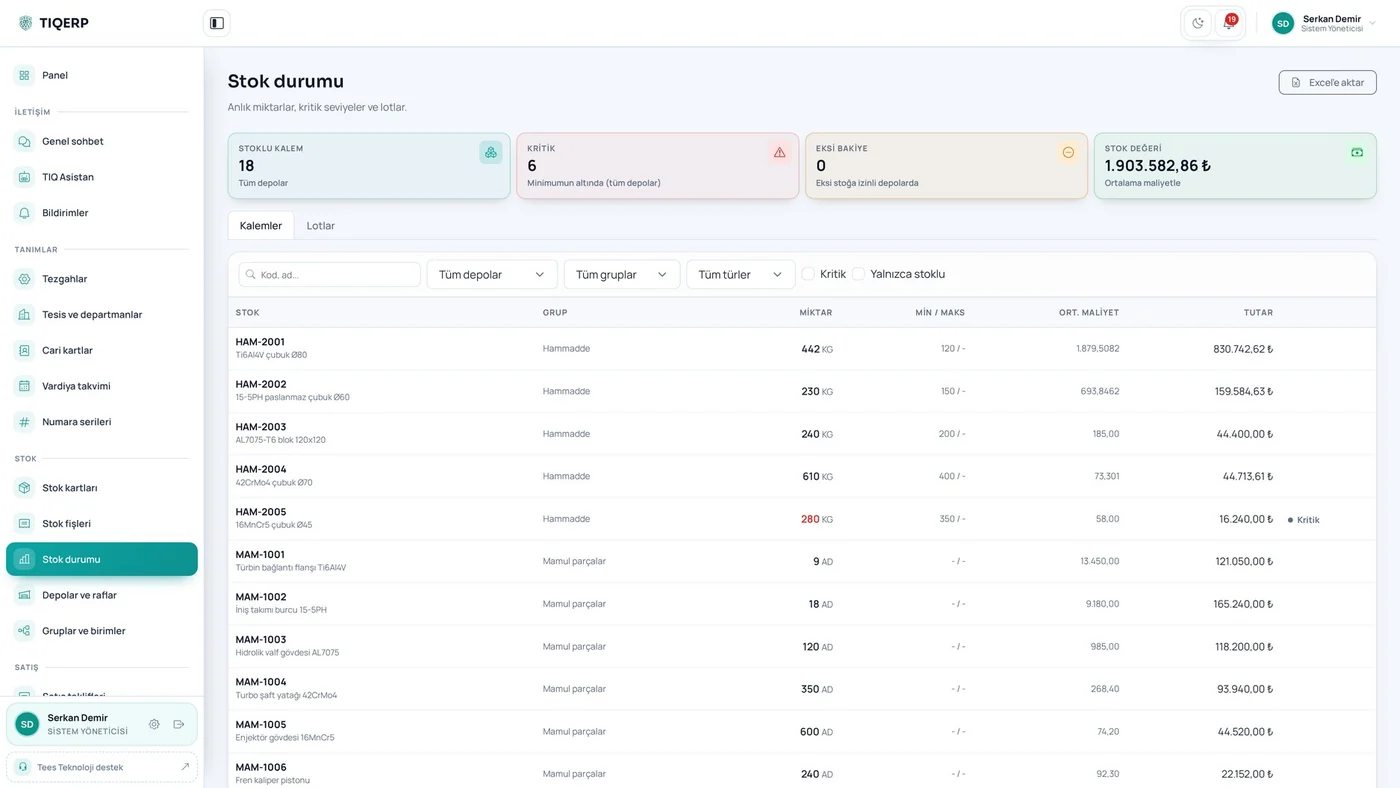
Stock status

Current quantity, critical level, average cost and stock value

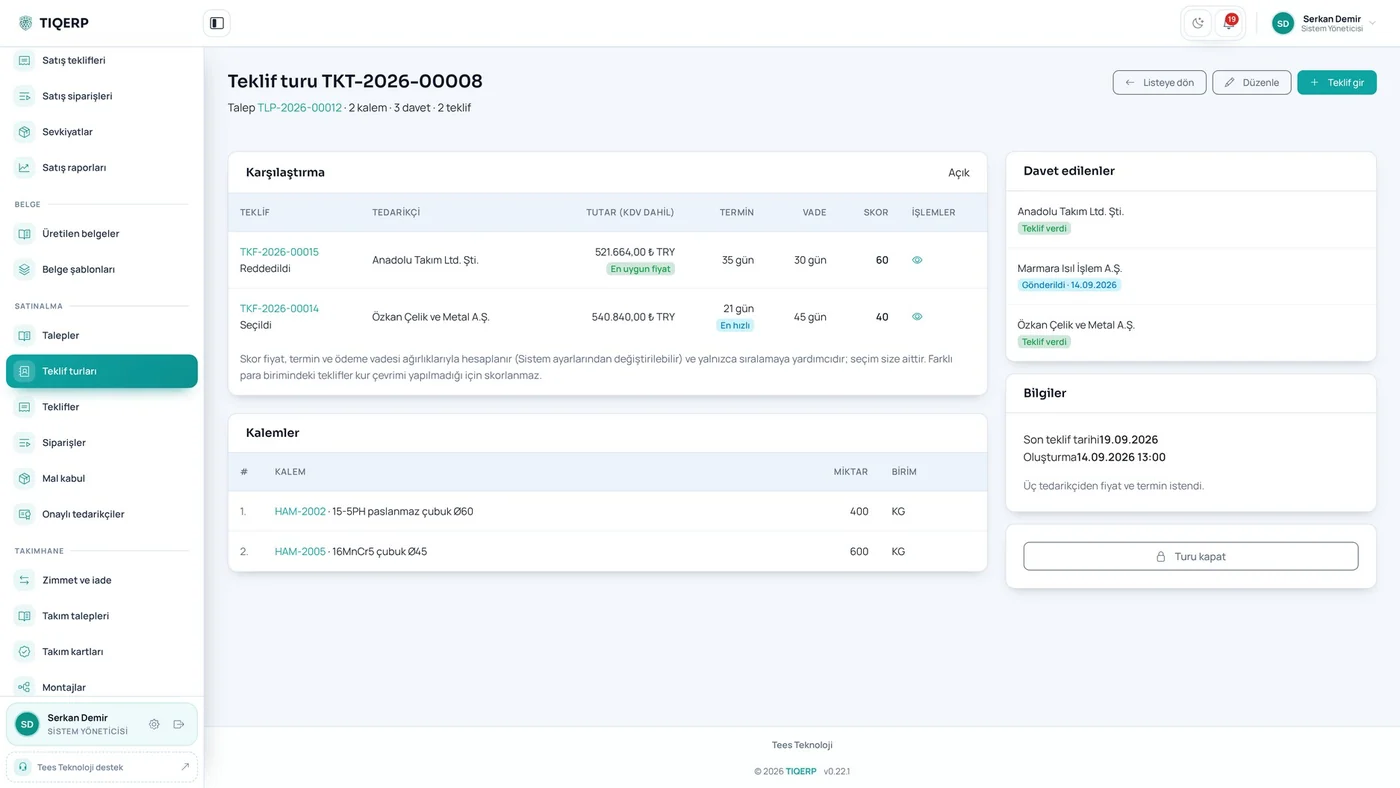
Supplier bid comparison

Scoring by price, lead time and payment terms

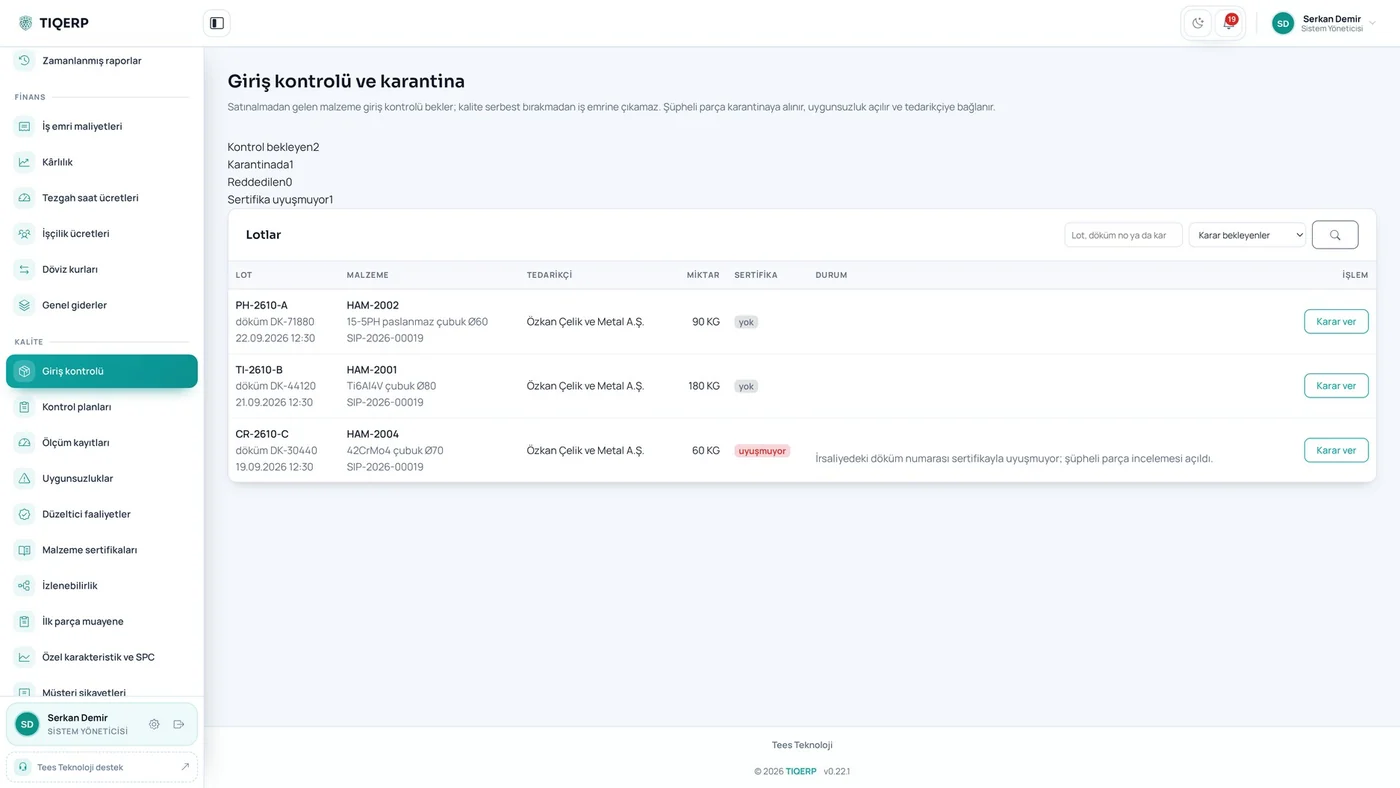
Incoming inspection

Pending lots, quarantine and certificate mismatches

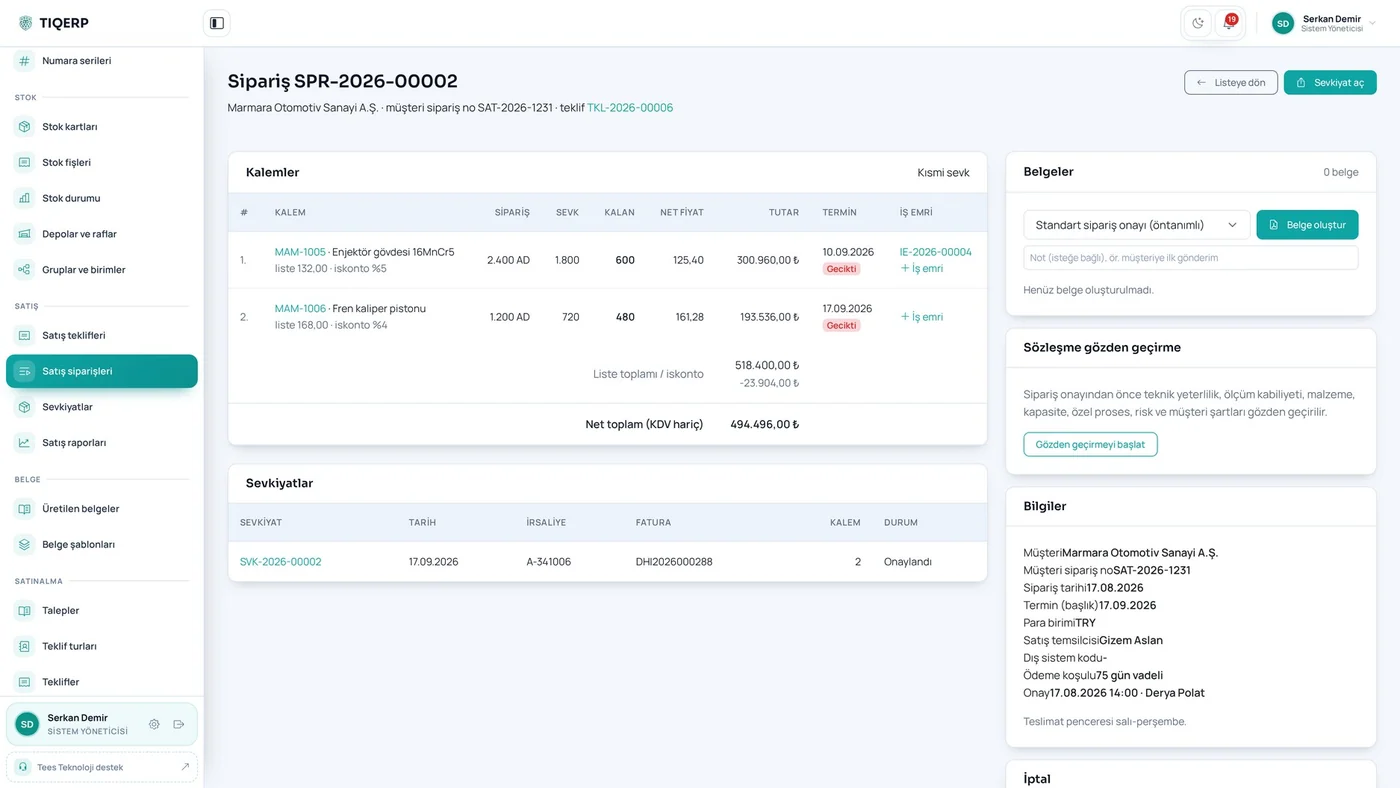
Order and shipment

Delivered and remaining quantities with the shipment list

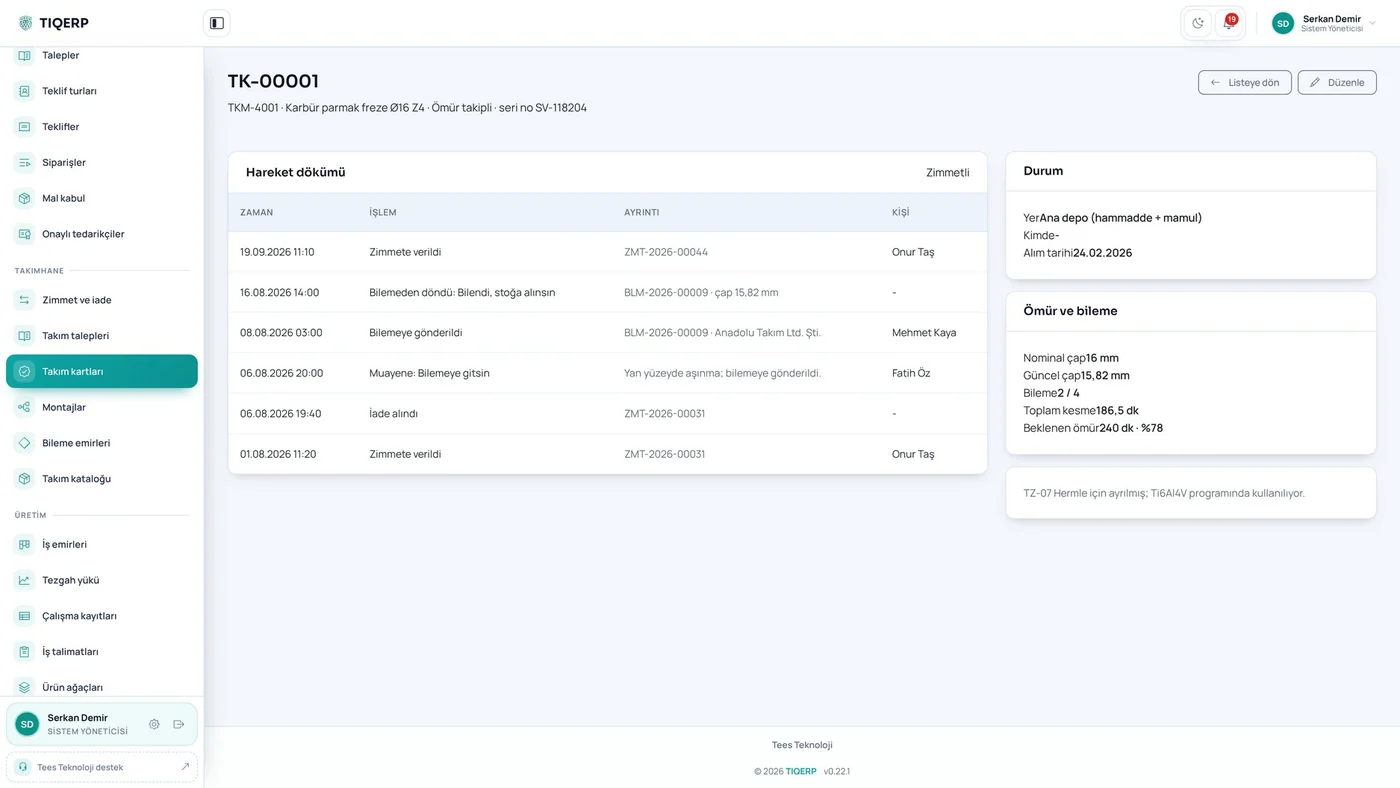
Tool card

Life, regrind count, diameter and movement history

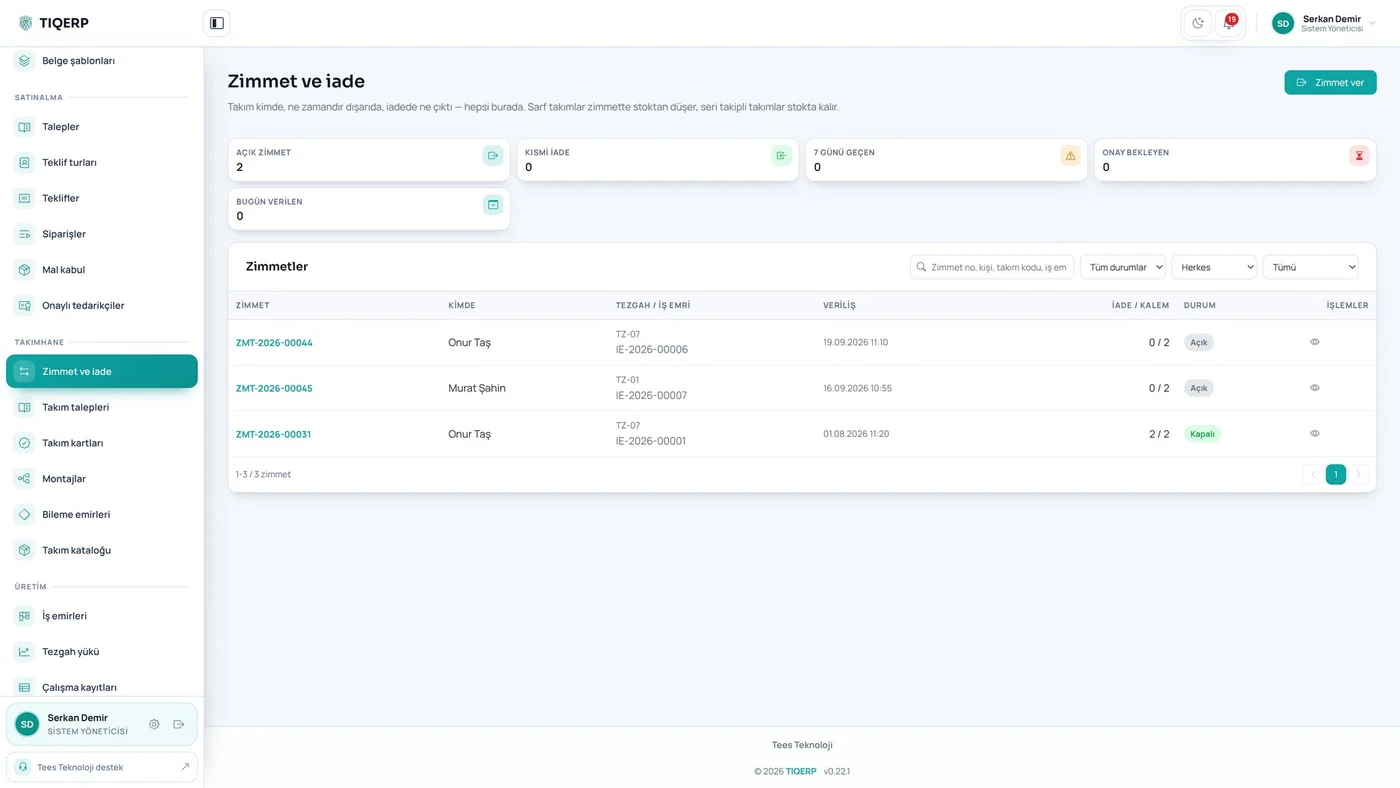
Issue and return

Who took which card and for which job

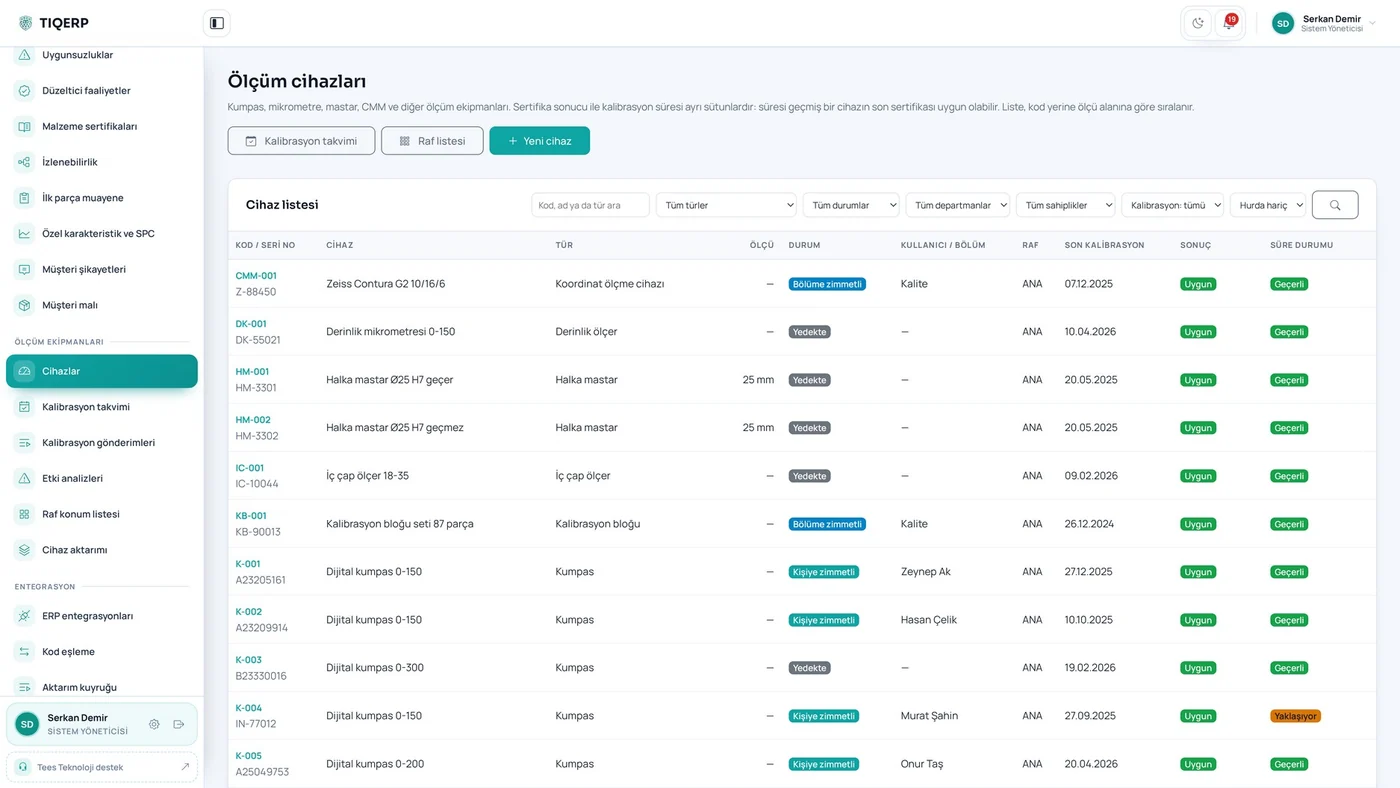
Gauge register

Result and due status in separate columns

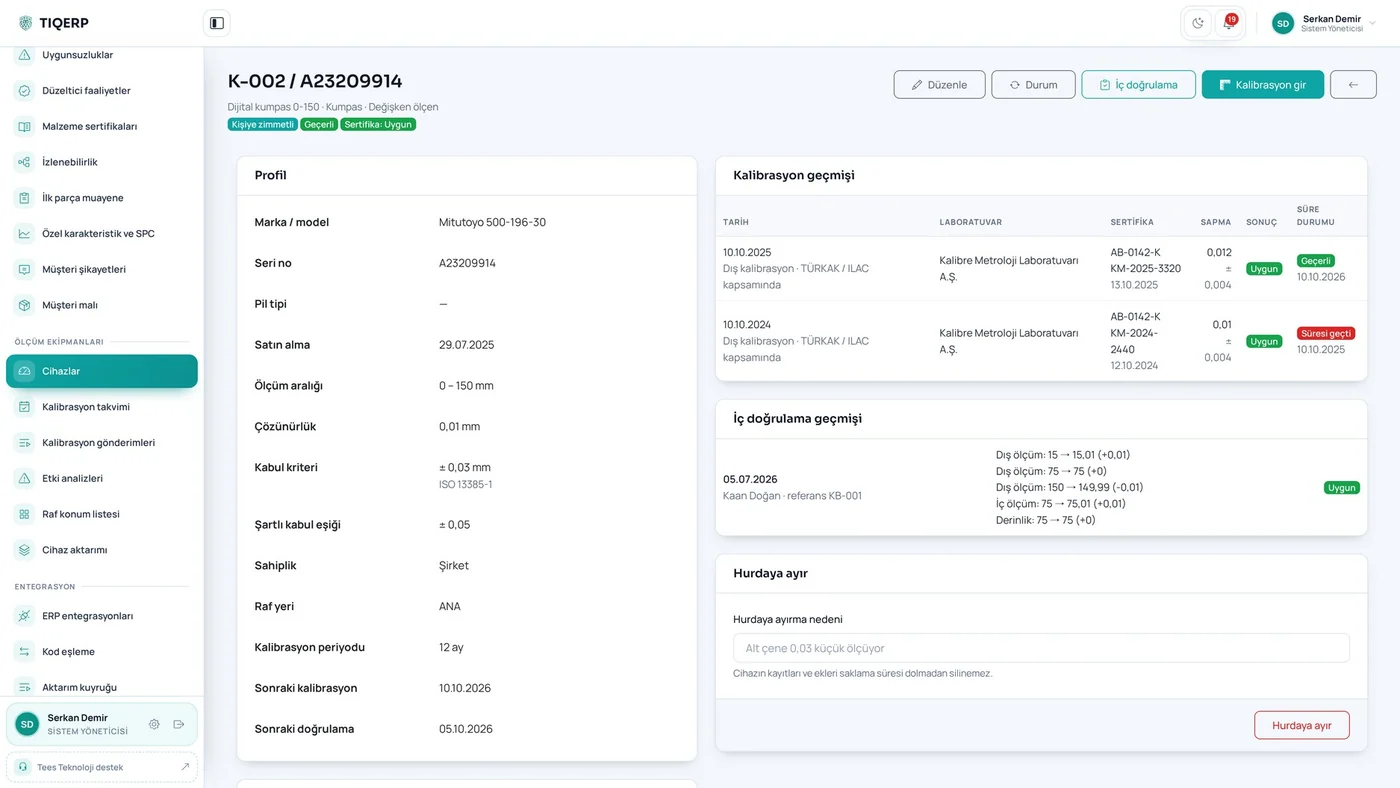
Device calibration history

Calibration and verification history, custody, attachments

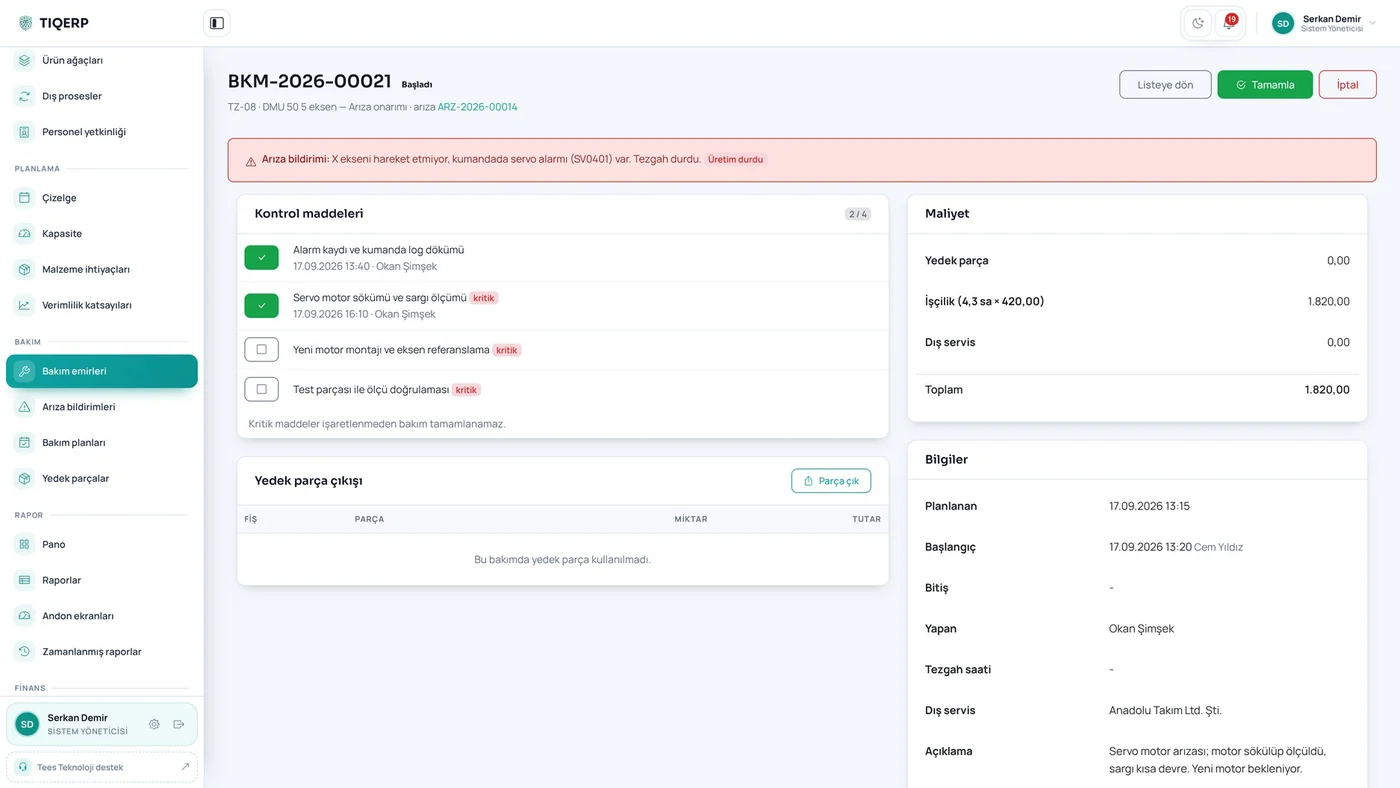
Maintenance order

Checklist items, spare parts and cost

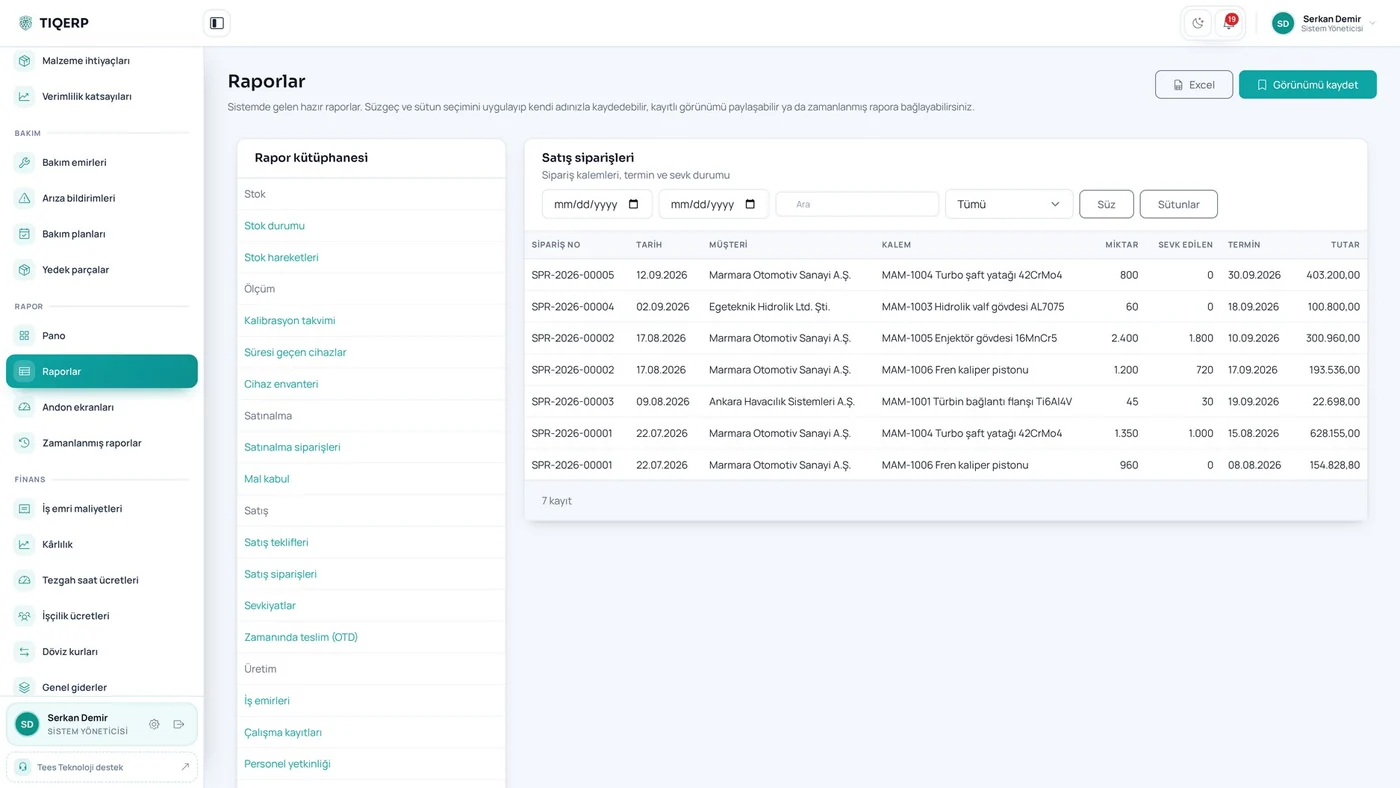
Report library

Ready-made reports and saved views

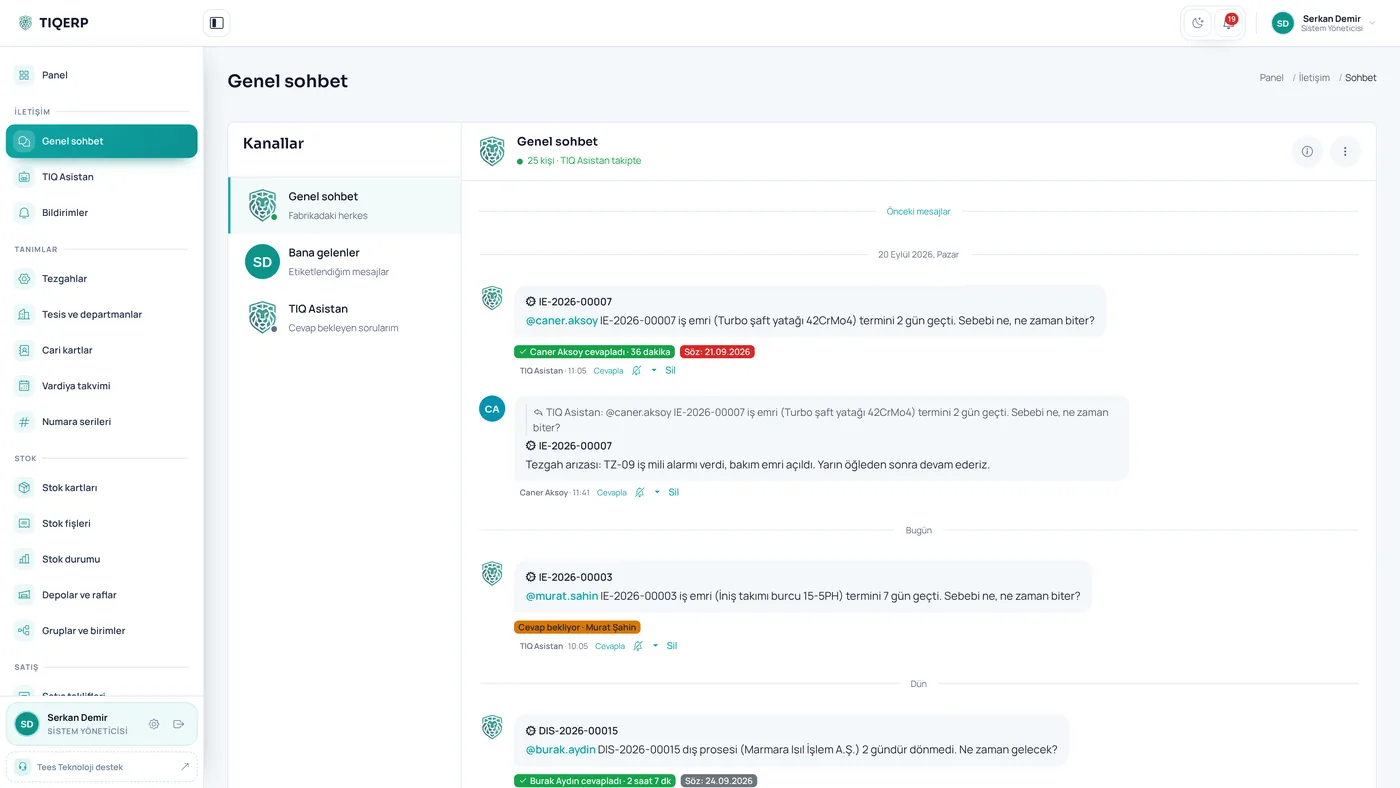
TIQ Assistant · shop chat

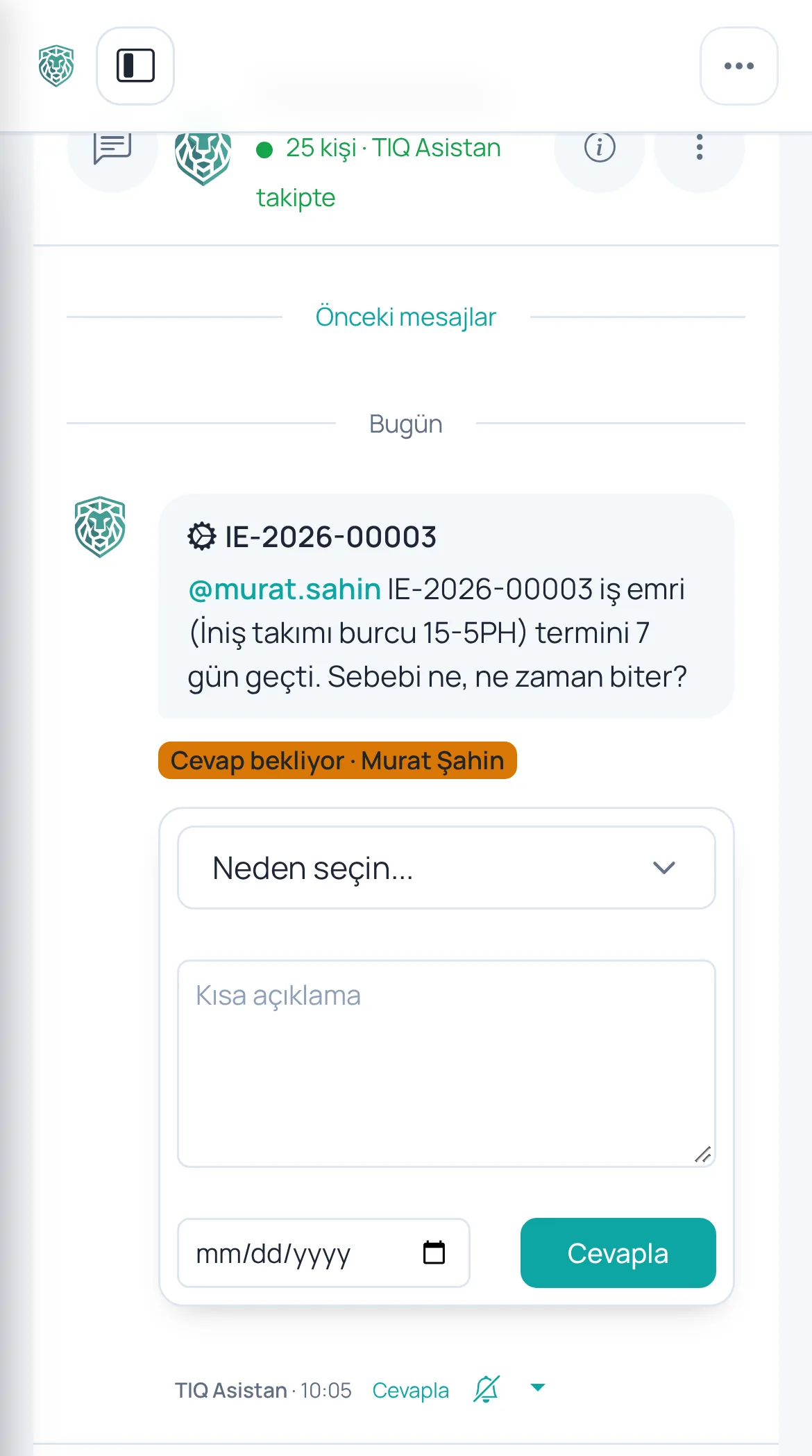
It notices a late work order, asks the person responsible by name and records the answer under the job

Promise follow-up

The system checks whether the job finished on the promised date and flags broken promises

Answering from a phone

The supervisor answers from the shop floor by picking a reason, a note and a new date

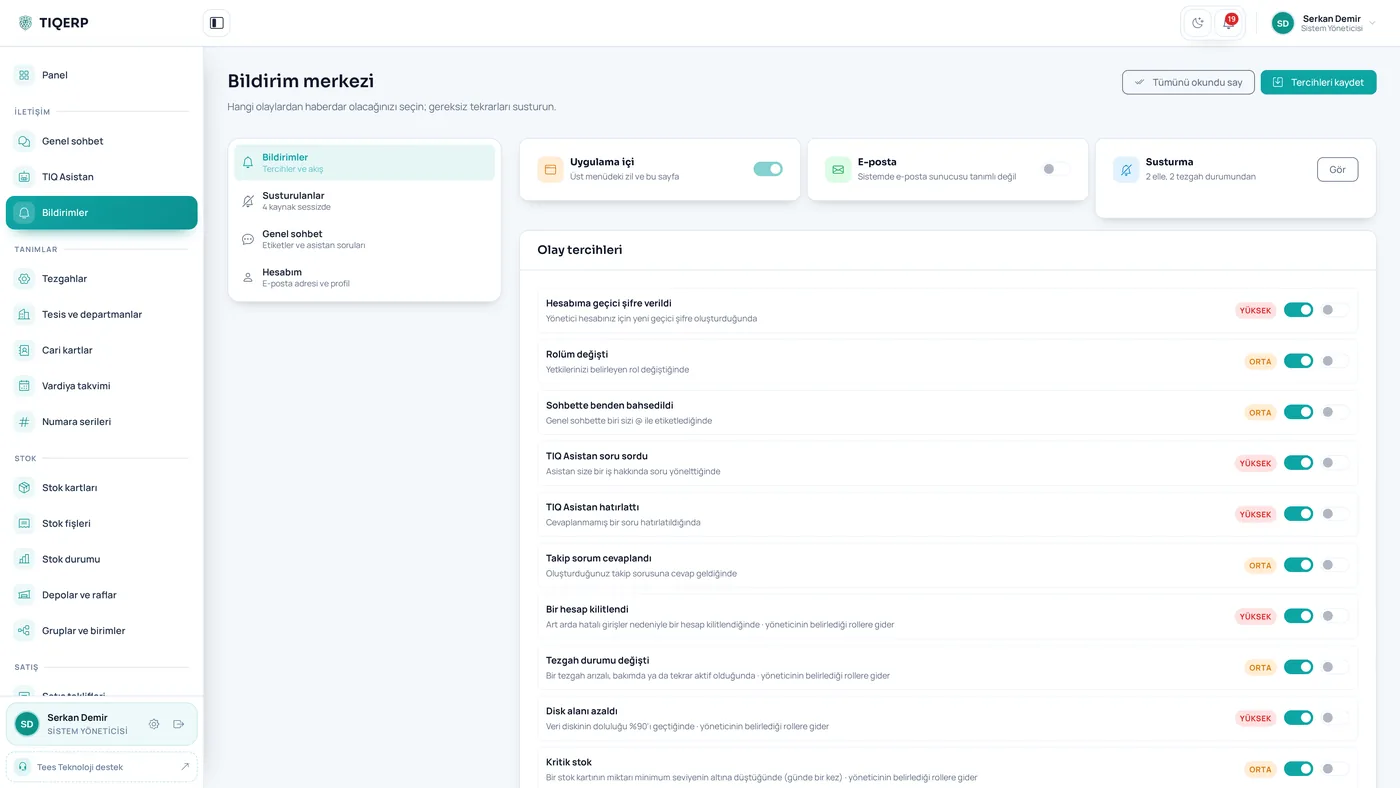
Notifications

Pending work, warnings and decisions in one list; a machine awaiting repair can be muted with one click

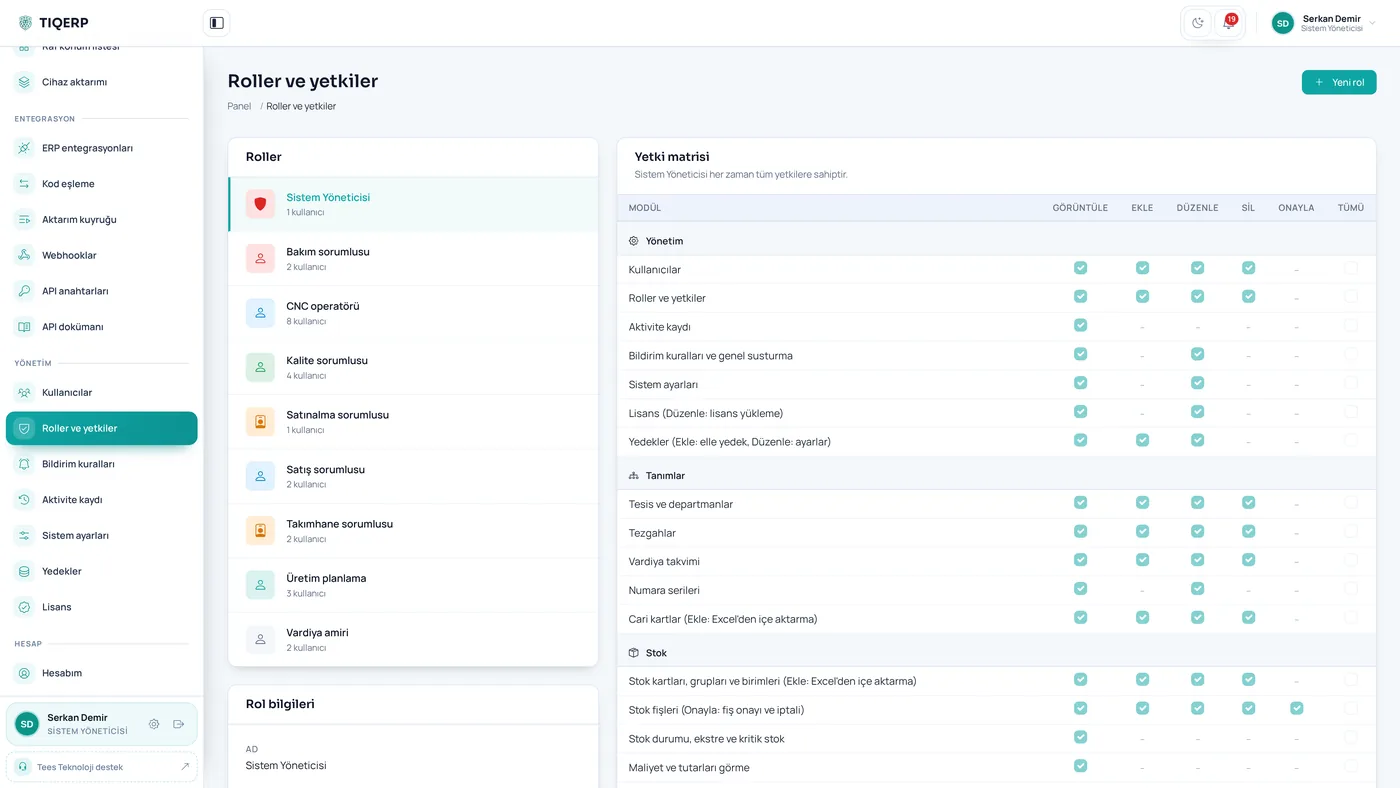
Role and permission matrix

View, add, edit, delete and approve permissions are granted per module

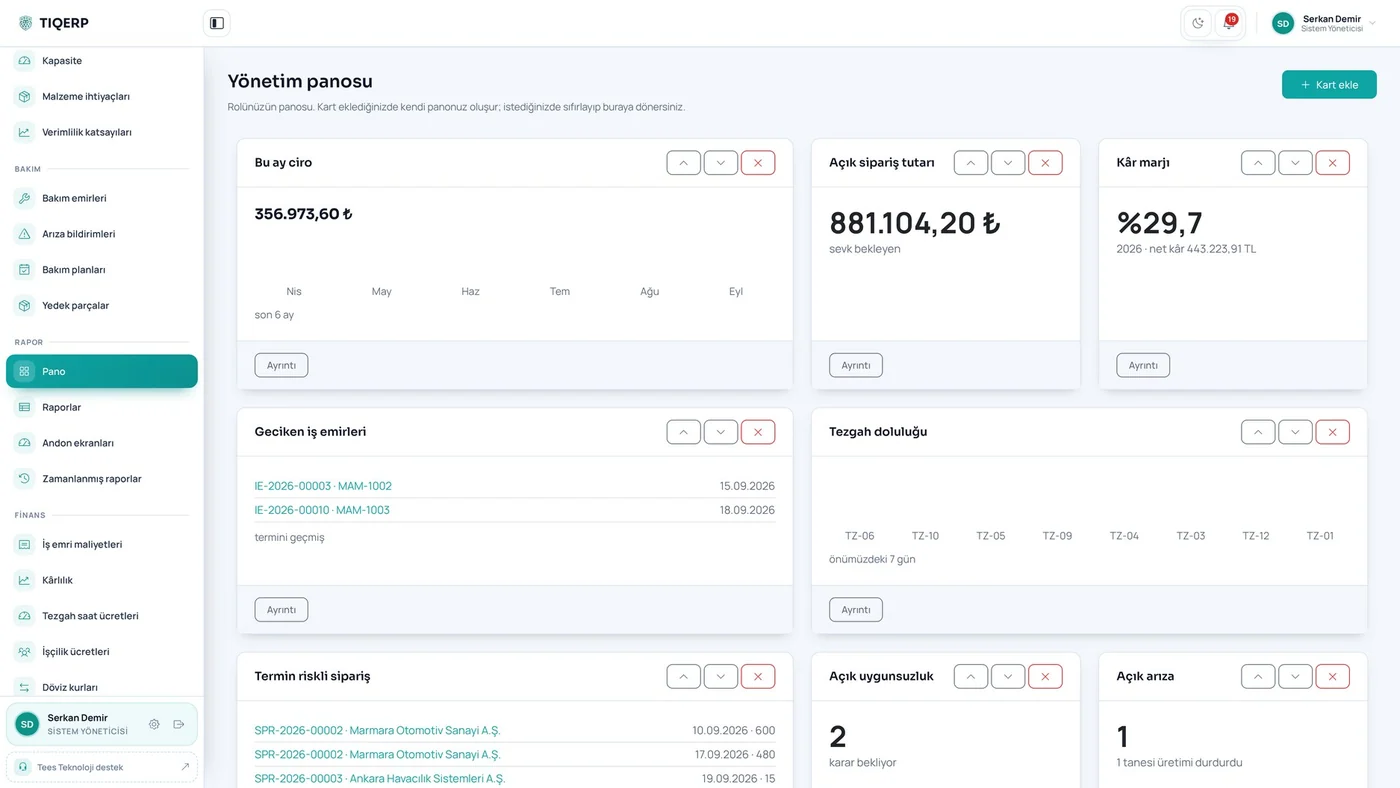
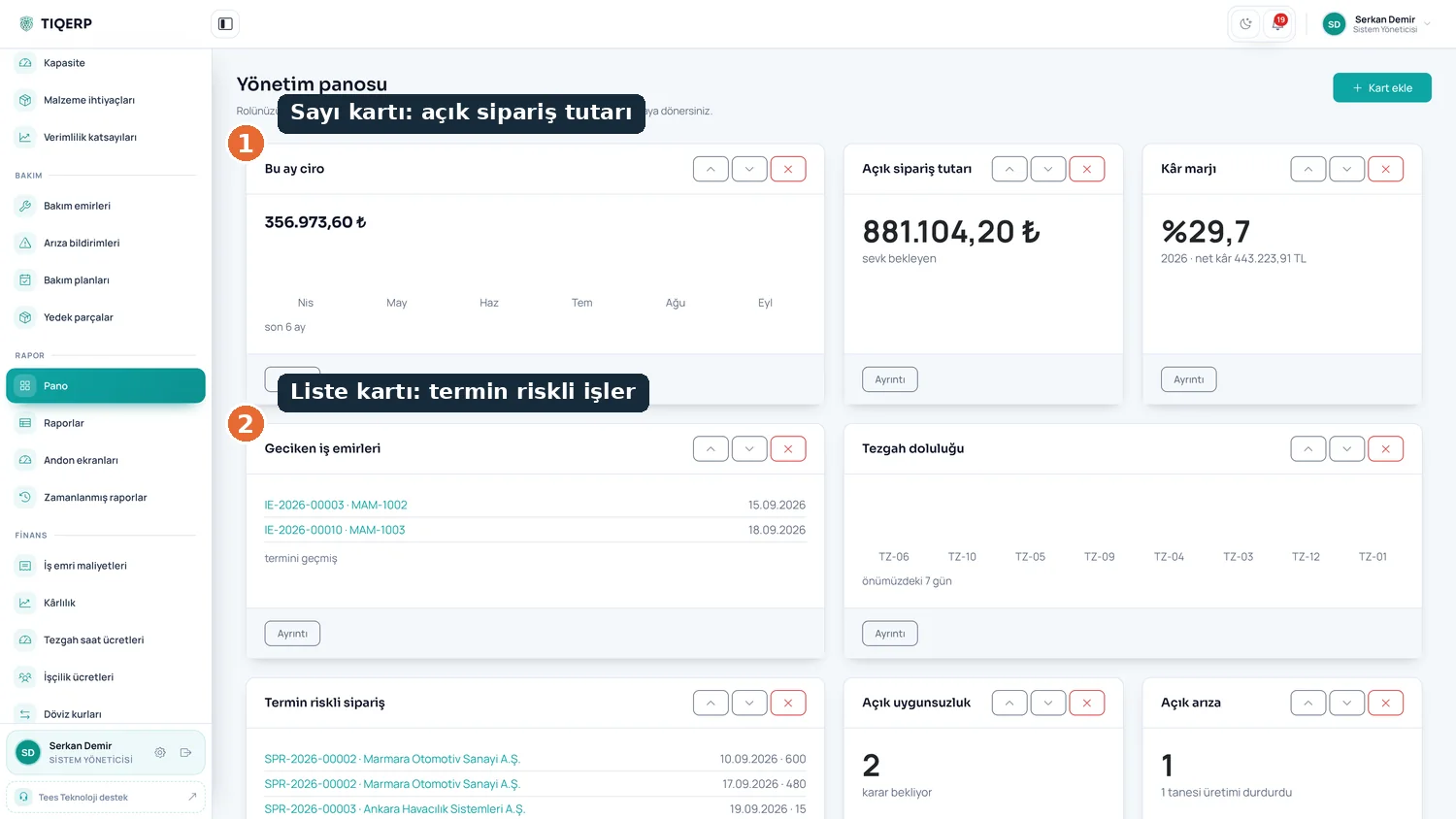
Management dashboard

Open order value, jobs at risk of missing their date and the summary of the day, all from the system's own records

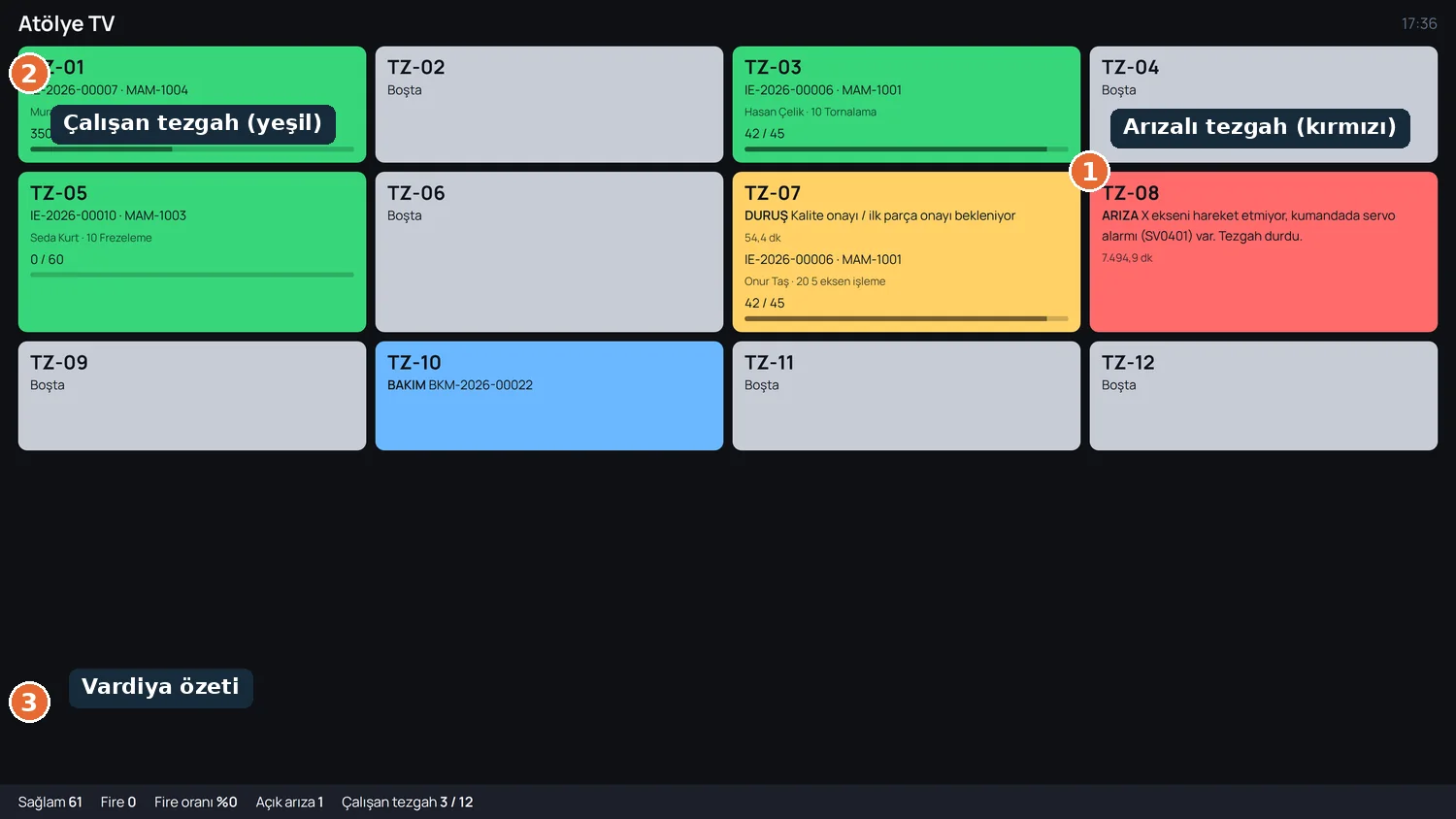
Shop floor andon screen

The factory live on a wall display: green running, amber stopped, red breakdown, with the shift summary below

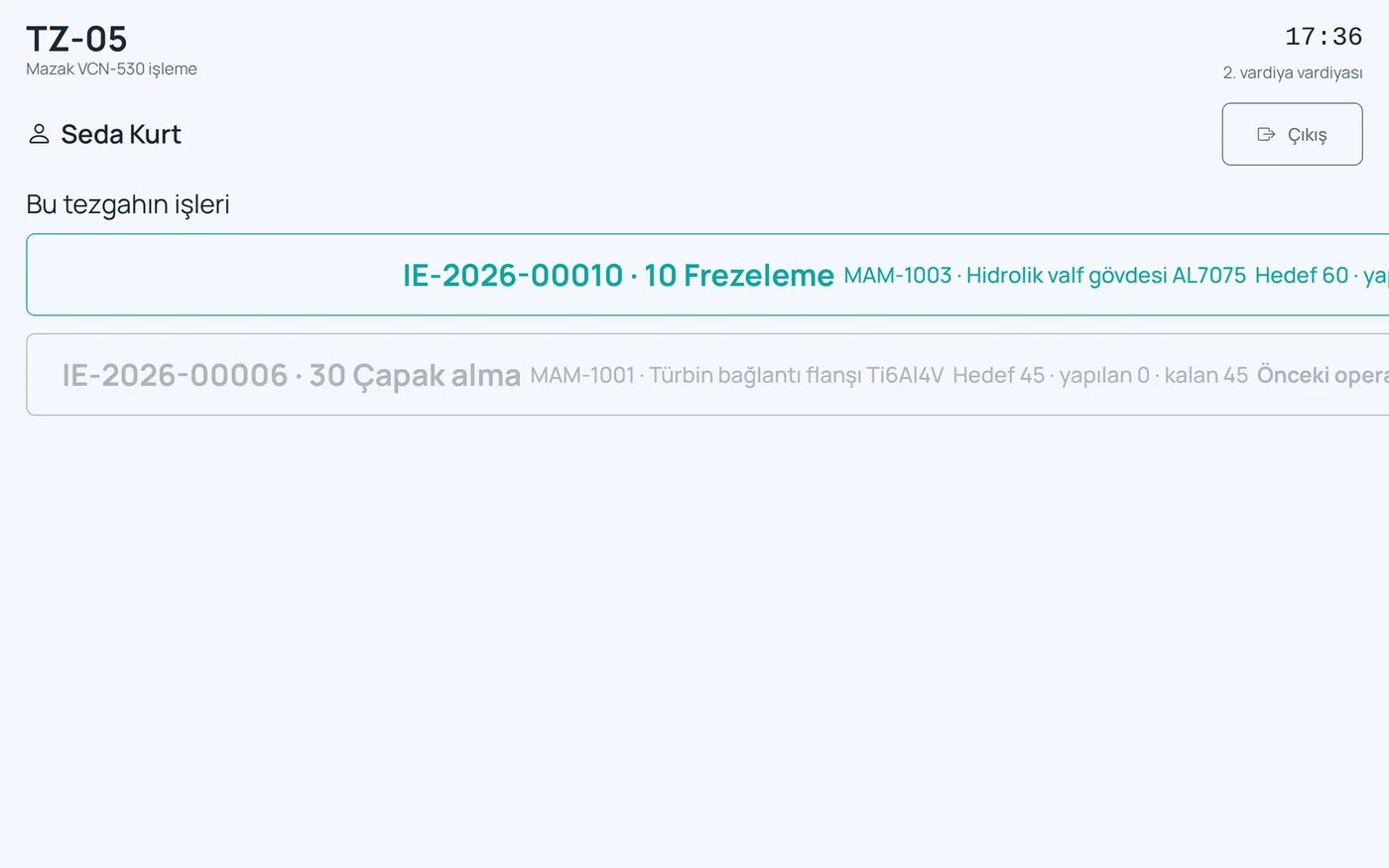
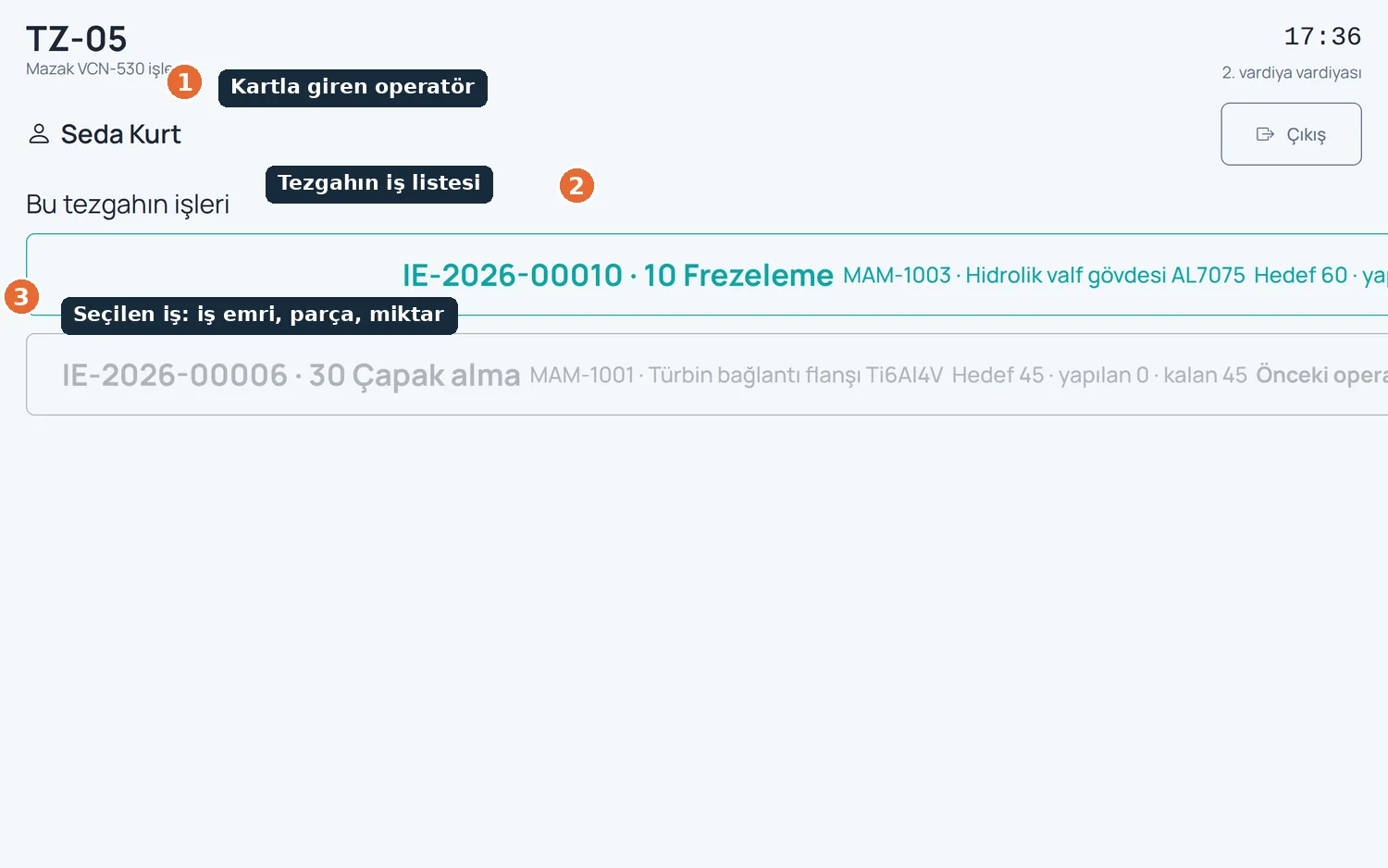
Shop floor terminal

The operator logged in with a card, the machine's job list and the selected job with its work order, part and quantity

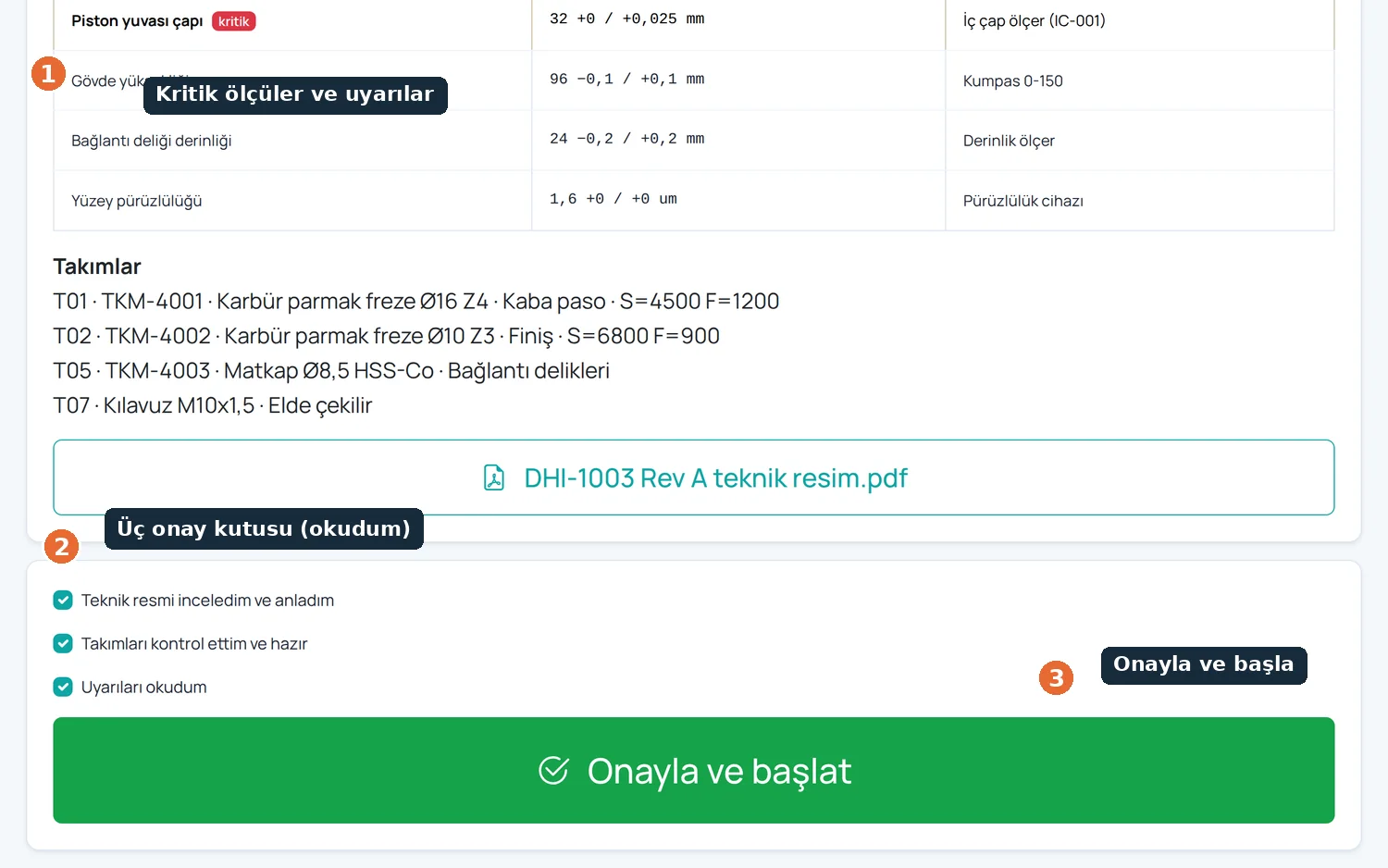
Digital work instruction

Critical dimensions, warnings and three mandatory confirmations; start stays locked until they are ticked

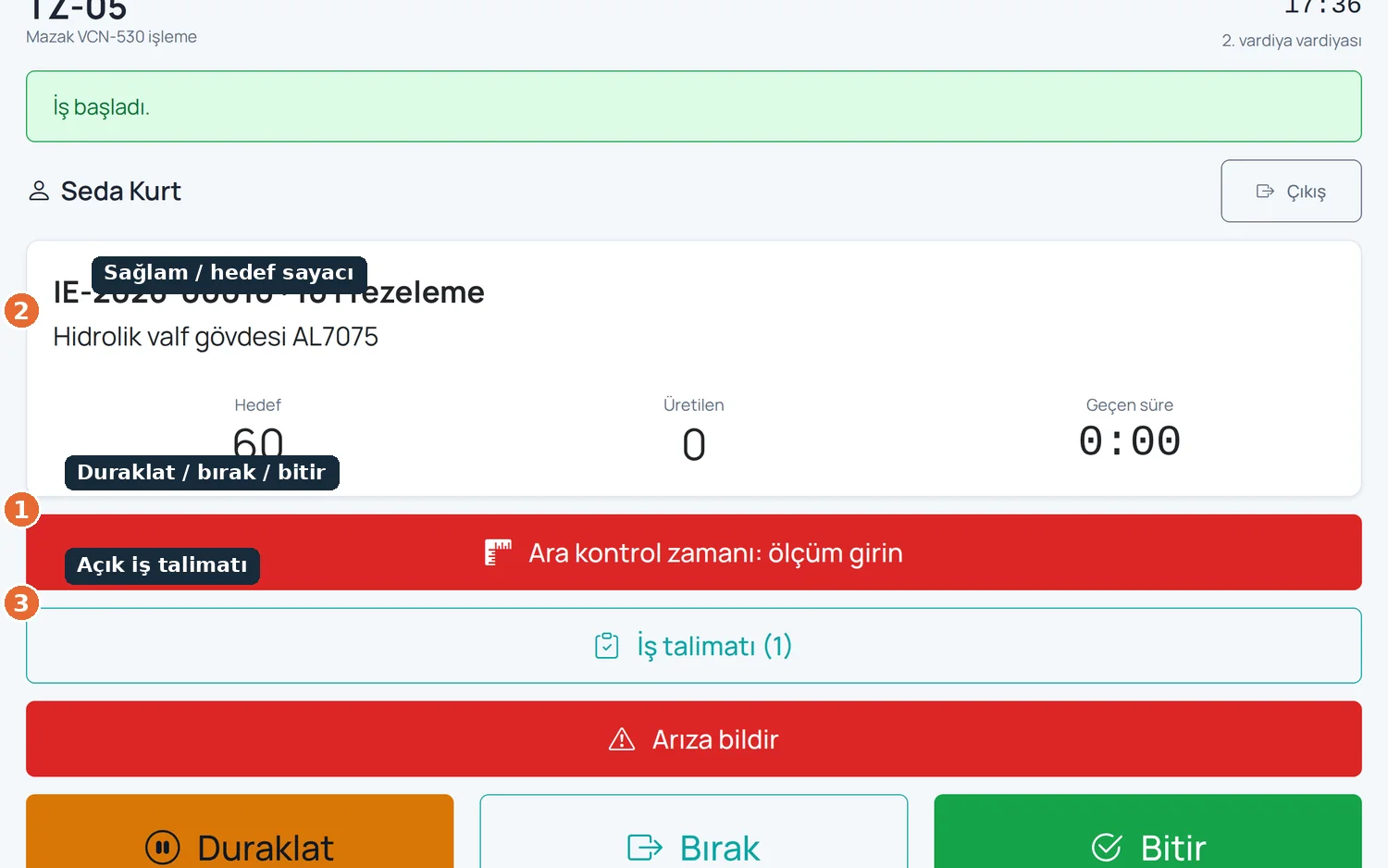
Working screen

Start, pause, release and finish; good-piece and target counters, with downtime and scrap reasons on large buttons

Planning · Gantt schedule

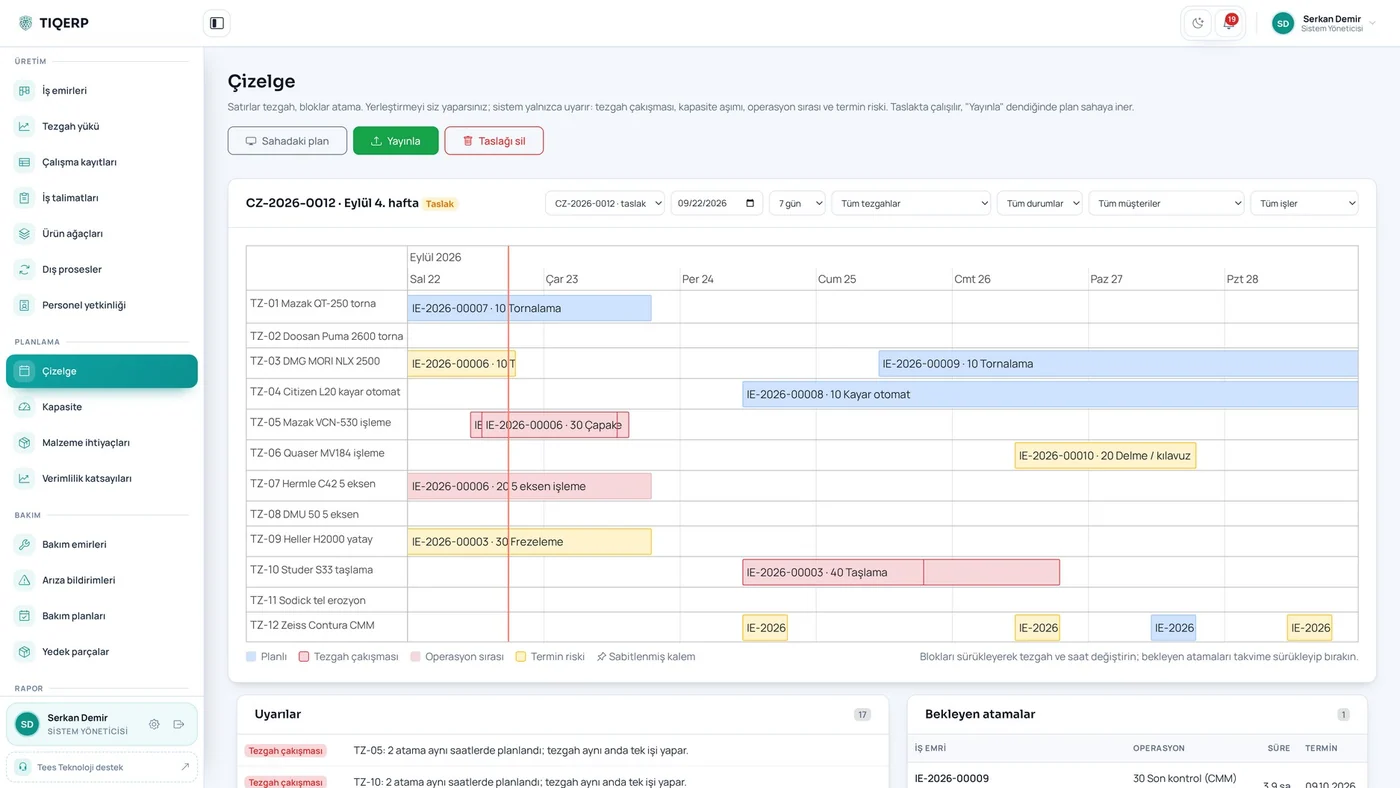
Machine rows and assignment blocks with schedule version and publish button; conflicts and overload warn in advance

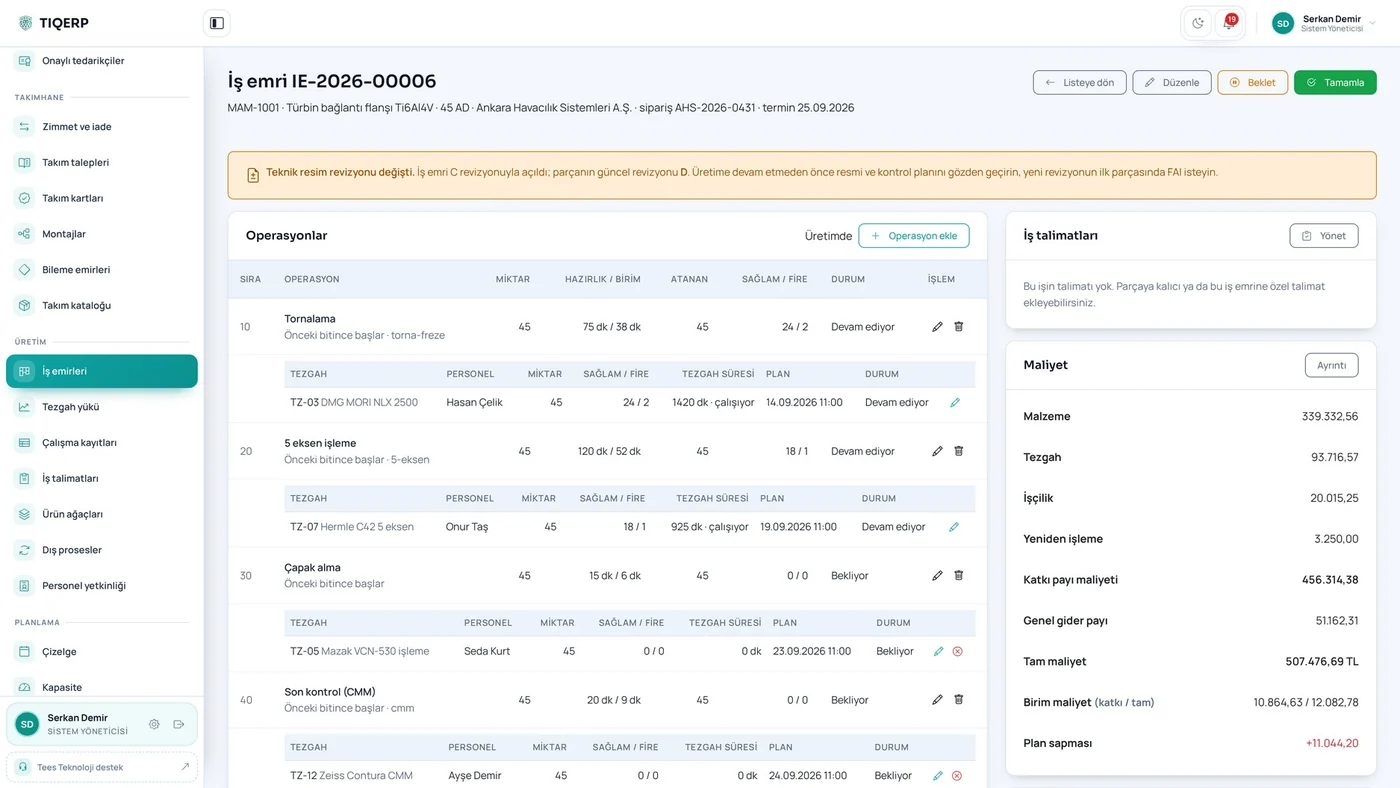
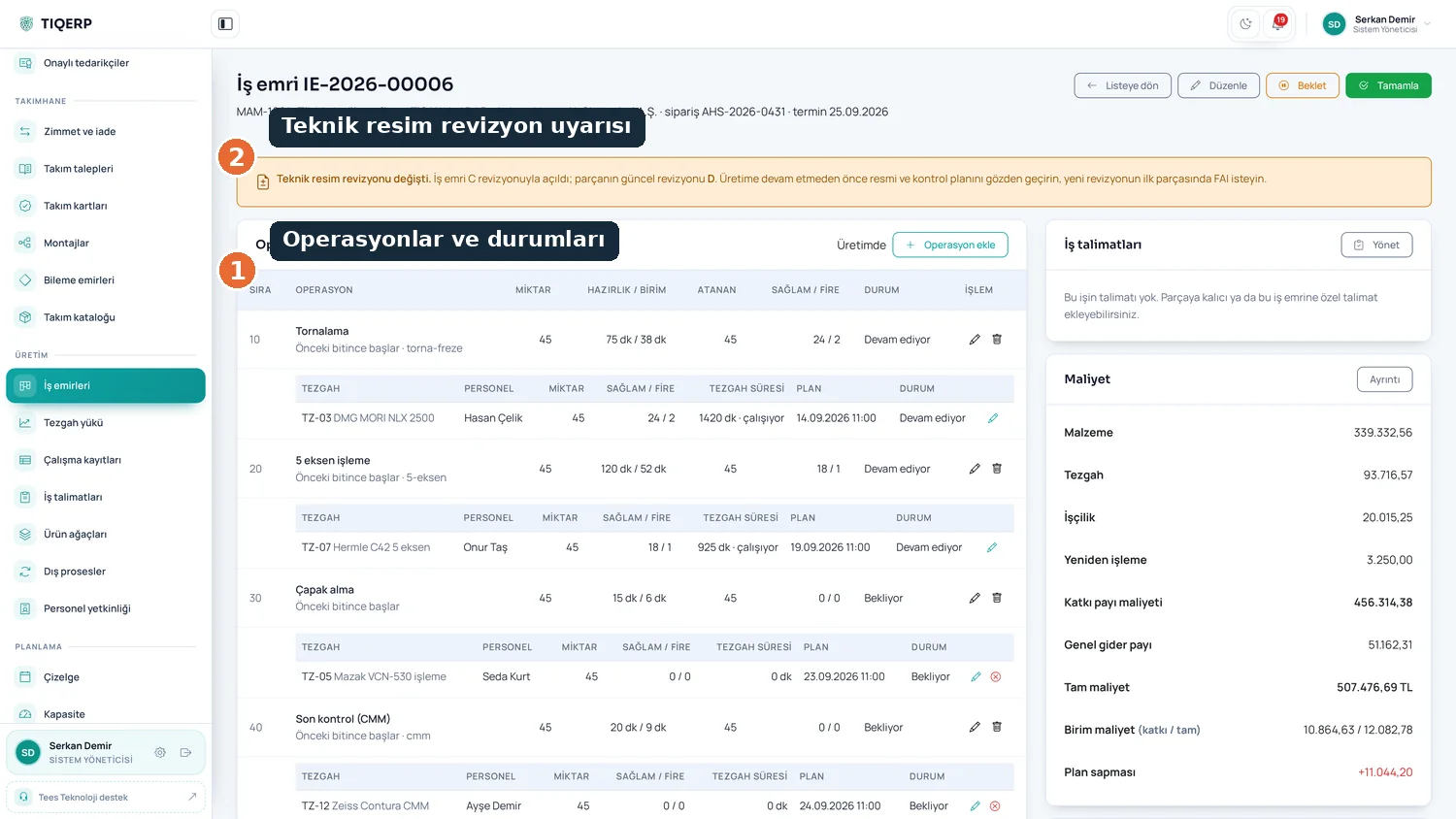
Work order

Operations and their status, drawing revision warning, routing, assignments and actual cost

Quotation with cost guidance

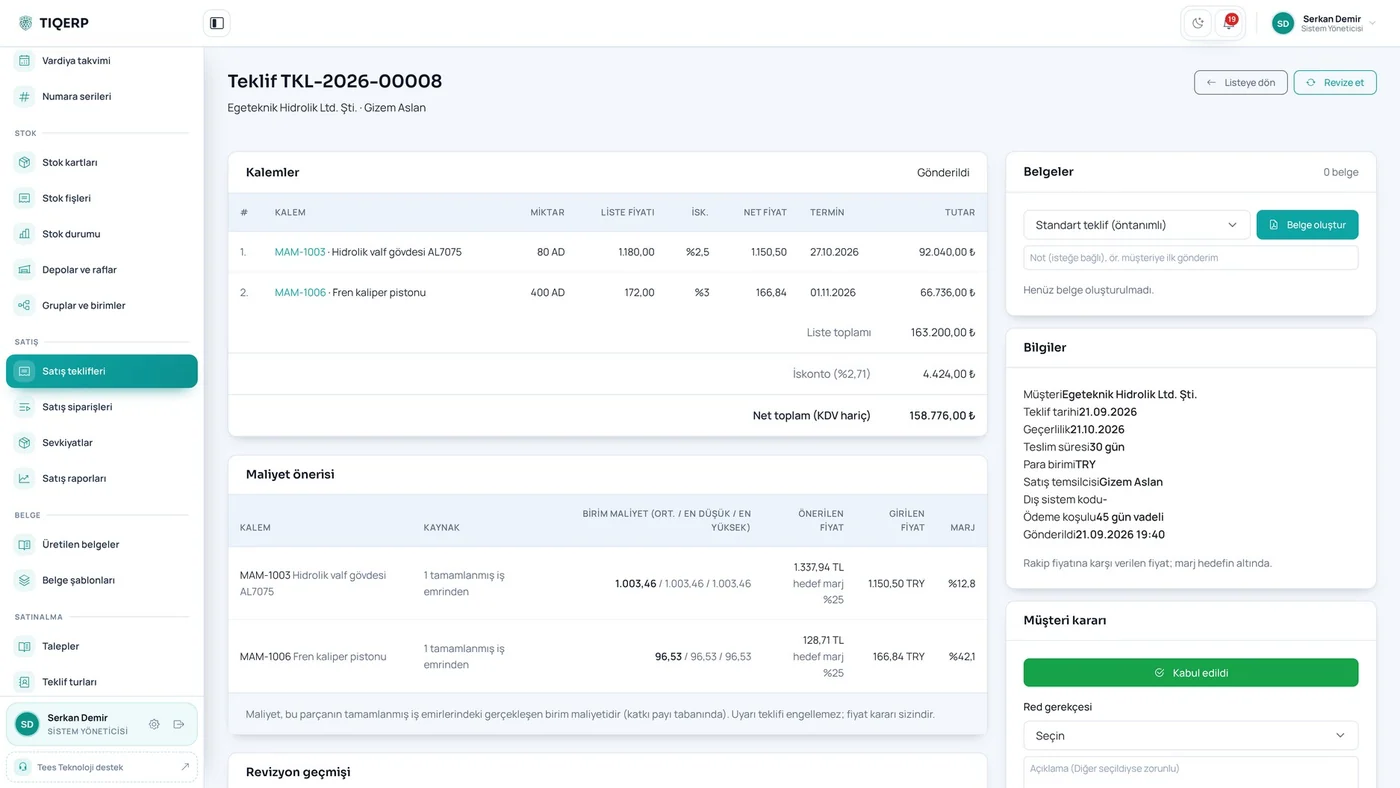
Lines and discount, net total, past actual cost and a margin warning before a loss-making quote goes out

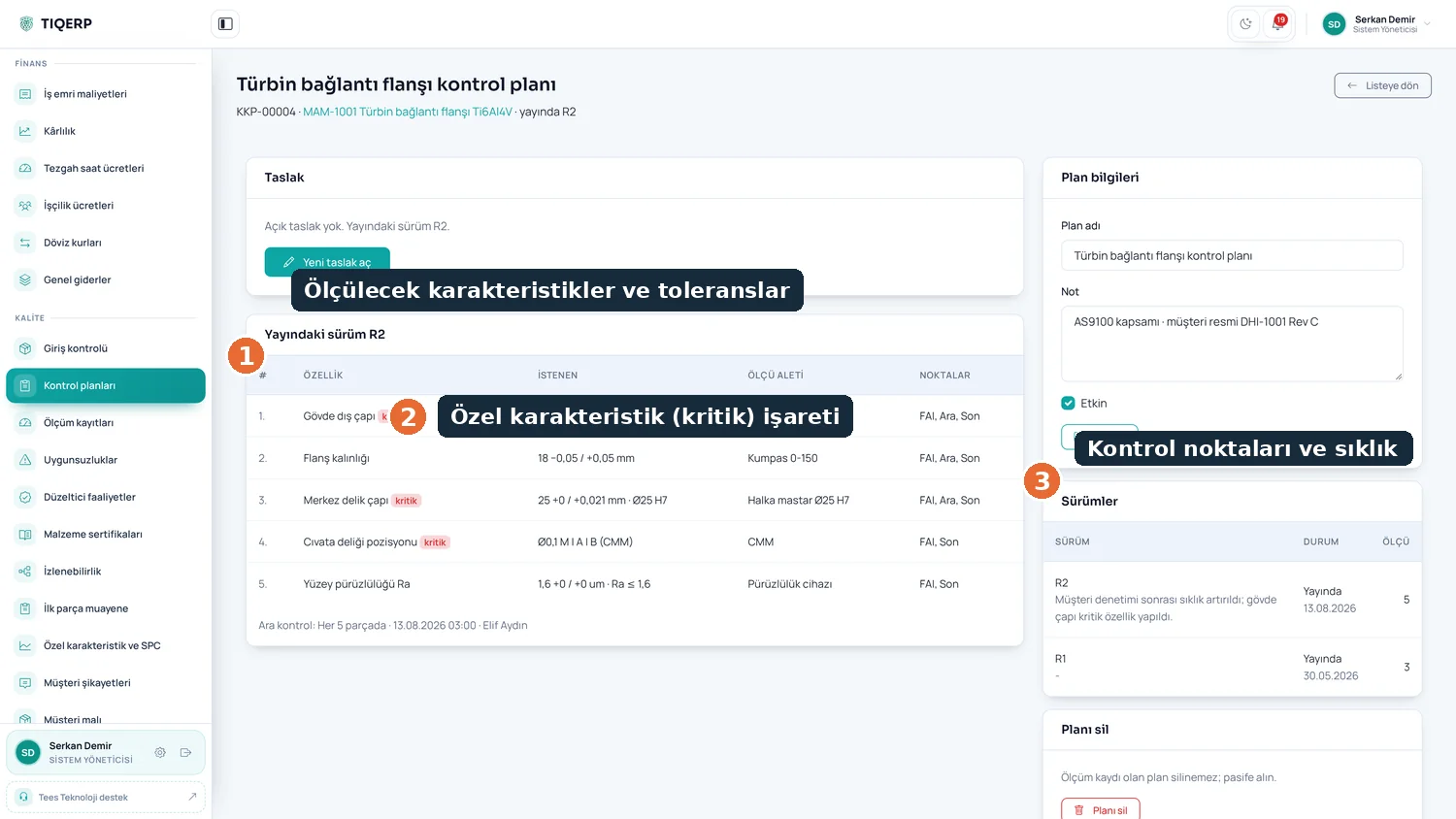
Quality control plan

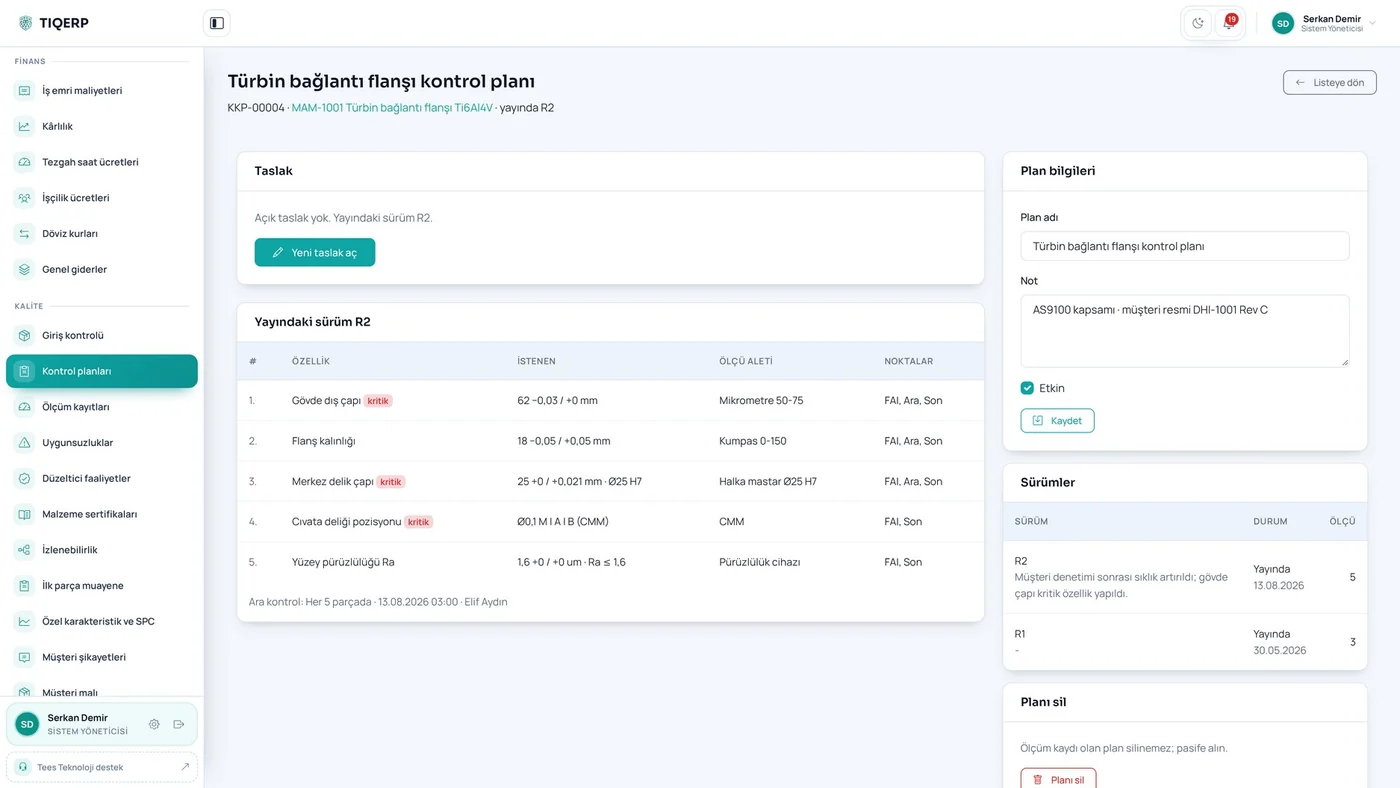
Characteristics and tolerances, the critical characteristic flag, inspection points and frequency

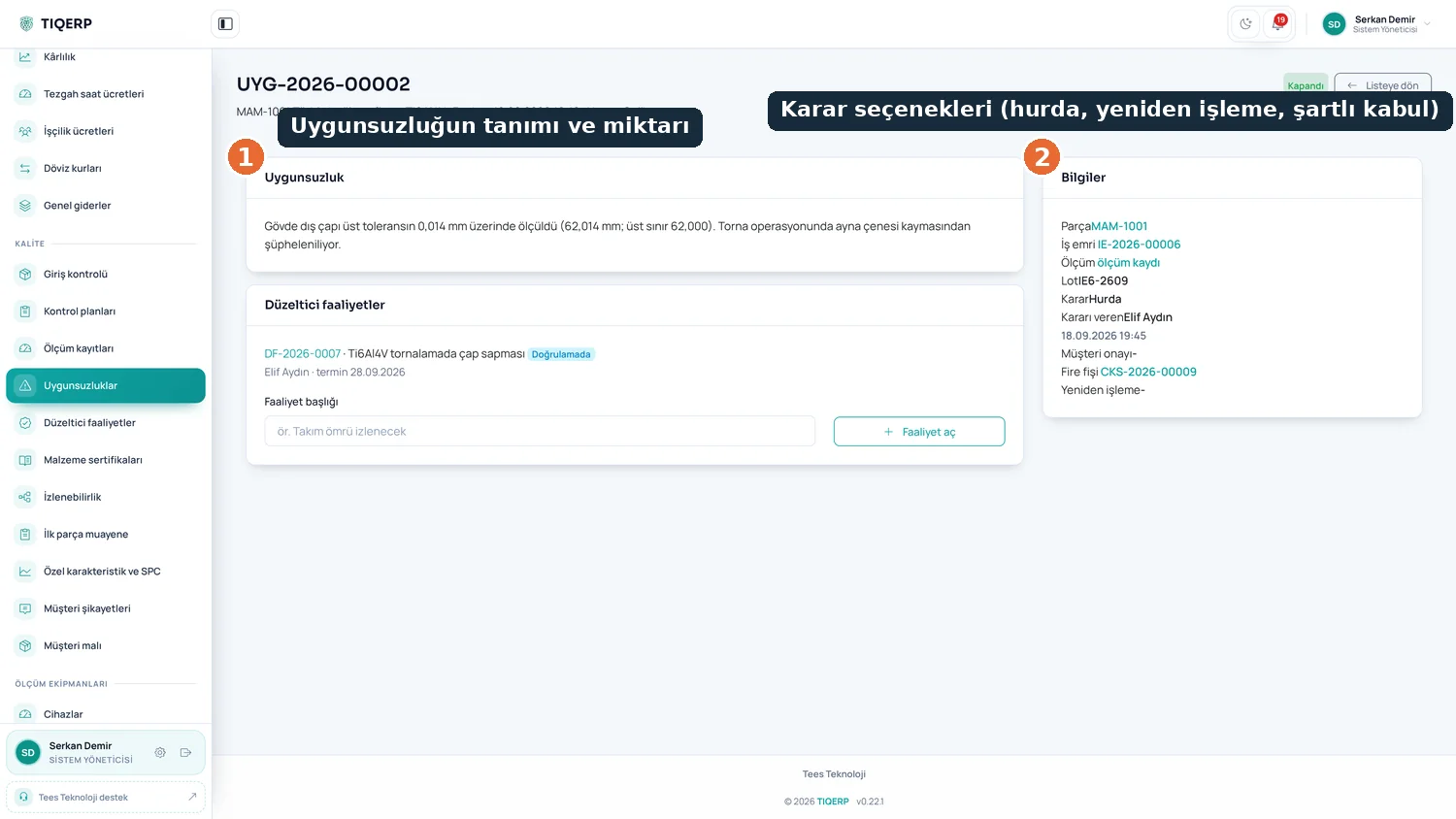
Nonconformity decision

Description and quantity with the decision options: scrap, rework or concession; the decision is recorded and reflected in stock

Calibration impact analysis

From measurements taken with a failed device to the work order, lot, shipment and customer

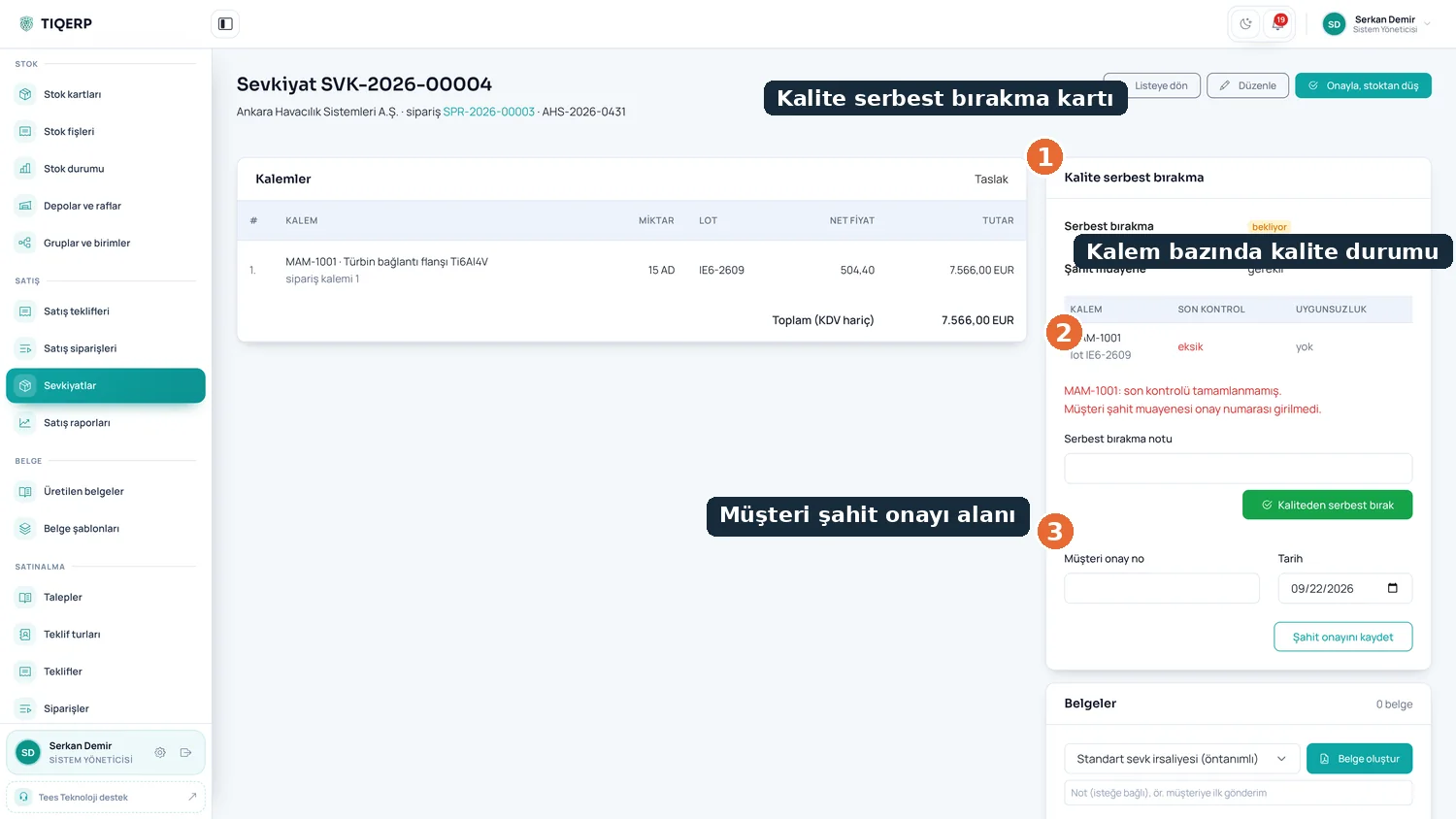
Shipment release

Quality status per line, the release card and the customer witness field; an uninspected lot cannot ship

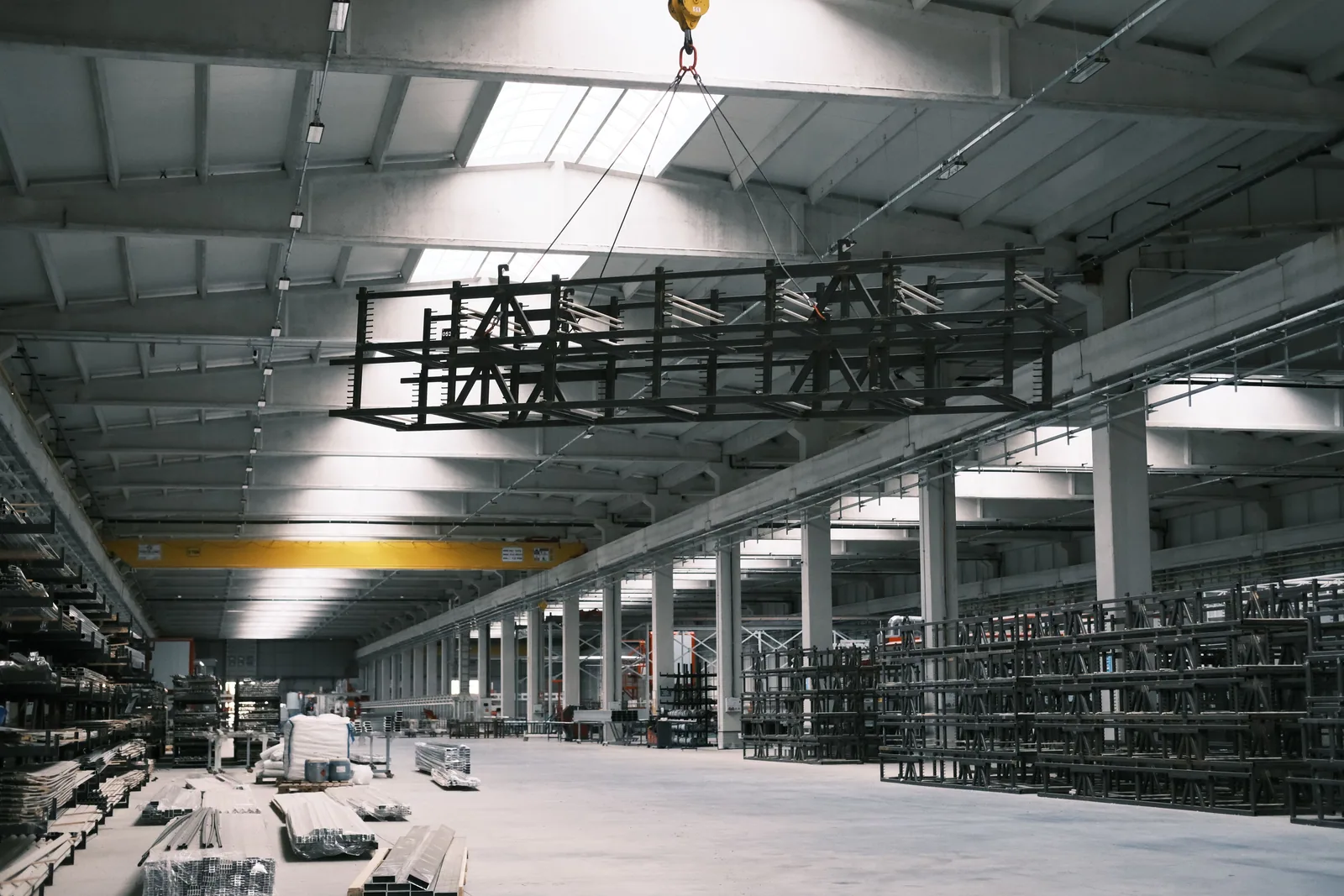
One platform, set up for your factory

We listen to how you produce and decide together which modules you need. Installation is done on site and training is included.

Perpetual right of use
Unlimited users
Annual maintenance support
On-site setup and training
One platform, set up for
Data on site
On-premises installation
Closed network
Runs without internet

Frequently asked questions

Product, licensing and technical topics

Still need help?

Send your question and we will answer it for your shop floor.

Contact Us
23 questions answered

Is TIQERP an ERP or an MES?

Both. Quoting, stock, purchasing and costing cover the ERP side, while work orders, the machine terminal, downtime and scrap records cover the MES side. They are not separate programs but one system on a single database.

What kind of production is it for?

It is designed primarily for CNC and machining shops and part manufacturers. The system is also used in process-oriented plants such as stretch film production.

Can we keep using our accounting software?

Yes. You can continue to issue delivery notes and invoices from your existing accounting software; TIQERP then only keeps the invoiced flag on the related record. Accounting integration is on the roadmap.

Does the name TIQERP stand for something?

No, TIQERP is a brand name, not an abbreviation. The product slogans are "Smart factory starts here." and "IQ for your machines. ERP for your business."

How many machines does it suit?

From around five machines upwards. Below that, planning is usually done in someone's head and the system brings less benefit. There is no upper limit: the licence is priced by the modules you take and the machines you monitor remotely, so a shop with fifty machines does not pay the same as one with five.

Does it only track production, or also quotations and orders?

Both. Quotation, order, planning, shop floor capture, quality, calibration, tooling, maintenance and costing sit on the same database. That is the difference from a pure production monitoring tool: the actual cost of a finished job comes back to the person pricing the next quotation.

Are invoices and delivery notes issued from TIQERP?

The delivery note is produced by TIQERP; invoicing stays in your accounting software. Only the invoice number is marked here, and a "shipped but not invoiced" list is kept for the month-end check. A direct accounting connector is on the roadmap; today the transfer is done through file export and the REST API.

Which languages is the interface available in?

The website is published in Turkish and English. The application interface is Turkish today and an English interface is on the roadmap. Document outputs — quotations, quality reports, certificates of conformity and AS9102 forms — can be produced with a selectable language, so your team can work on Turkish screens while the document that reaches your customer is printed in English.

Where is the system installed, is the cloud mandatory?

Installation is done on the factory's own server, on site, by our team. There is no cloud requirement and production data does not leave the company.

How does the license model work?

TIQERP is sold as a perpetual right of use: you buy the license once and use that version indefinitely. Annual maintenance comes on top, covering new versions, fixes and support. You take only the modules you need out of fourteen.

Is there a per-user fee?

No. There is no fee based on the number of users and no license per terminal. Everyone working in the shop can use the system.

Does it work without an internet connection?

Initial setup and license activation require an internet connection. After activation the system can be taken offline and keeps running on a closed network.

How long does installation take?

The server setup and master data usually take one to two days. Master data is the real work: machines, the shift calendar, warehouses, stock cards and control plans. We recommend starting with a pilot scope — one product family and a few machines — and running real jobs through the system within a few weeks.

What happens if we do not renew the annual licence?

Your data stays with you on your own server and access to it is never switched off. Fifteen days before expiry the system warns both on startup and by e-mail. Once the grace period ends the system enters restricted mode: new quotations, orders, work orders, assignments, purchase records and goods receipts cannot be created, while viewing existing records, reaching reports and finishing a job already running on a machine stay open. After renewal the system continues where it left off.

Can we add modules later?

Yes. Each module has its own fee and a module not included in your licence does not appear in the menu at all. When it is added the licence is renewed, the module appears and starts working on your existing data. The same applies to machines: a licence is added when a machine is connected for remote monitoring.

What is used at the machine?

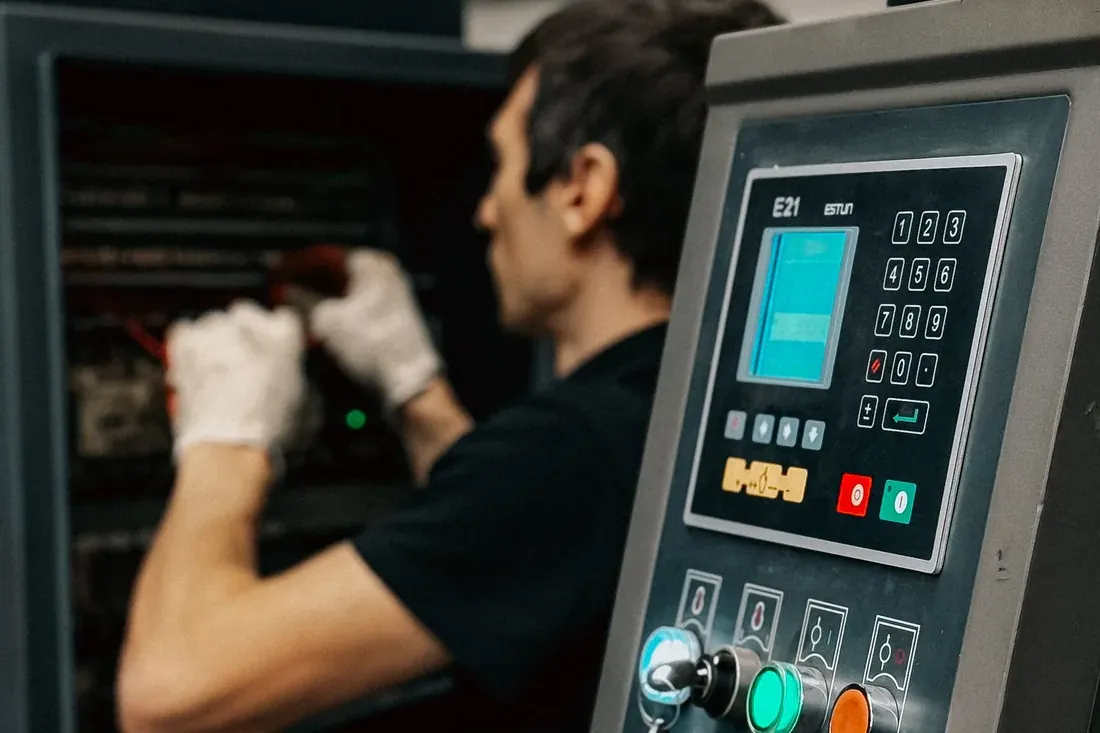
A touch terminal placed at the machine. The operator can select themselves on screen or log in with an RFID card, and start, finish, downtime and scrap entries are all made on the same screen.

Is there machine connectivity and OEE?

Yes, both are part of the system. Once a machine is connected, run and downtime durations come from the machine itself and OEE is calculated from availability, performance and quality. The system also works before that: the same data is entered at the terminal.

Can we migrate our existing data?

Yes. Product lists, accounts, stock levels and measuring equipment inventory are migrated from your existing files during installation.

How is backup handled?

An automatic backup schedule is set up during installation. Backups are kept on your own infrastructure and can also be included in your existing backup system.

Can we export the data to Excel?

Yes. Lists and reports export with their filters applied, so what you see on screen is what lands in the file. Your existing stock cards, customer records and gauge inventory can also be imported from Excel during installation, with a preview before anything is written.

Can we delete records?

Records that carry quality or traceability meaning are not deleted; they are cancelled with a reason and the history stays. That is a requirement of the standard rather than a design preference. Draft records that have not been used anywhere can be deleted, and the role matrix decides who may do it.

Do operators need to use a computer?

No. The terminal at the machine is a tablet with no password and no keyboard: the operator taps an RFID card, sees the jobs on that machine and works with large buttons. Training usually takes under an hour.

Does it track the calibration of measuring equipment?

Yes, and further than a reminder list. Devices have their own register with certificate number, date and accreditation kept as separate fields, gauge sets show as incomplete when a member is out, and an overdue device raises a warning when it is selected for a measurement. If a device fails its calibration, every measurement made with it since the last valid certificate is listed with its work orders, lots and shipments.

Request a demo

Tell us about your production and we will plan the right setup together

Address

Büyükçekmece / İstanbul

PDF, DWG, DXF, STEP, image or ZIP, up to 20 MB. We run the demo on your own part.
Sending
Your request has been received. We will get back to you shortly.