
Let's talk about your production
One platform, set up for your factory
We listen to how you produce and decide together which modules you need. Installation is done on site and training is included.
Screens from the working system.
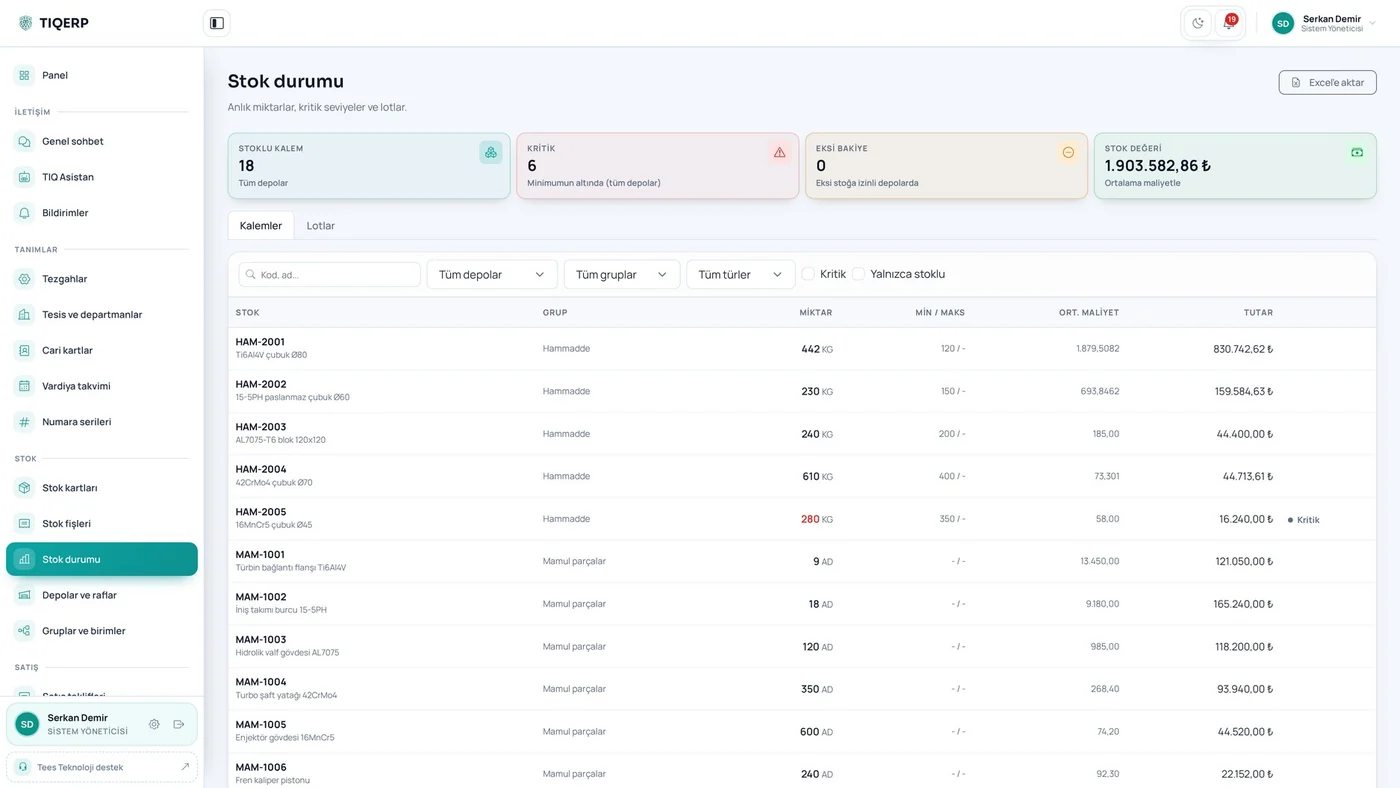
Current quantity, critical level, average cost and stock value
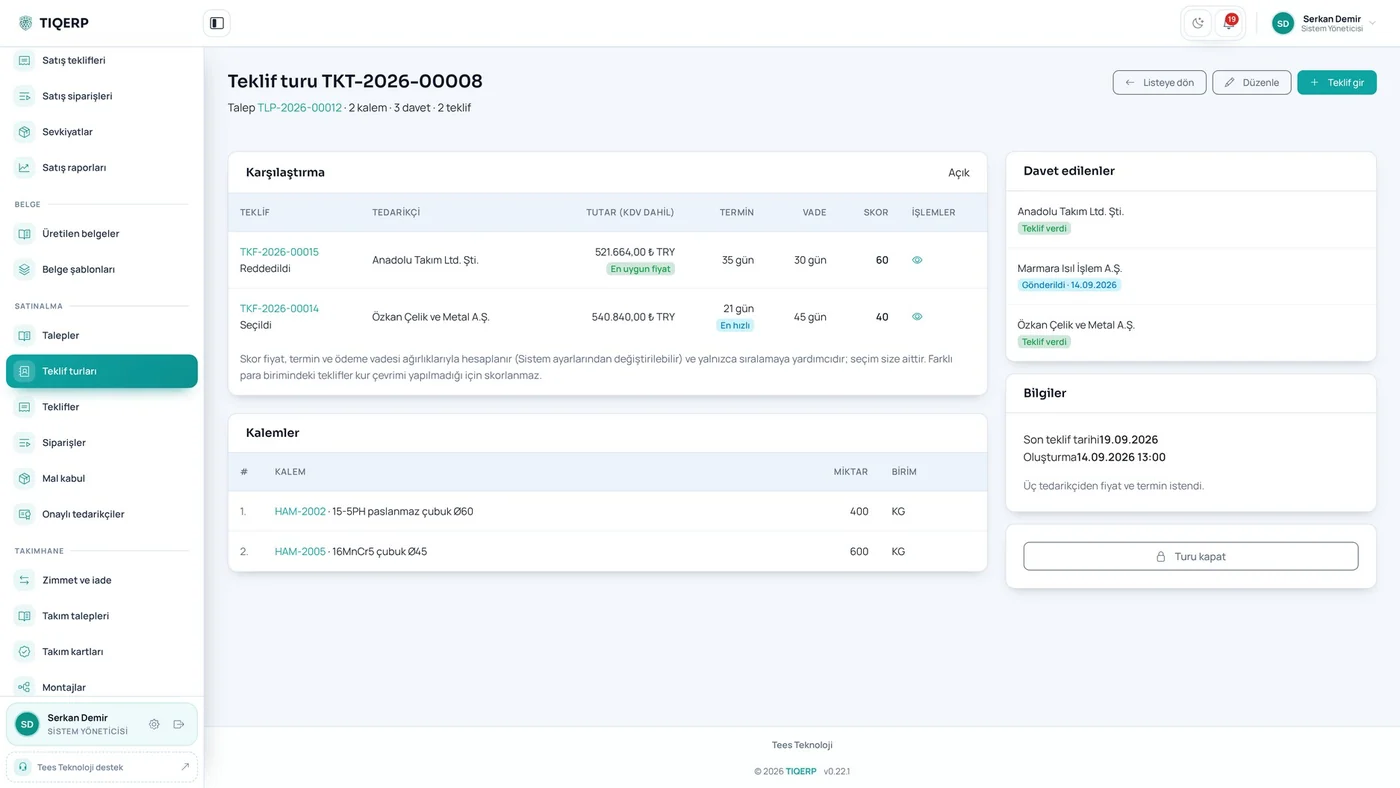
Scoring by price, lead time and payment terms
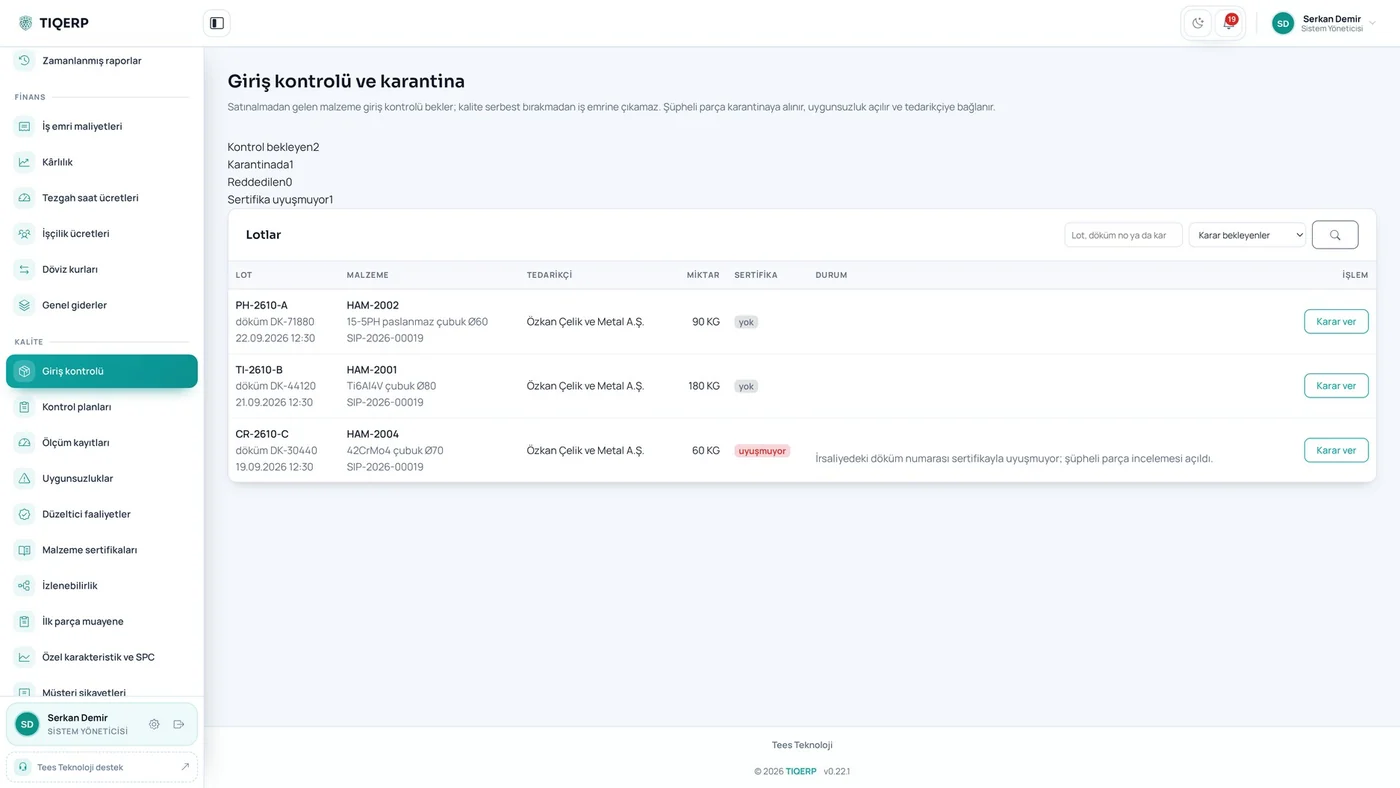
Pending lots, quarantine and certificate mismatches
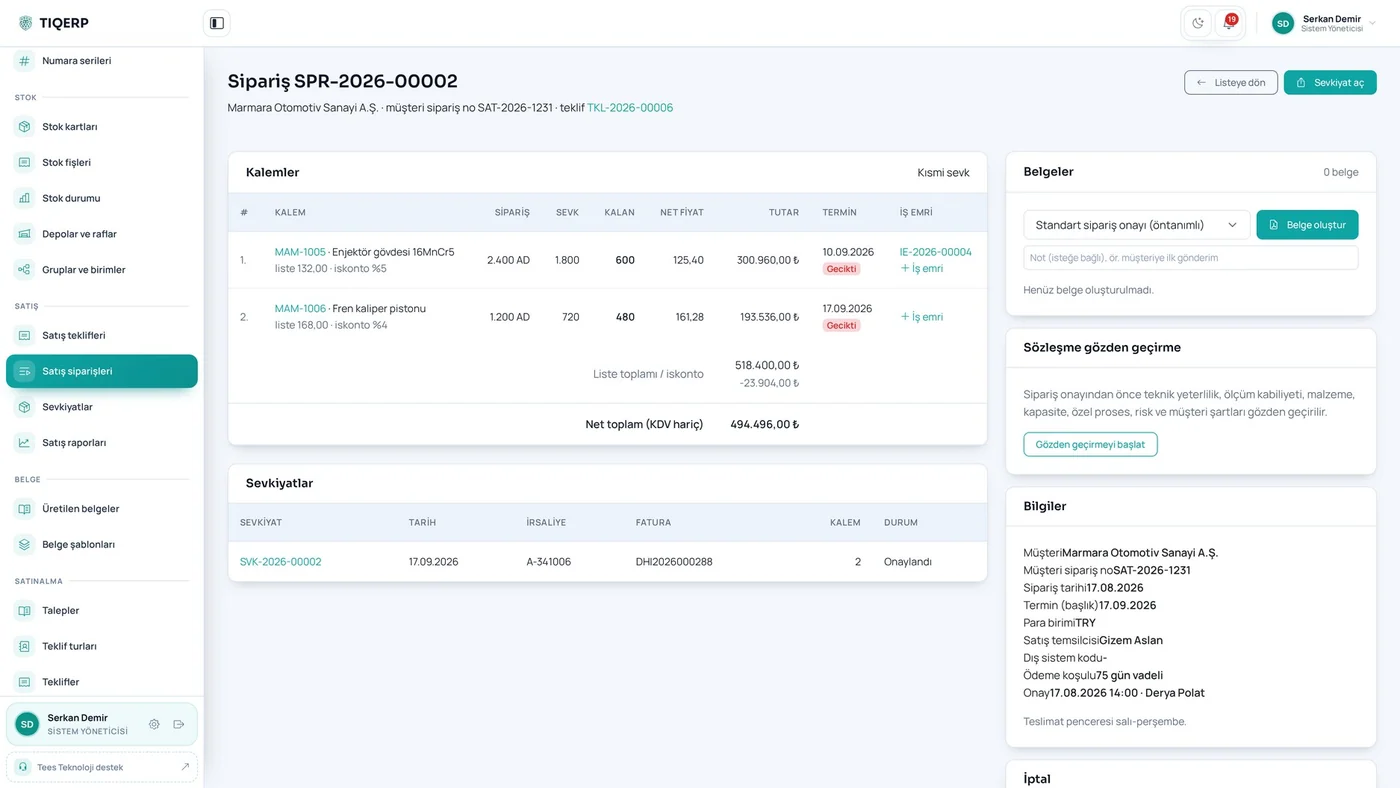
Delivered and remaining quantities with the shipment list
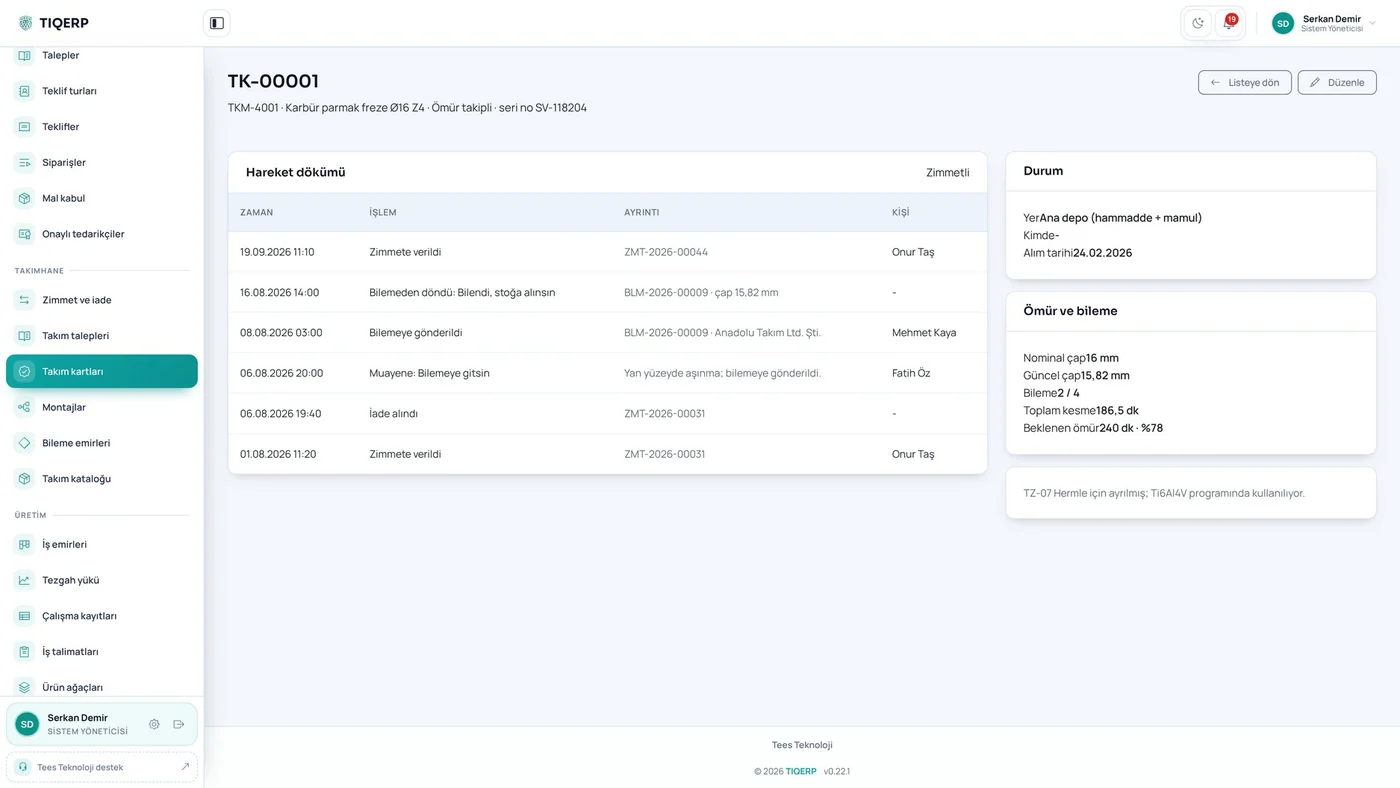
Life, regrind count, diameter and movement history
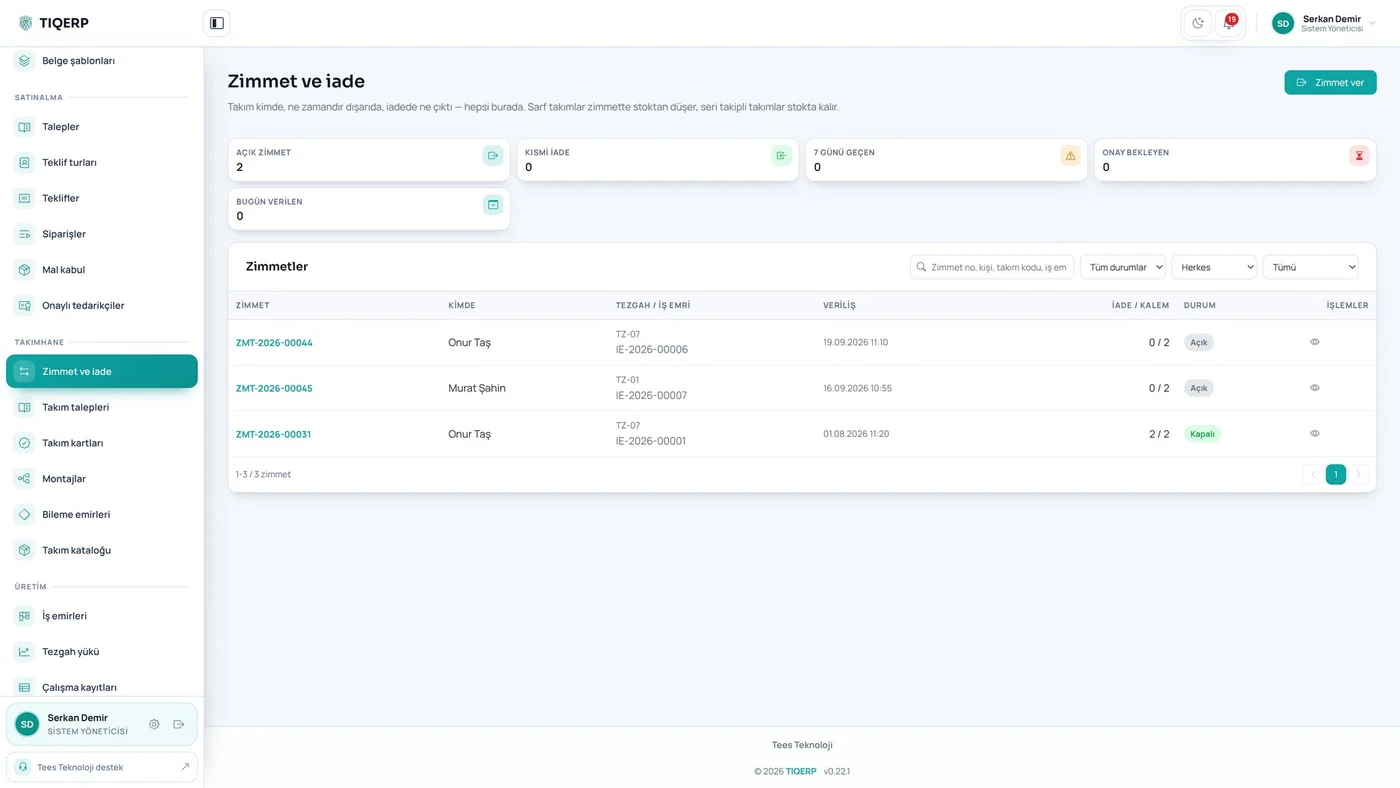
Who took which card and for which job
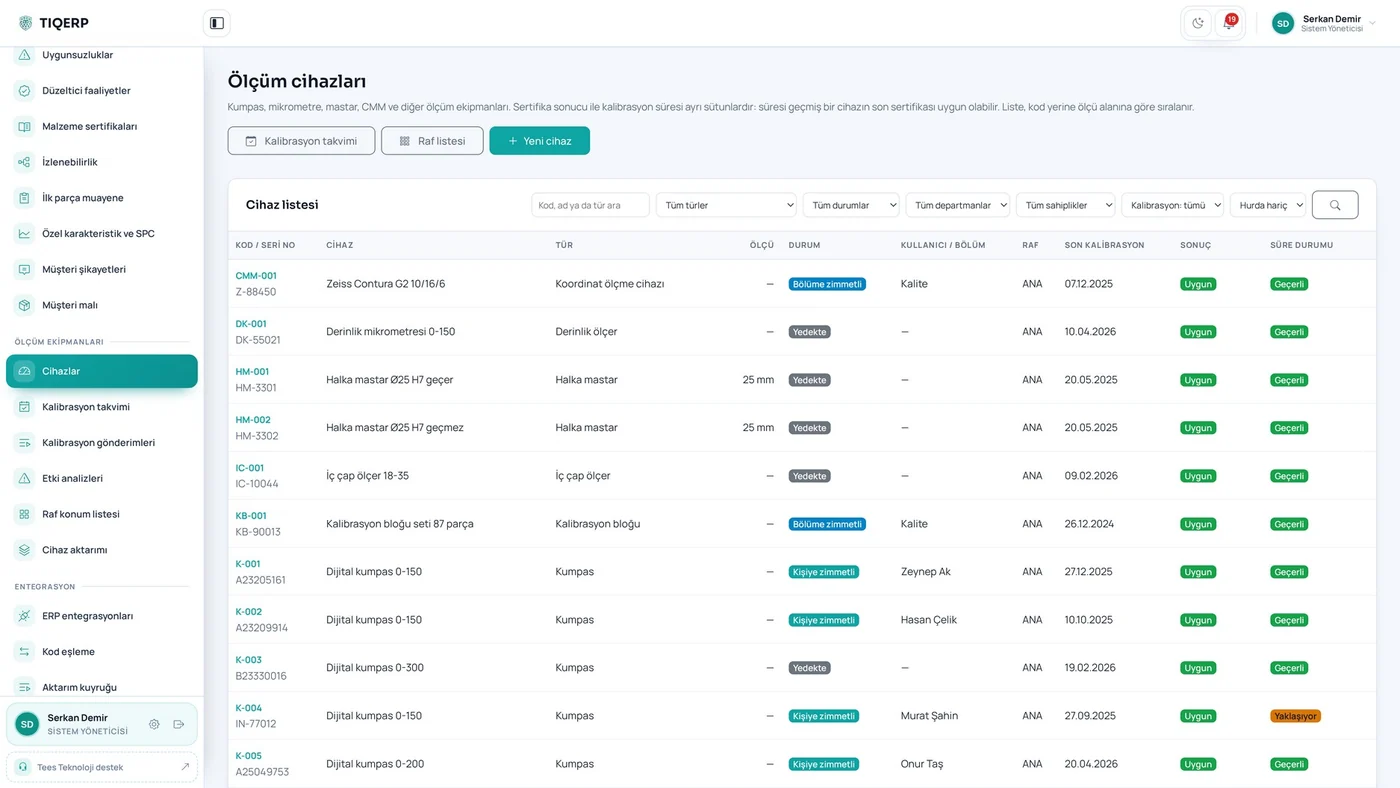
Result and due status in separate columns
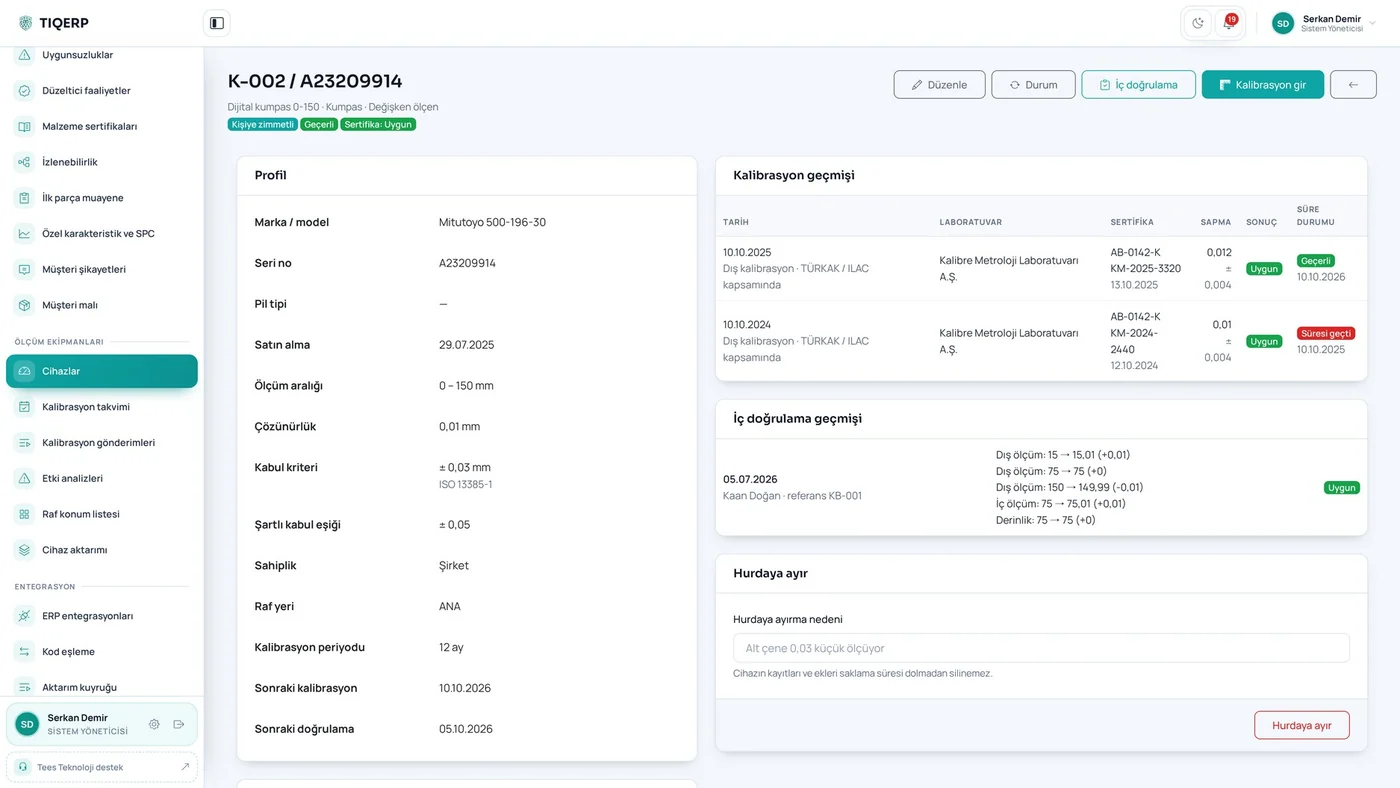
Calibration and verification history, custody, attachments
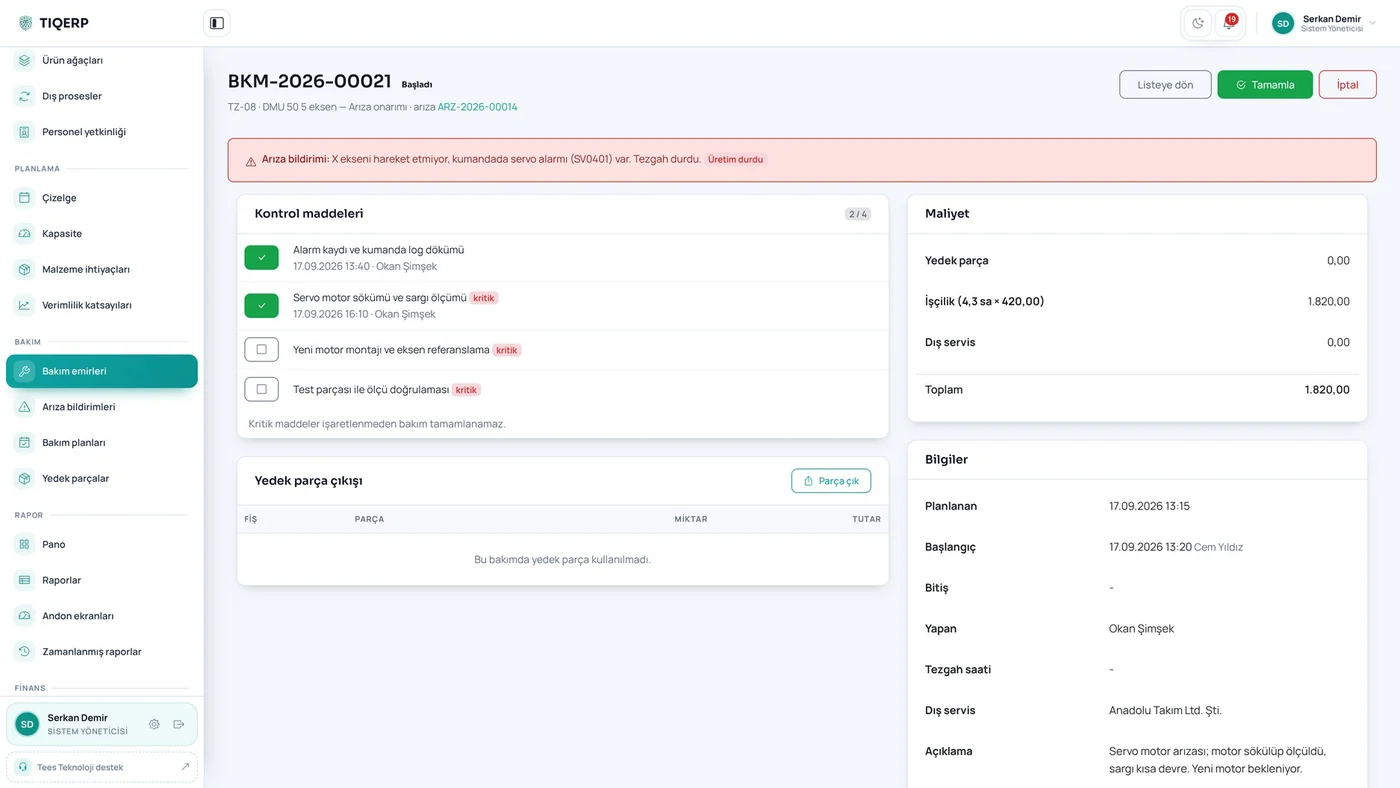
Checklist items, spare parts and cost
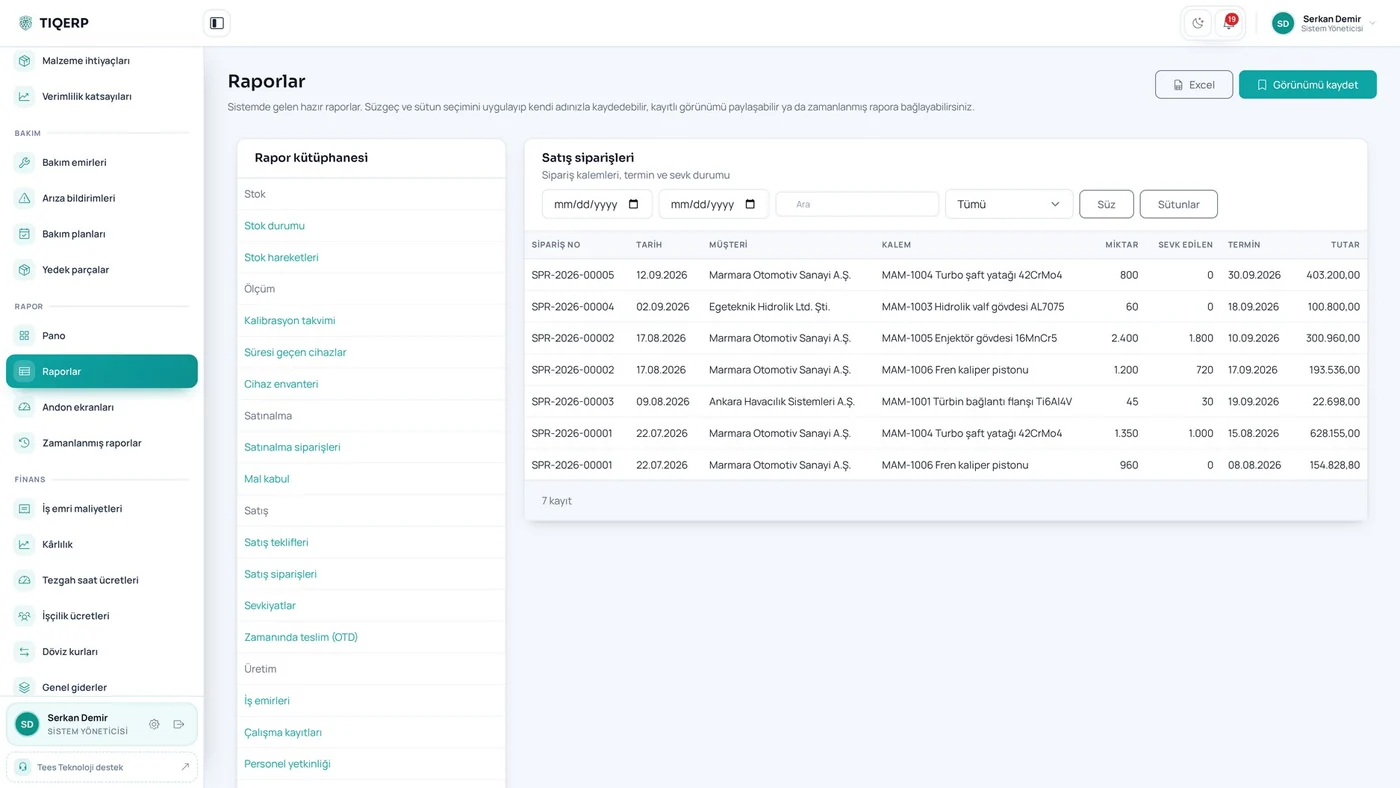
Ready-made reports and saved views
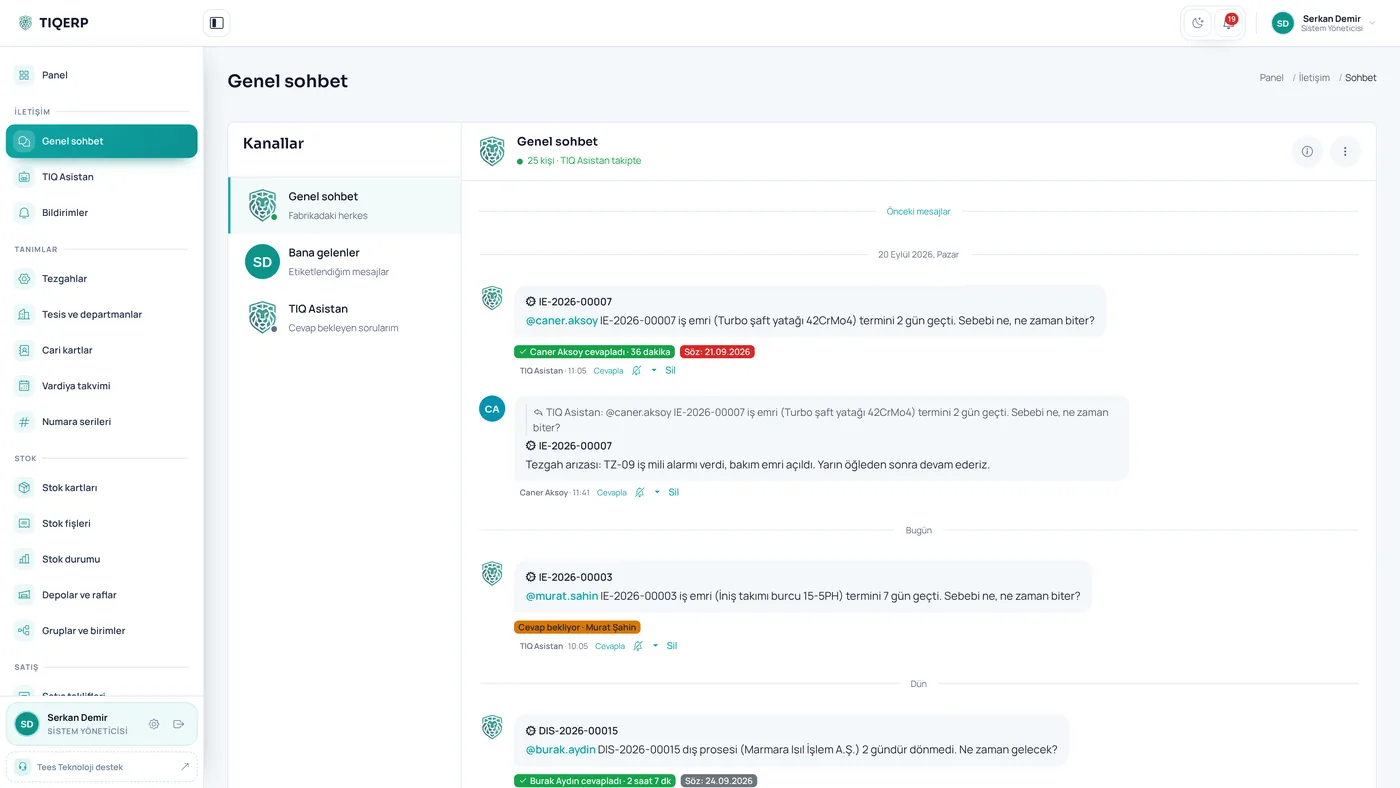
It notices a late work order, asks the person responsible by name and records the answer under the job
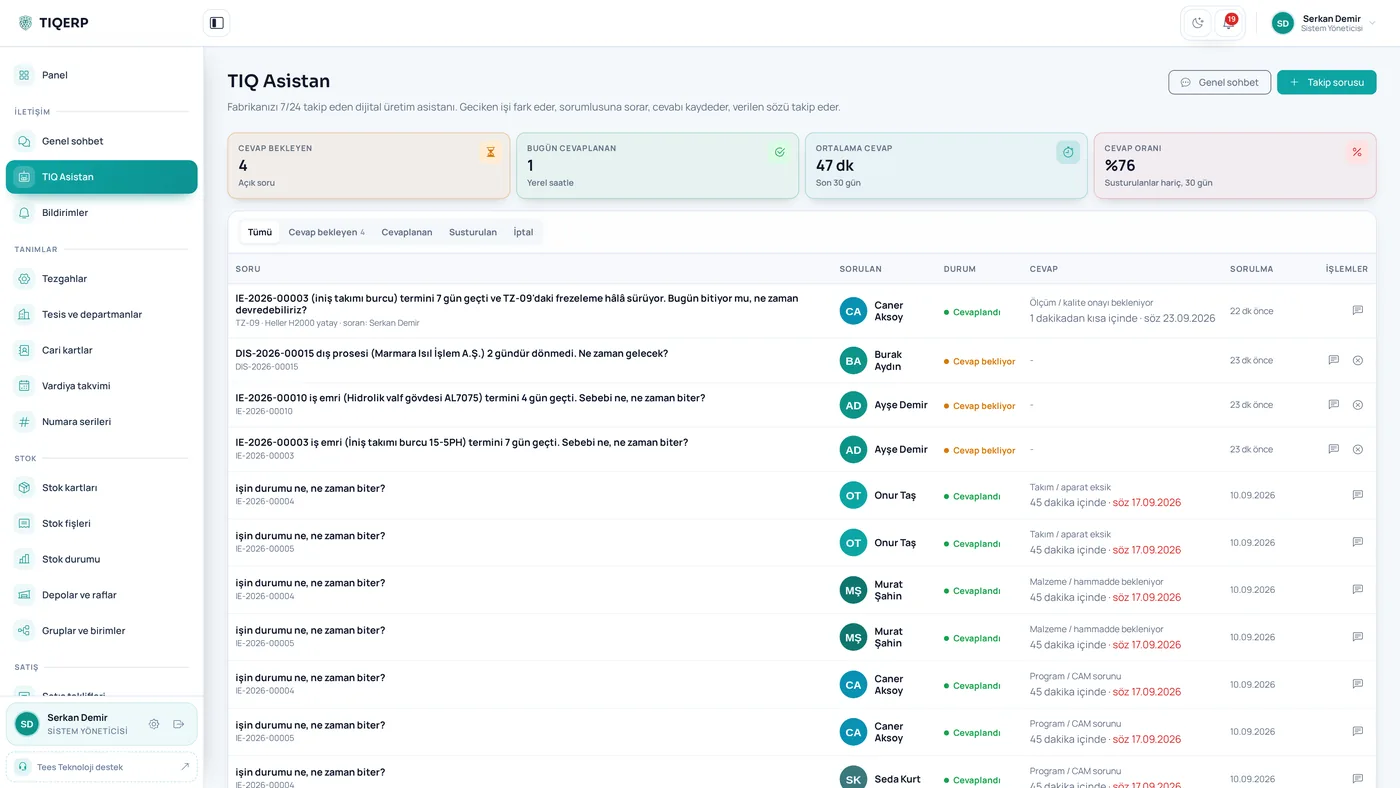
The system checks whether the job finished on the promised date and flags broken promises
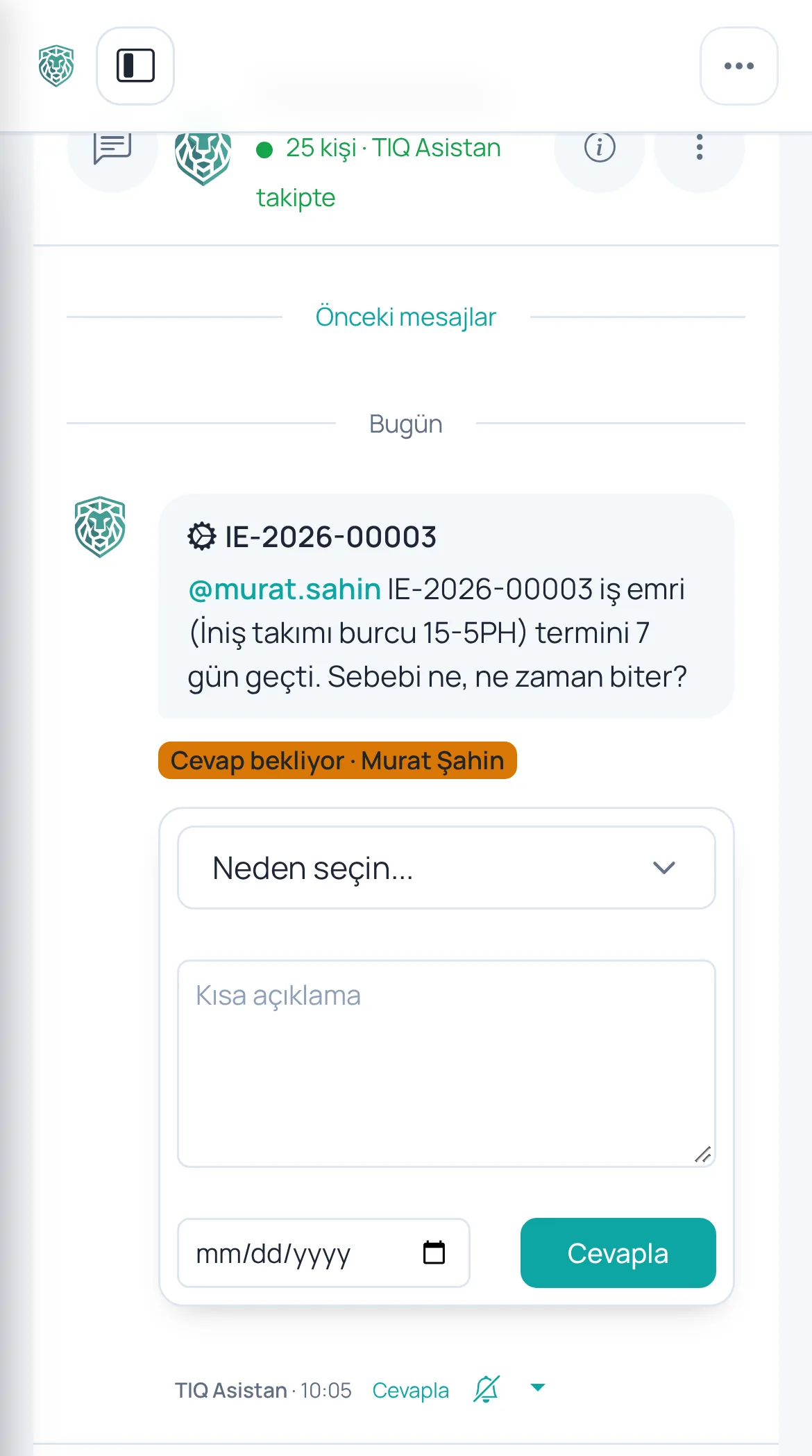
The supervisor answers from the shop floor by picking a reason, a note and a new date
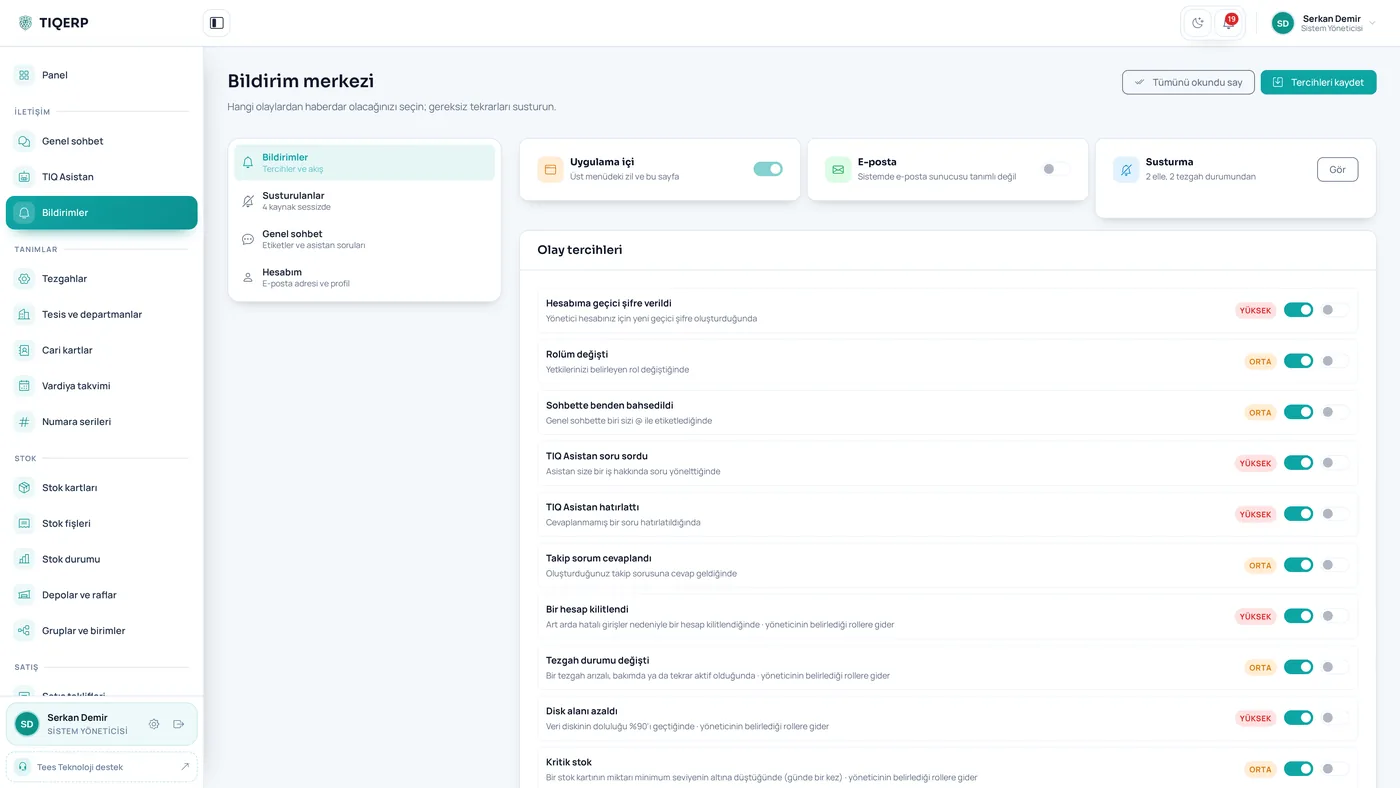
Pending work, warnings and decisions in one list; a machine awaiting repair can be muted with one click
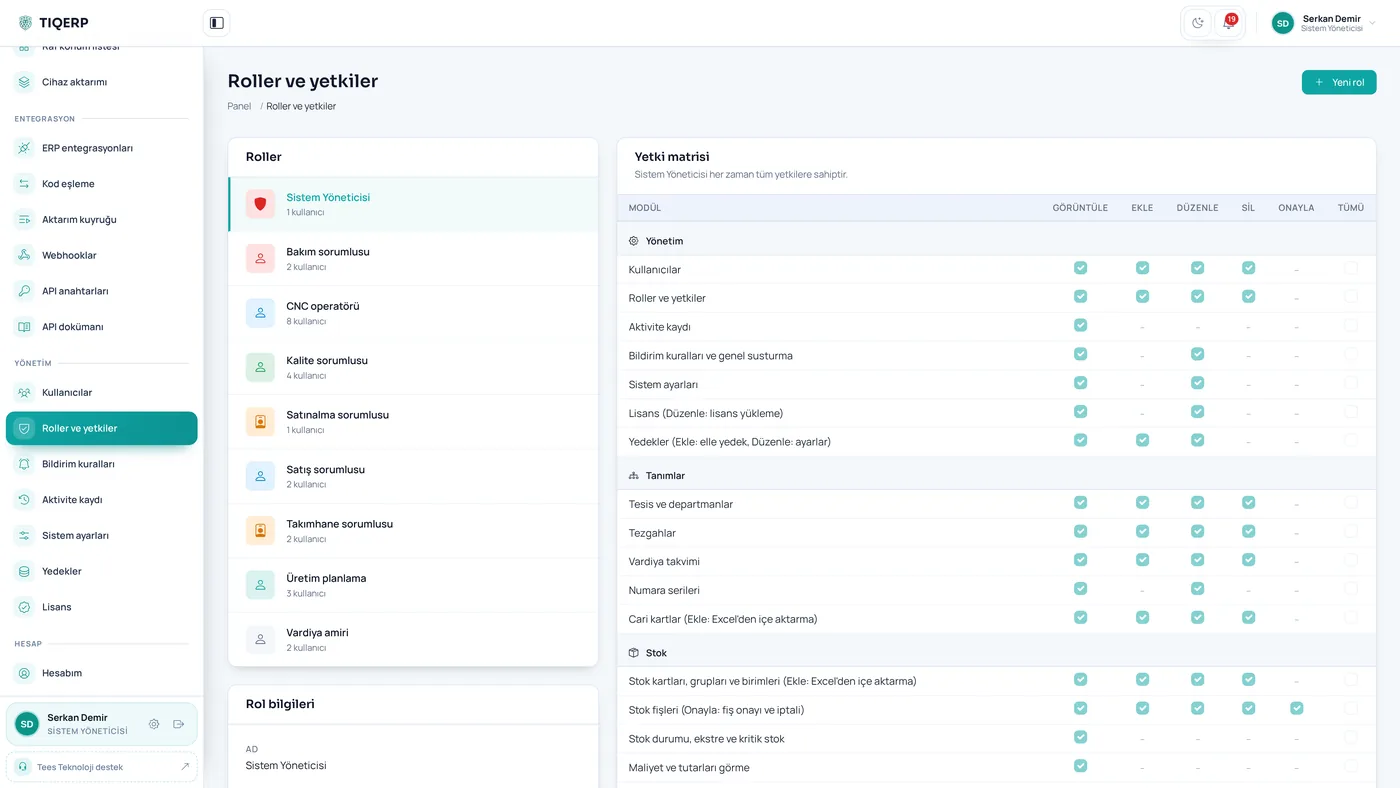
View, add, edit, delete and approve permissions are granted per module
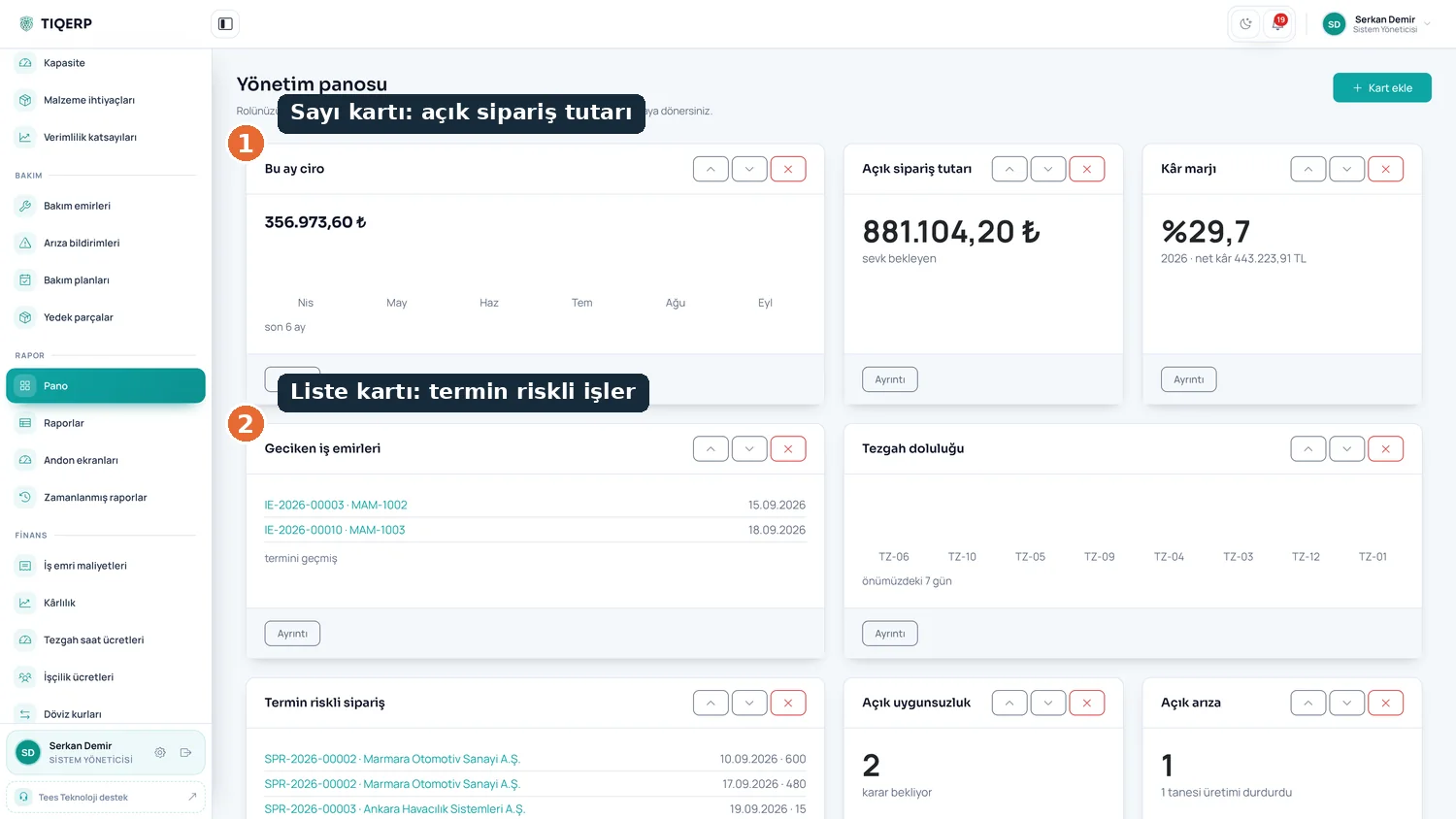
Open order value, jobs at risk of missing their date and the summary of the day, all from the system's own records
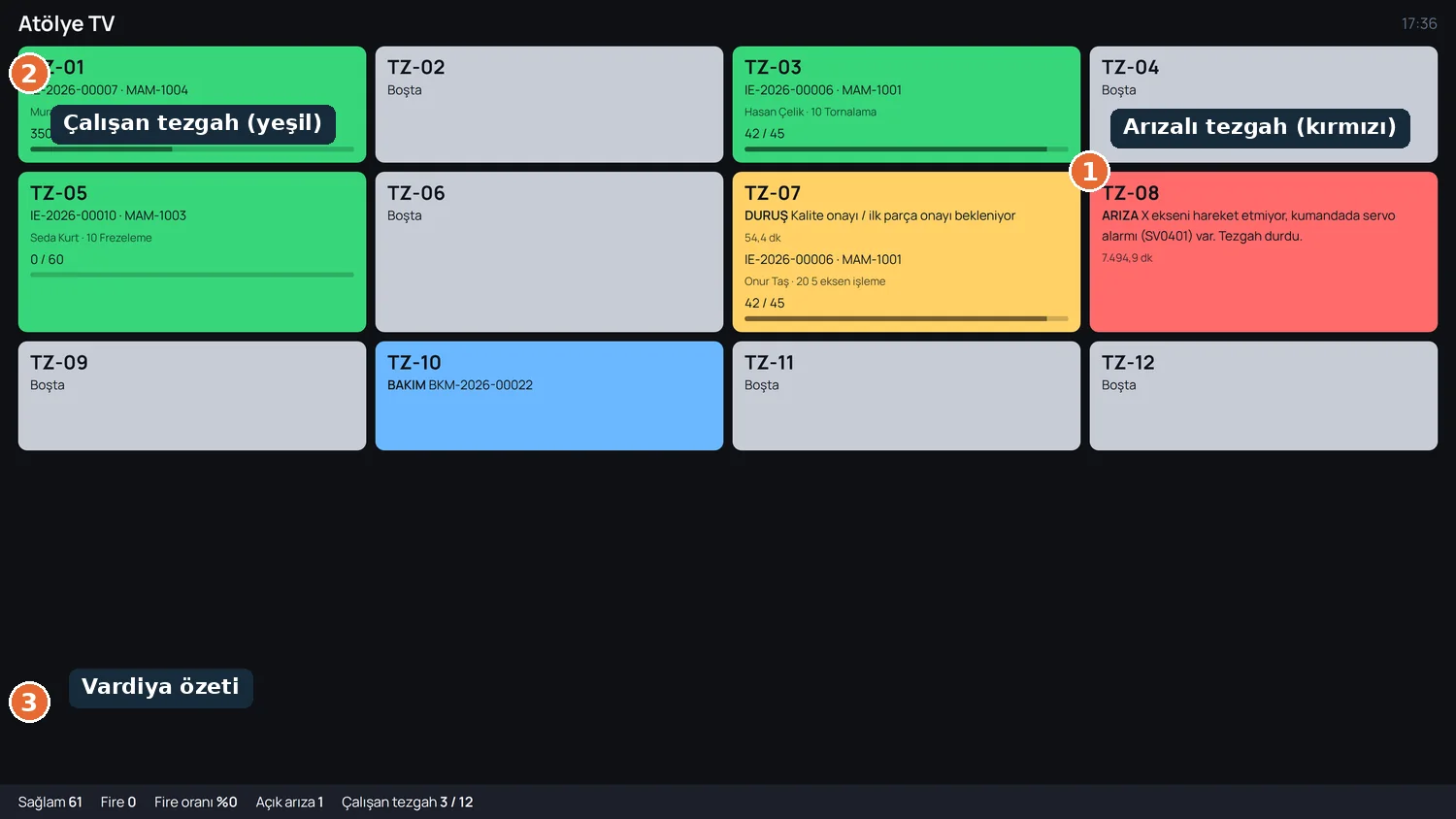
The factory live on a wall display: green running, amber stopped, red breakdown, with the shift summary below
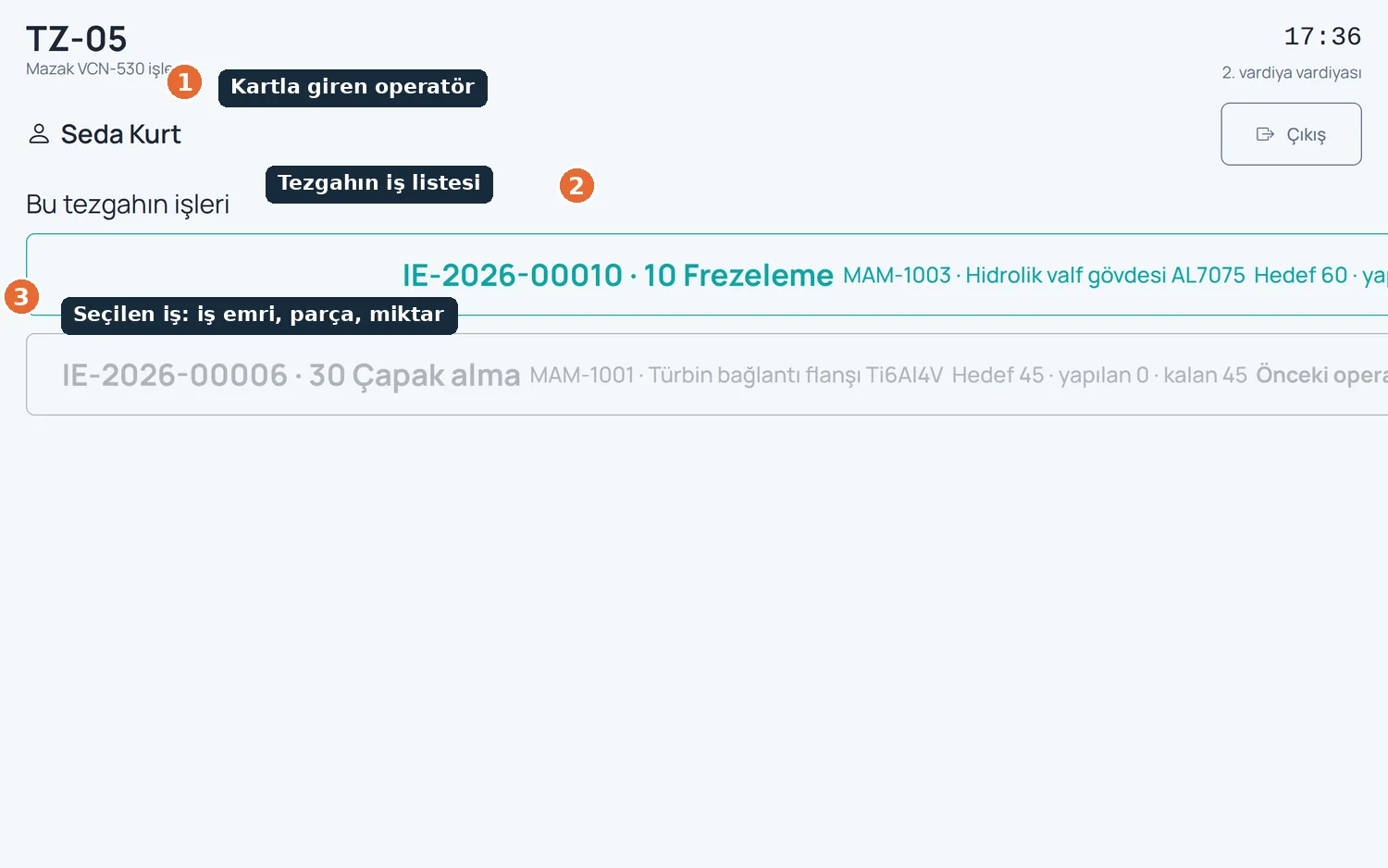
The operator logged in with a card, the machine's job list and the selected job with its work order, part and quantity
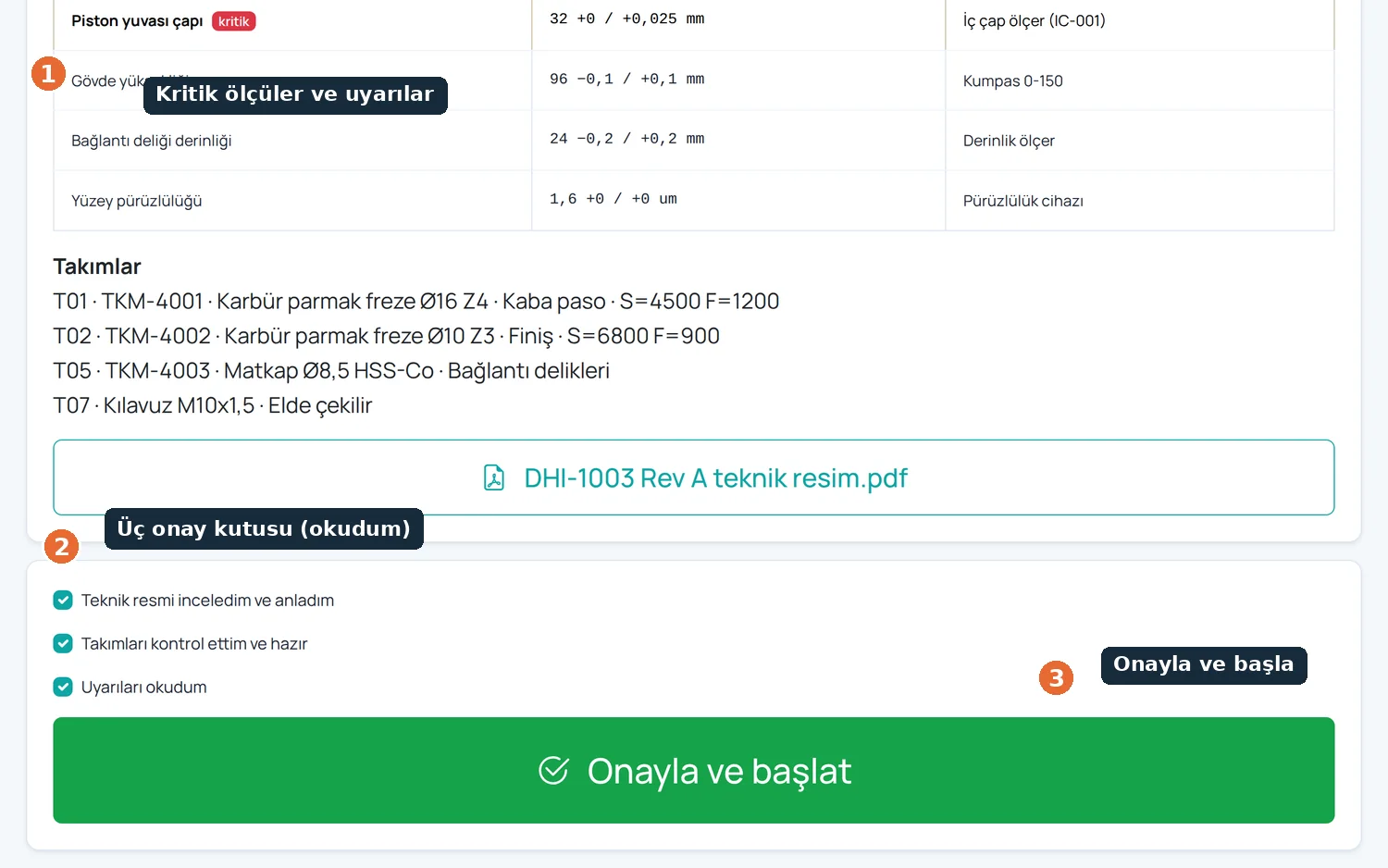
Critical dimensions, warnings and three mandatory confirmations; start stays locked until they are ticked
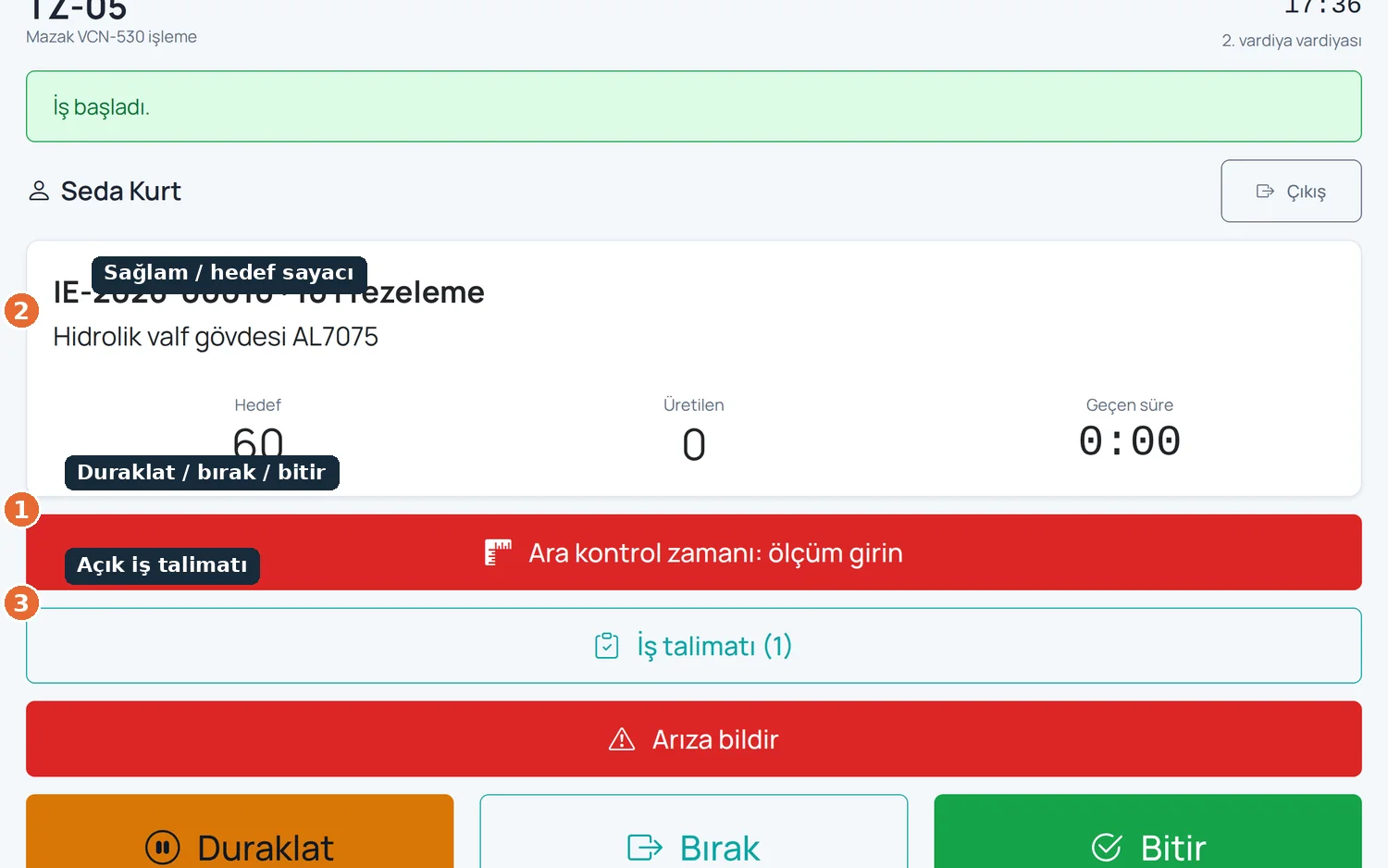
Start, pause, release and finish; good-piece and target counters, with downtime and scrap reasons on large buttons
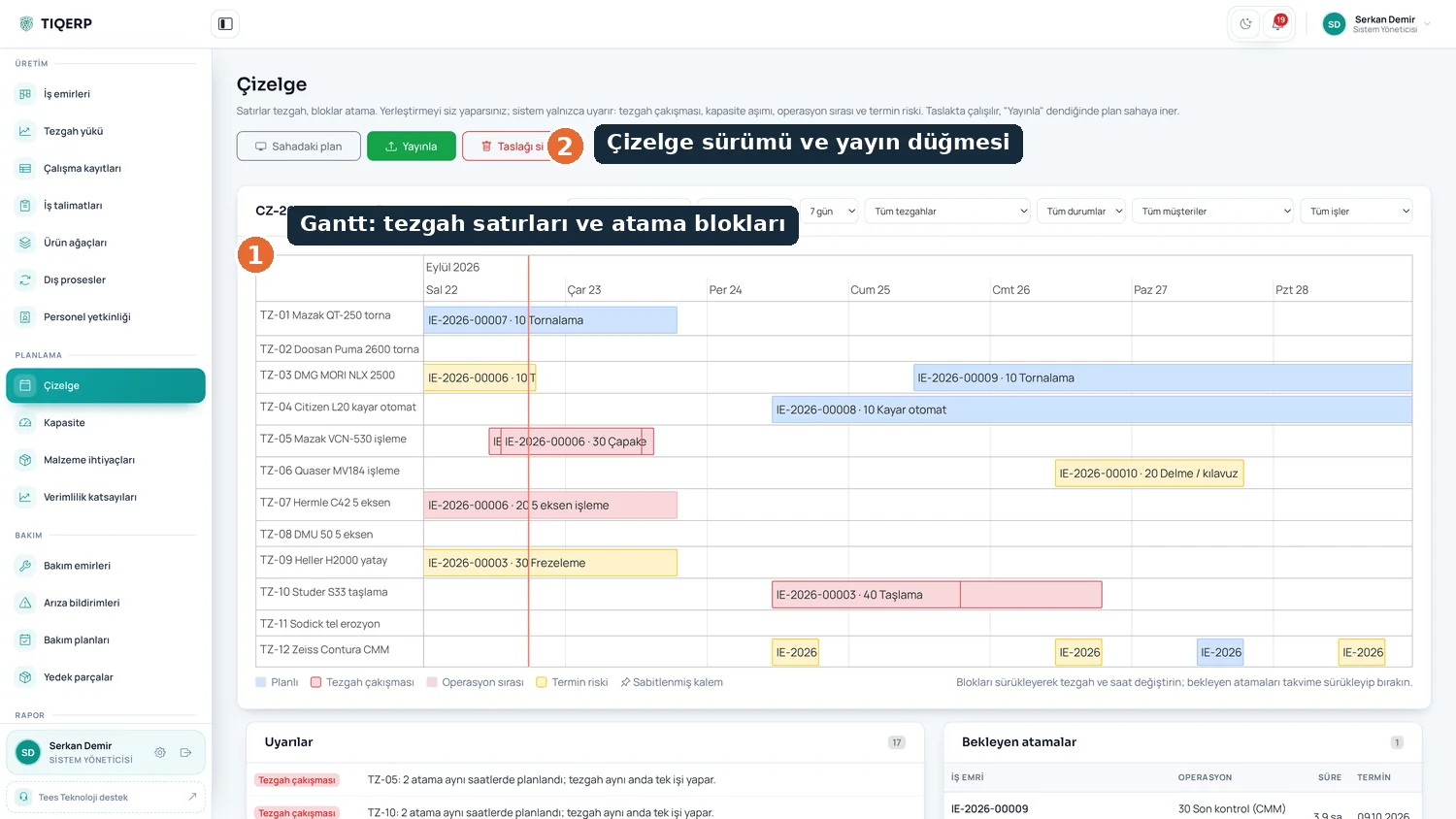
Machine rows and assignment blocks with schedule version and publish button; conflicts and overload warn in advance
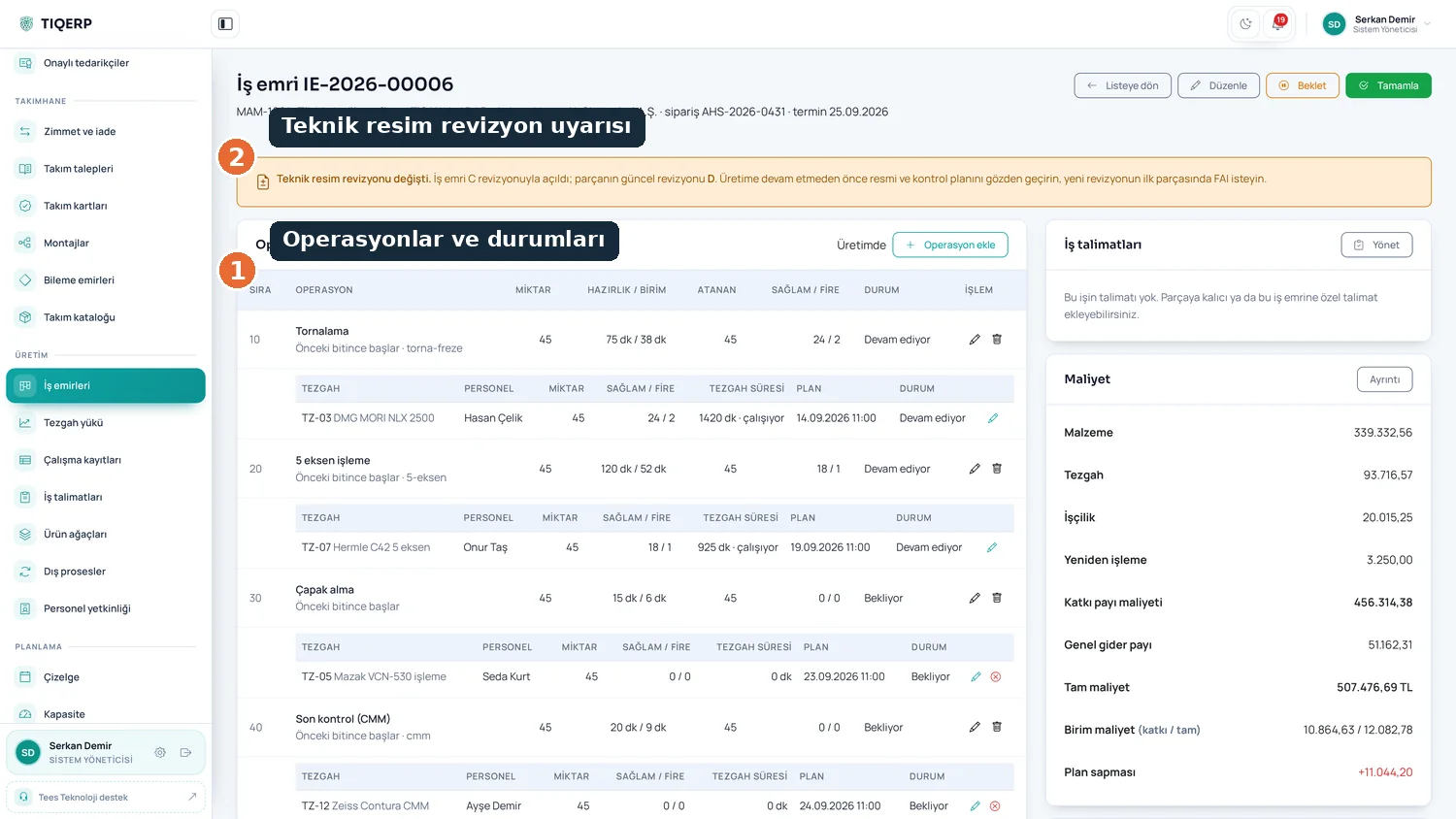
Operations and their status, drawing revision warning, routing, assignments and actual cost
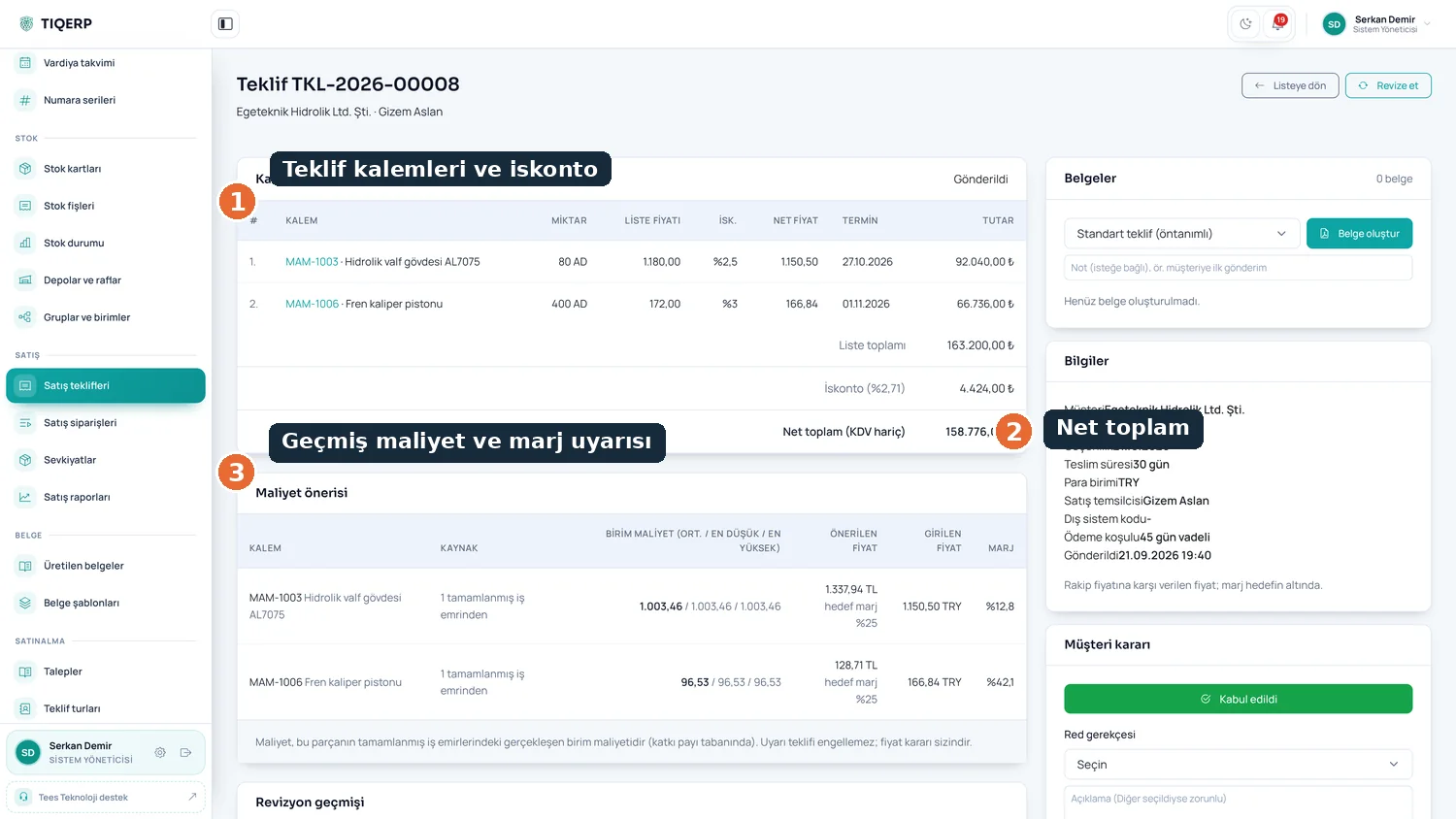
Lines and discount, net total, past actual cost and a margin warning before a loss-making quote goes out
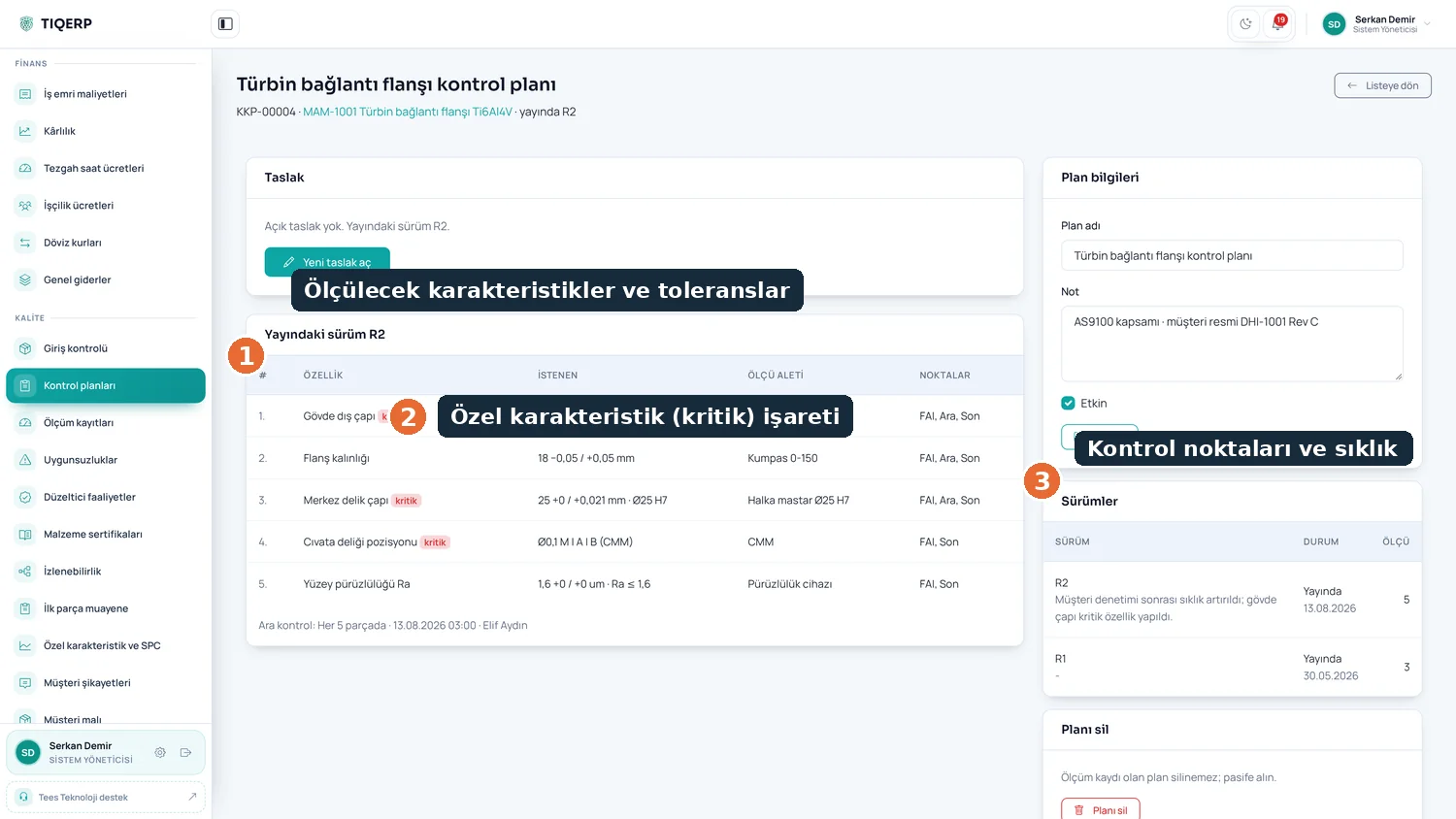
Characteristics and tolerances, the critical characteristic flag, inspection points and frequency
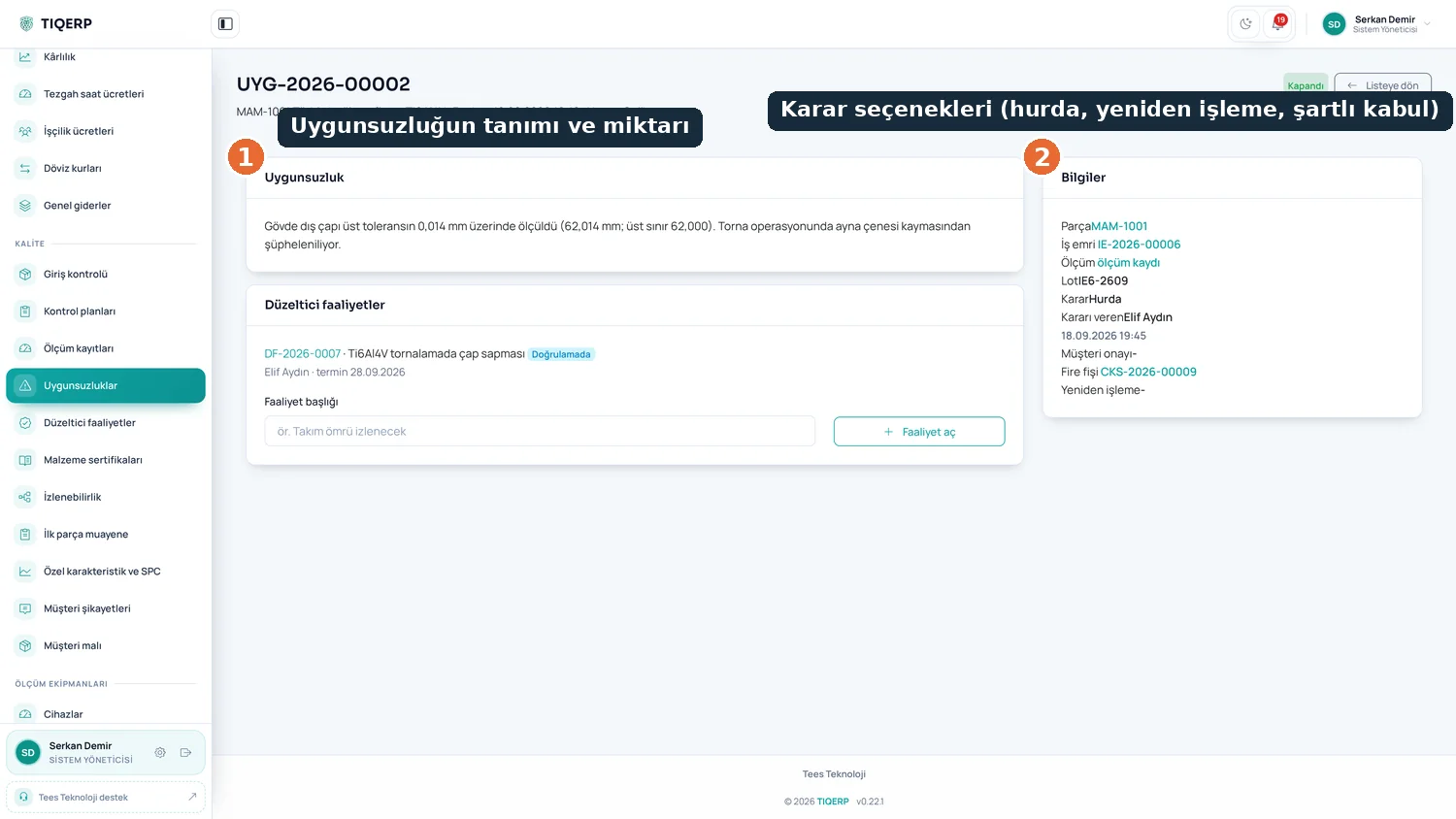
Description and quantity with the decision options: scrap, rework or concession; the decision is recorded and reflected in stock
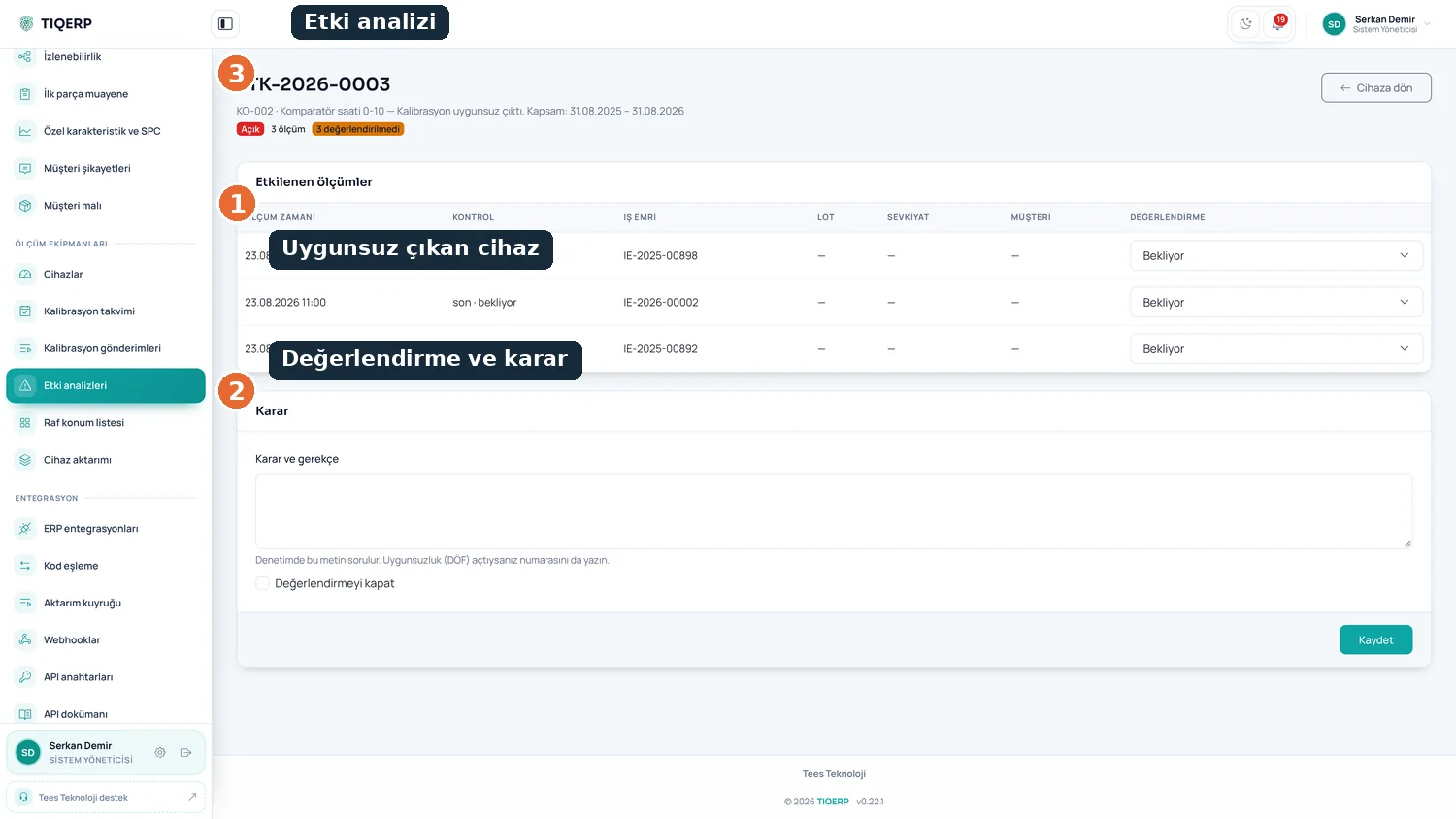
From measurements taken with a failed device to the work order, lot, shipment and customer
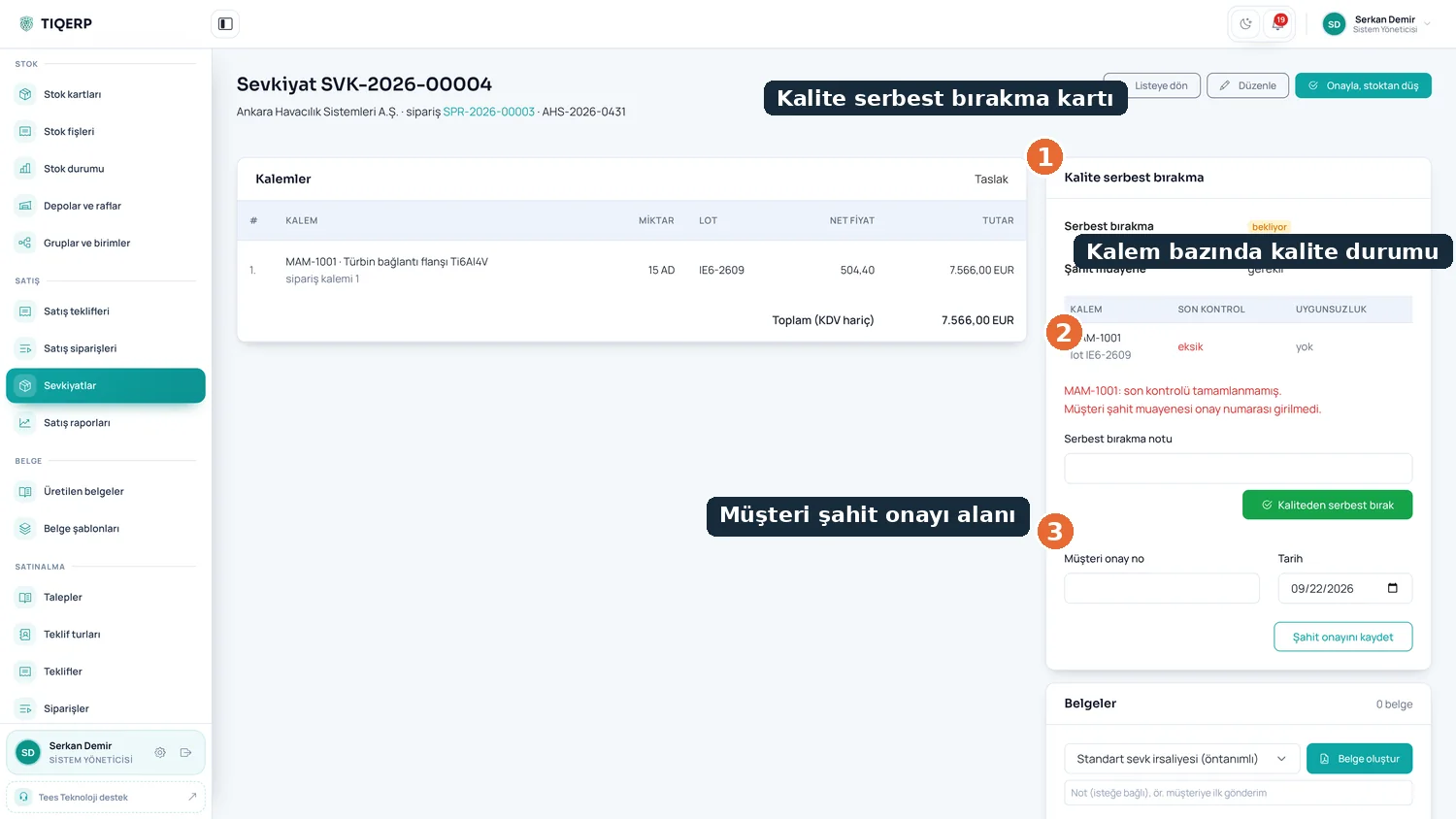
Quality status per line, the release card and the customer witness field; an uninspected lot cannot ship
We listen to how you produce and decide together which modules you need. Installation is done on site and training is included.