
What to look for in CNC production tracking software

Eight questions to ask before buying production tracking software, and what they mean on the shop floor.
What to look for in CNC production tracking software
Buyer guide

What to look for in CNC production tracking software

Eight questions to ask before buying production tracking software, and what they mean on the shop floor.

Four critical points to ask about

Click a card to see how TIQERP handles it

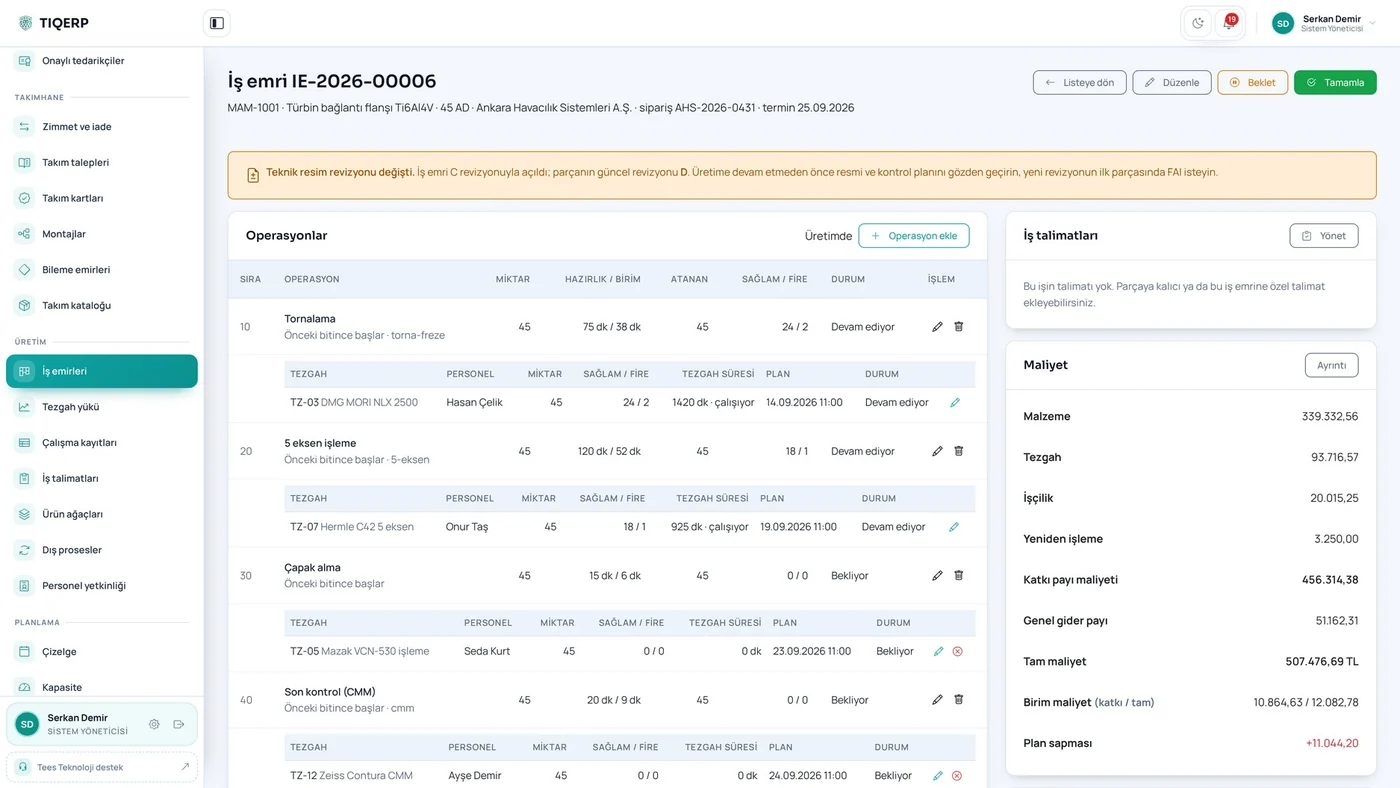
Routing flexibility

The routing belongs to the work order; operations can be split and assignments added while the job runs.

Questions 1-2 See the screen

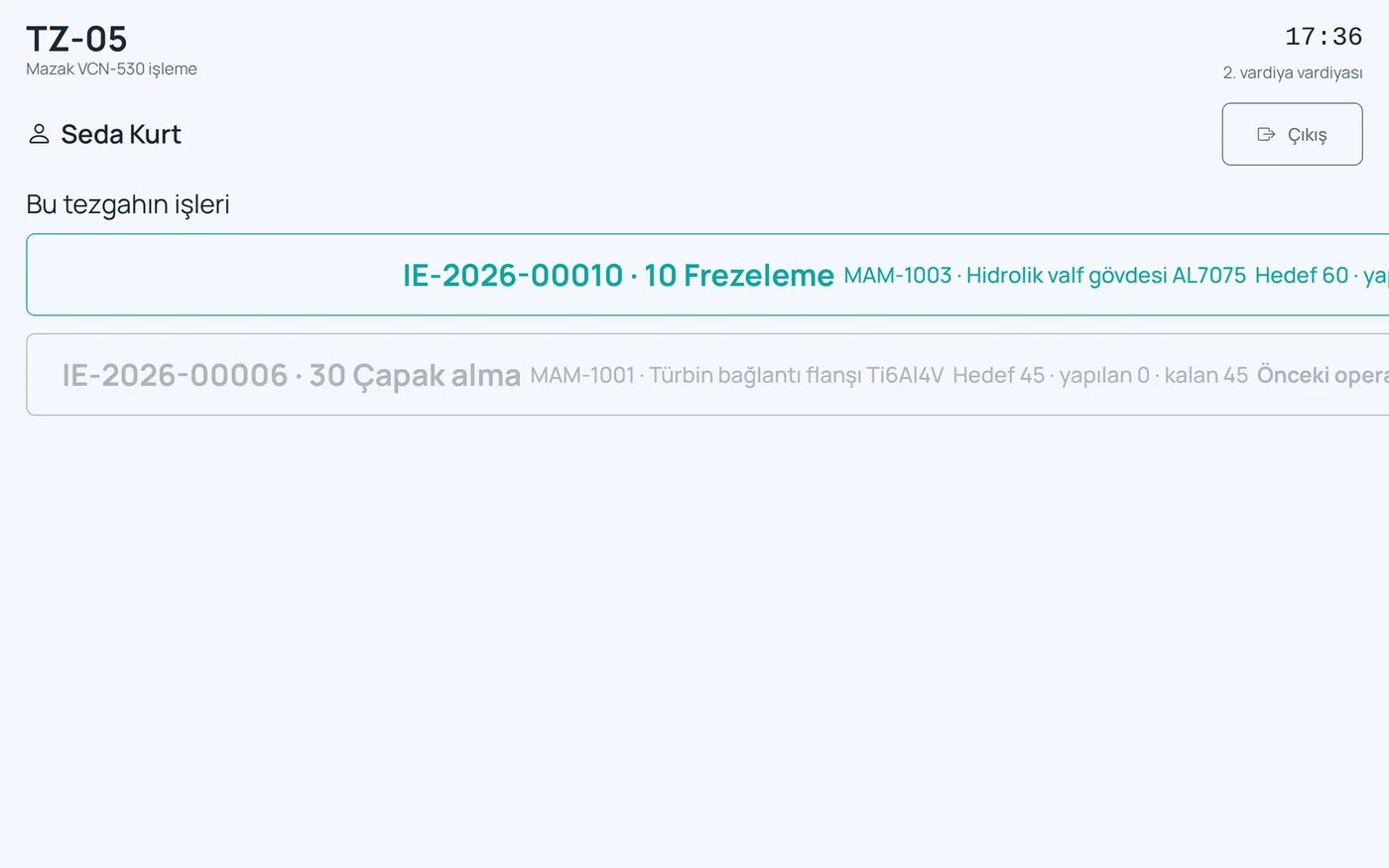
Data is entered at the machine

Card login, large buttons, downtime reasons picked from a list rather than guessed later.

Questions 3-4 See the screen

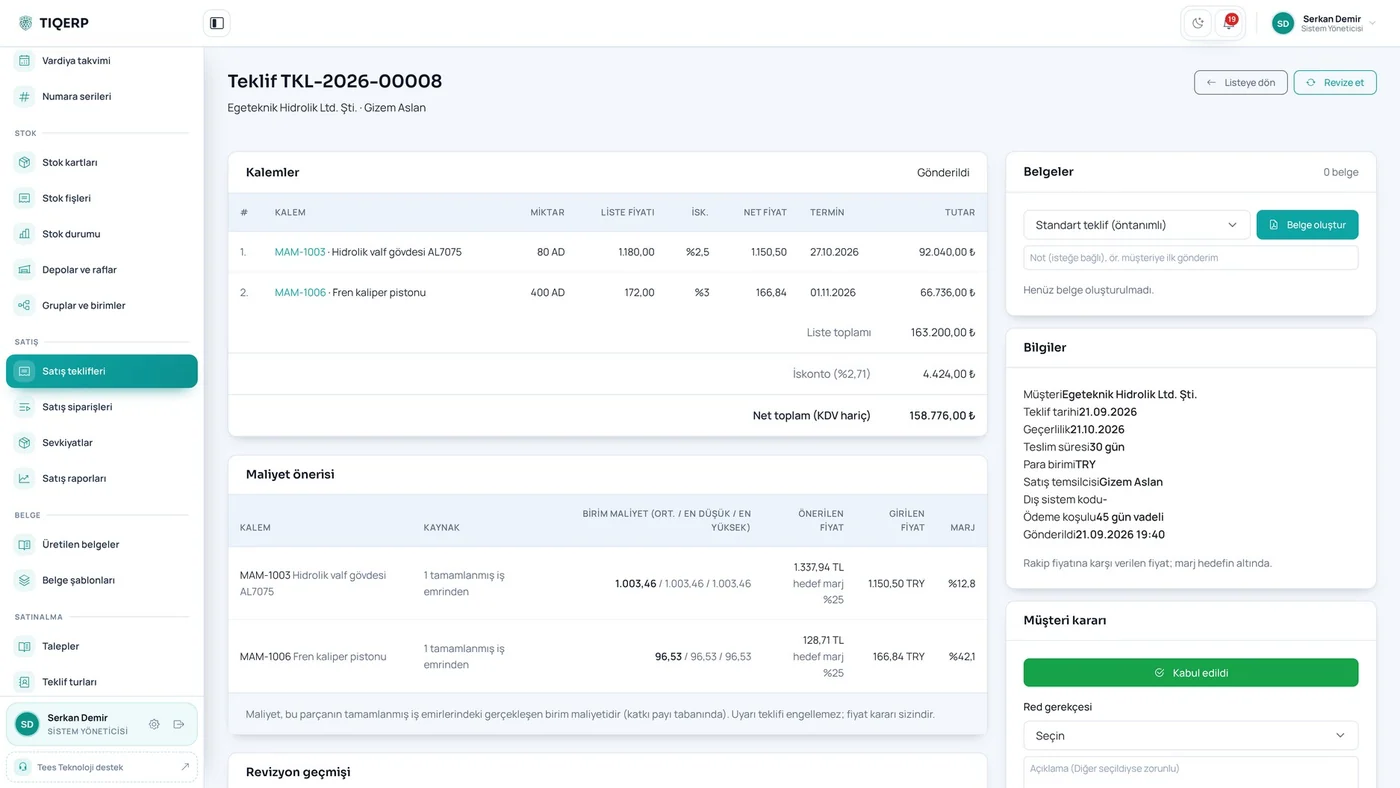
Cost feeds back into quoting

Scrap and rework are separate lines and actual cost appears when the next quotation is priced.

Questions 5-6 See the screen

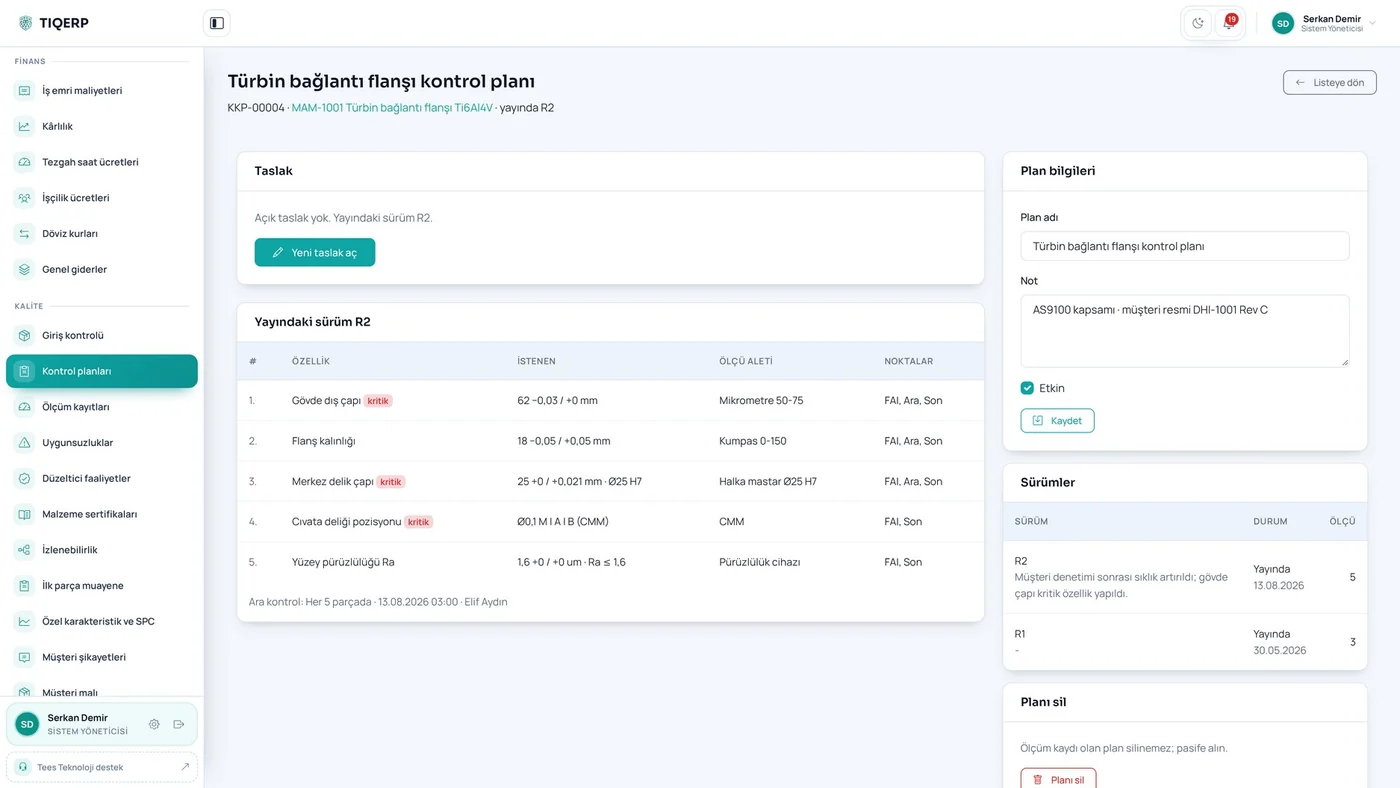
Quality and where it is installed

Control plans, inspection and calibration share the database; installation is on your own server with no per-user fee.

Questions 7-8 See the screen
Data does not improve while paper remains.

The only realistic way to collect shop floor data is to capture it at the machine, as the work happens.

What does "production tracking software" mean?

This search usually starts from the same place: work on the floor runs on paper, where a job stands is asked over the phone, and at month end the cost is guessed. The products on the market, however, do very different things — some only collect data from machines, others manage the commercial side and never see the floor.

Eight questions

  1. Is the routing tied to the part or to the work order? If you produce the same part on a different machine this month, a system that fixes routings to the part forces you either to edit the part record every time or to live with a plan that does not reflect reality.
  2. Can one operation be split across machines? Putting a machine that has just become free to work should be possible without stopping the work order.
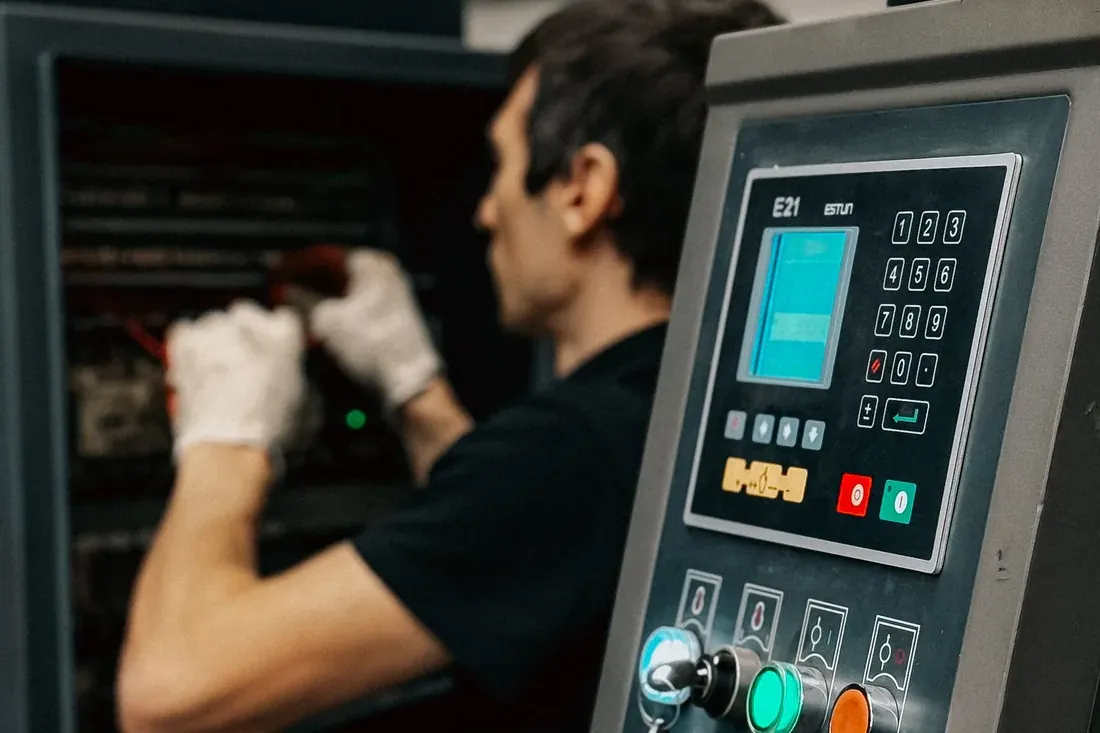
  3. How does the operator enter data? A password-protected desktop screen does not work on the floor. A terminal with card login and large buttons is what makes the data actually get entered.
  4. Are downtime reasons picked from a list? "The machine stopped for three hours" is worthless on its own; nobody remembers afterwards whether it was a tool change, waiting for material or a setup.
  5. Where and why did the scrap occur? If scrap is buried in the total cost, the source of the loss stays invisible.
  6. Does actual cost feed back into quoting? If the duration and consumption of a finished job never reach the person pricing the next quotation, the system is not correcting itself.
  7. Are quality records in the same system? When inspection results sit in a separate folder the traceability chain breaks and gathering records for an audit takes days.
  8. Where is it installed and how is it licensed? If you are in a supply chain where data must stay in the factory, a cloud-only requirement is an early elimination. How the licence is priced matters too: a per-user fee multiplies the cost as the shop grows.

How TIQERP answers them

The routing belongs to the work order and operations can be split. Data is entered at a tablet next to the machine with a card tap; downtime reasons are picked from a list and scrap is recorded with its reason. Actual cost appears on the quotation screen. Control plans, inspection records and calibration share the same database. Installation is on your own server.

One platform, set up for your factory

We listen to how you produce and decide together which modules you need. Installation is done on site and training is included.